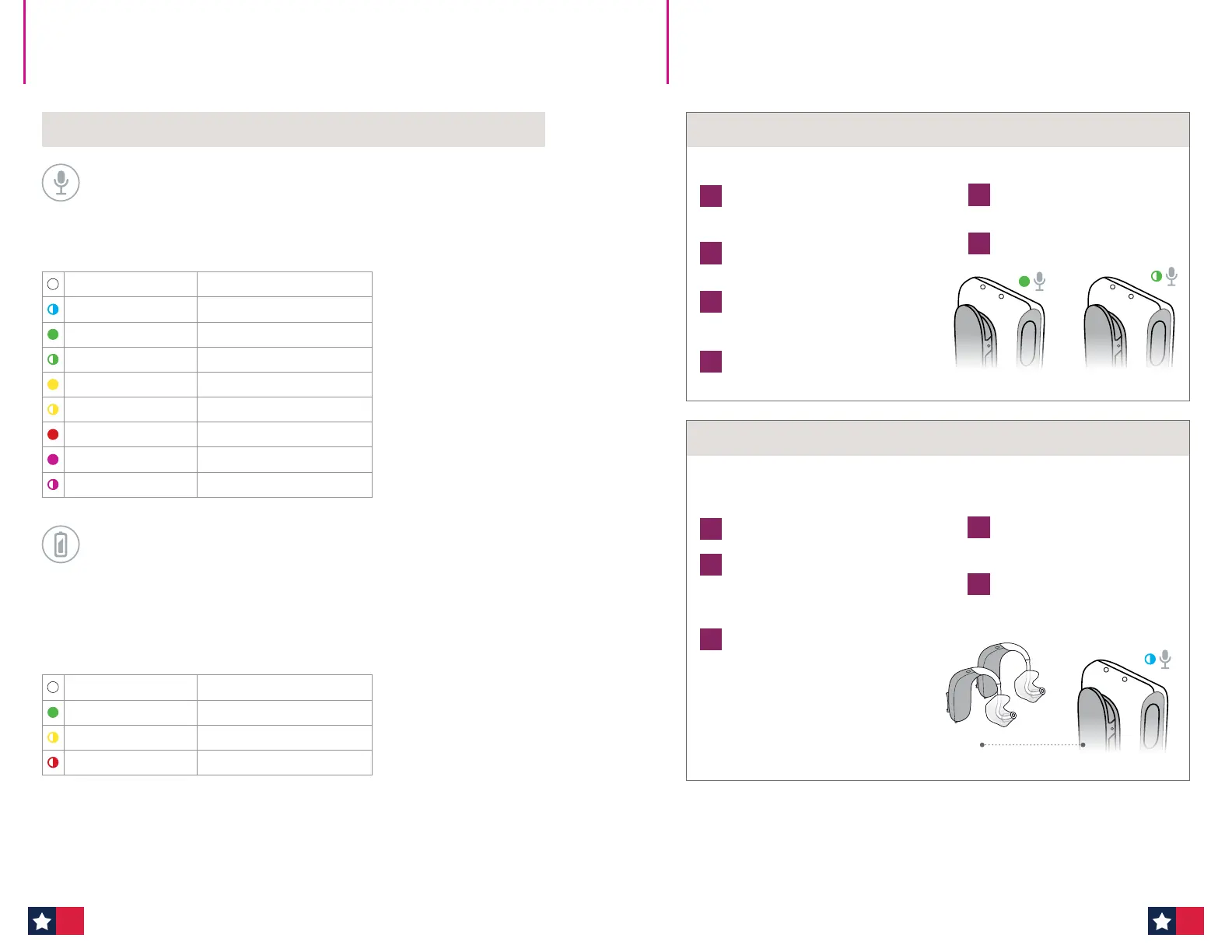
LED indicator overview
Status indicator
A steady light indicates you are sending sound. A flashing light indicates that
EduMic is muted.
Power indicator
Charging time for full charging is 2.5 hours. A quick 30 minute charge during a break
provides approx. 2.5 hours of use.
When the power indicator flashes RED, there is approx. 2 hours of battery
life remaining.
White Start-up
Flashing blue Pairing in progress
Green ON/microphone mode
Flashing green Mute in microphone mode
Yellow Jack/FM mode
Flashing yellow Mute in jack/FM mode
Red Pairings cleared
Magenta Telecoil mode
Flashing magenta Mute in telecoil mode
White Start-up
Green Fully charged
Flashing yellow Charging
Flashing red Battery low
EduMic LED indicator overview How to use EduMic
Mute/unmute
1
To mute EduMic, briefly press
the button.
2
To unmute, briefly press the
button again.
Turn ON
1
Turn EduMic ON by pressing the button
for 2 seconds until both indicators turn
WHITE. Then, release the button.
2
Wait for 10 seconds until the status
indicator turns GREEN.
3
EduMic is now ON.
Turn OFF
1
Press the button for 2 seconds until
the status indicator turns OFF.
How to turn EduMic ON/mute
EduMic is ON EduMic is muted
1
When the status indicator turns
green, EduMic is paired with the
hearing aids.
2
Confirm the patient can hear your
voice in both hearing aids
through EduMic.
1
Ensure EduMic is ON.
2
Turn both hearing aids OFF and back
ON. (Please see the Instructions For
Use-Turn hearing aids ON/OFF for your
device.)
3
Place the hearing aids within 7-8
inches of EduMic. The status indicator
flashes blue during pairing.
Getting started: Pairing the hearing aids
Max 7-8 inches
EduMic and the hearing aids need to be paired before use.
You only need to pair the hearing aids once.
Clearing Pairings: Ensure EduMic is turned on. Press and hold down the button for 12
seconds until the status indicator turns RED. All pairings with hearing aids are now cleared
from EduMic.
66 67












 To Next Page