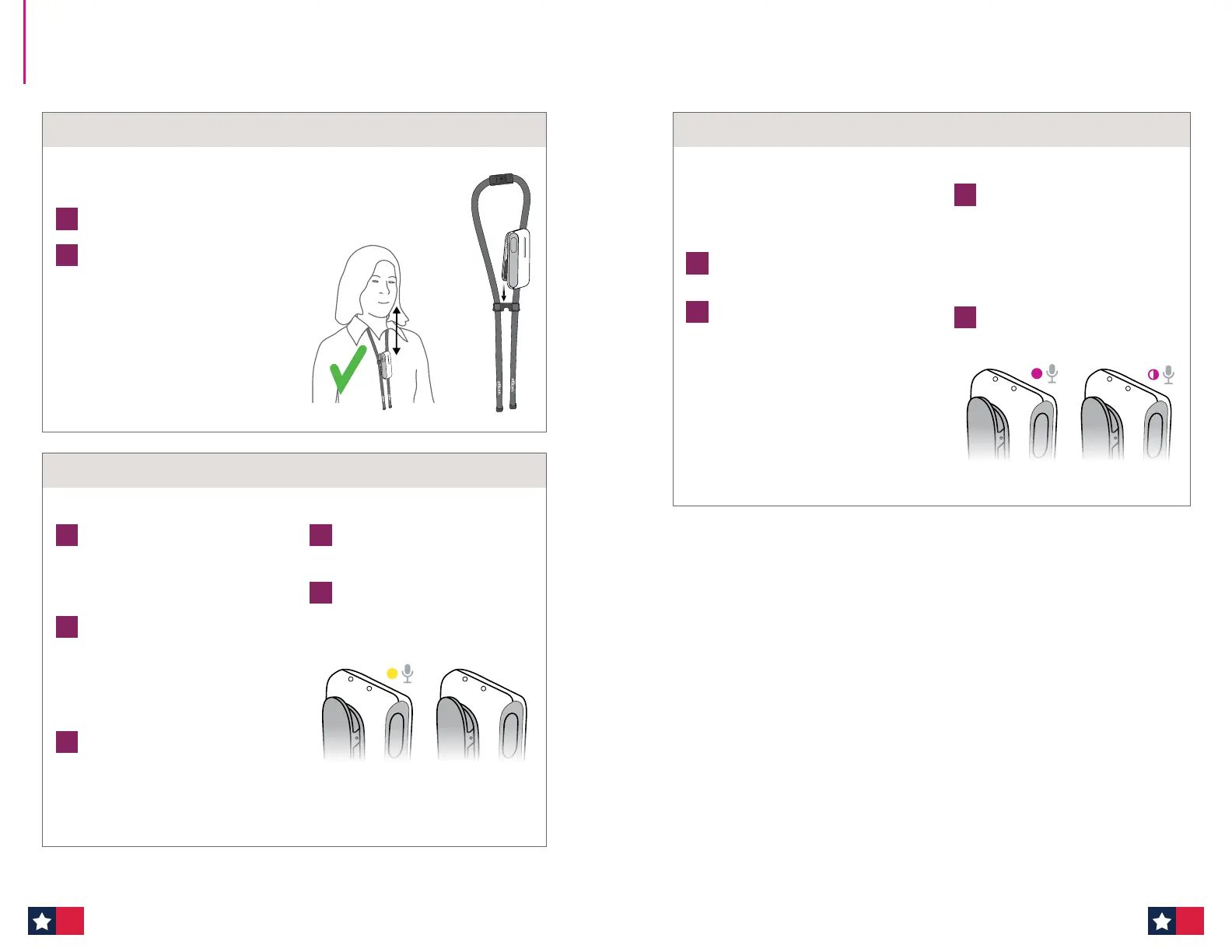
Mute/unmute connection
1
To mute the connection, press the
button briefly. The status indicator
flashes yellow.
2
To unmute, press the button
again briefly.
Use the jack cable
1
Plug in the 3.5 mm jack cable to send
sound to the patient's hearing aids
from external sound sources like
sound field systems, smartboards or
PC/tablets, etc.
2
When the cable is connected, the
status indicator turns YELLOW, and the
EduMic microphone is disabled (OFF).
Unplug the cable from EduMic to use
the microphone.
Use of FM connection
1
Plug in the FM receiver (not included)
to send sound to the patient's hearing
aids from classroom microphone
systems like Oticon Amigo. Ensure the
EduMic is placed within 9.5 feet from
the hearing aids.
Audio connections
EduMic is connected
with cable or FM
receiver
Connection
is muted
1
Attach EduMic to the lanyard.
2
Hang the lanyard around your neck and
adjust the distance to your mouth.
Use of the lanyard
Max 7–8
inches
The distance from your mouth to the microphone
on EduMic should be a maximum of 7–8 inches.
For the comfort of the patient:
! Be aware that when touching EduMic,
noise is sent to the hearing aids. Mute
EduMic while you are handling it.
! EduMic should not be worn close to
pieces of jewelry or other hard objects.
Mute/unmute connection
1
Press the button briefly to mute
the audio stream from EduMic.
The status indicator flashes
MAGENTA.
To unmute, press the button
briefly again.
2
To exit telecoil mode, press the
button for 2 seconds until the
status indicator is off.
Telecoil gives direct access to teleloop
systems typically found in theaters, places
of worship, or lecture rooms. This symbol
or a similar sign is shown wherever a
teleloop has been installed.
1
Ensure EduMic is turned OFF
2
Press and hold down the button for
10 seconds until the status indicator
turns MAGENTA.
EduMic is now in telecoil mode and
the EduMic microphone is disabled.
The range of operation is 10 ft.
Enter telecoil mode
EduMic is in telecoil
mode
Connection
is muted
How to use EduMic (cont'd)
6968












 To Next Page