EasyManua.ls Logo

oticon Zircon - User Manual

oticon Zircon
40 pages
Print Icon
To Next Page IconTo Next Page
Loading...
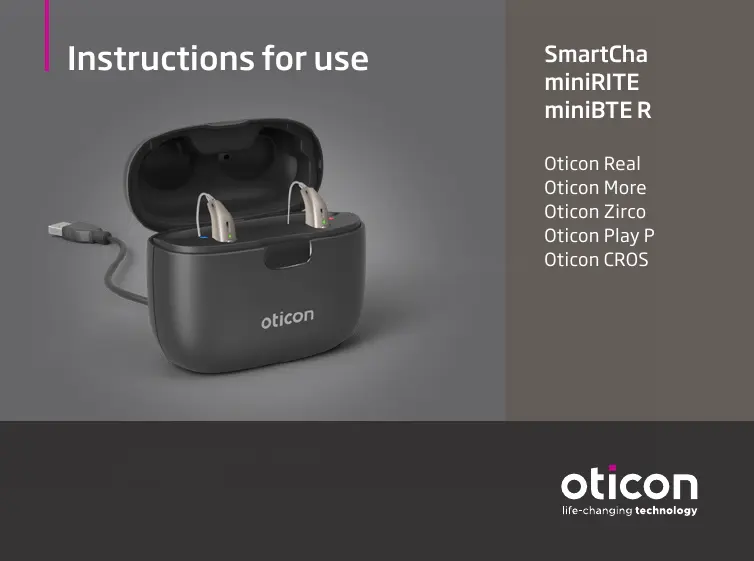
Instructions for use
SmartCharger
miniRITE R
miniBTE R
Oticon Real
Oticon More
Oticon Zircon
Oticon Play PX
Oticon CROS PX

Questions and Answers

  • R
    Rachel WernerAug 10, 2025
    What to do if oticon Battery Charger LED blinks orange/red?
    • J
      jesse74Aug 11, 2025
      If the LED on your Oticon Battery Charger blinks orange or red when the hearing aid is placed in it, several factors could be the cause. First, the hearing aid or charger's temperature might be too warm or too cold; move them to a location between +5°C and +38°C (+41°F and +100°F). Second, charging might be incomplete to protect the battery; in this case, the hearing aid will automatically resume normal charging mode after up to 10 minutes, depending on battery depletion. Third, the hearing aid may not be correctly seated; try reinserting it into the charger, which should complete charging within approximately 15 minutes. If none of these steps work, it may be a system error, and you should contact your hearing care professional.
  • A
    Ashley JonesAug 17, 2025
    Why oticon Battery Charger LED is off when hearing aid is placed in charger?
    • A
      Amanda GutierrezAug 17, 2025
      If the hearing aid LED remains off when the hearing aid is placed in the Oticon Battery Charger, the charger might not be turned on. Verify that the charger power plug is correctly connected.
  • D
    Dawn BarkerAug 26, 2025
    What to do if oticon Battery Charger LED shows long orange blinks?
    • K
      Kaitlyn WaltonAug 26, 2025
      If the LED on your Oticon Battery Charger shows long orange blinks, it means the hearing aid or charger’s temperature is too warm. Move the charger and hearing aid to a location with a temperature between +5°C and +38°C (+41°F and +100°F).
  • P
    palmerlisaSep 1, 2025
    What does it mean when oticon Battery Charger LED repeatedly shows three short orange blinks?
    • M
      Mary JohnsonSep 1, 2025
      If the LED on your Oticon Battery Charger repeatedly shows three short orange blinks, it indicates that the charger’s temperature is too cold. Move the charger to a location with a temperature between +5°C and +38°C (+41°F and +100°F).

Summary

Intended use

Charger Components

Key parts and functions

Identifies and describes the charger's USB cable, power plug, charging ports, and battery indicator.

Temperature Conditions

Preparing the Charger

Connecting to power source steps

Step-by-step instructions for connecting the charger to a power outlet for initial charging.

Charger Power Status

Charging Hearing Aids

Proper placement and status indicators

Guides on placing hearing aids in the charger and interpreting LED color codes for charging status.

Charging Times

Hearing aid charging duration estimates

Provides estimated times to fully charge or reach specific percentages for different hearing aid models.

Charging the Charger

Power bank operation and times

Explains the charger's power bank feature and estimated charging times for the battery and hearing aids.

Power Bank Function

Alternative Charging Sources

Drying Hearing Aids

Charger Care and Maintenance

General Warnings

Safety, chemical, and explosive hazards

Covers risks like burns, choking, heat exposure, chemical damage, and explosive environments.

Rechargeable Battery and External Connections

Battery handling and external equipment safety

Details precautions for rechargeable batteries, leakage, and safe connection to external equipment.

Device Specific Warnings

Accessory and Battery Warnings

Troubleshooting

Hearing aid and charger issues

Lists symptoms like hearing aids not turning on, orange LED blinks, and charger not charging, with possible causes.

Hearing Aid LED Status Issues

Conditions of Use

International Warranty

oticon Zircon Specifications

General IconGeneral
Brandoticon
ModelZircon
CategoryBattery Charger
LanguageEnglish

Related product manuals