EasyManua.ls Logo

oticon Real - User Manual

oticon Real
40 pages
Print Icon
To Next Page IconTo Next Page
Loading...
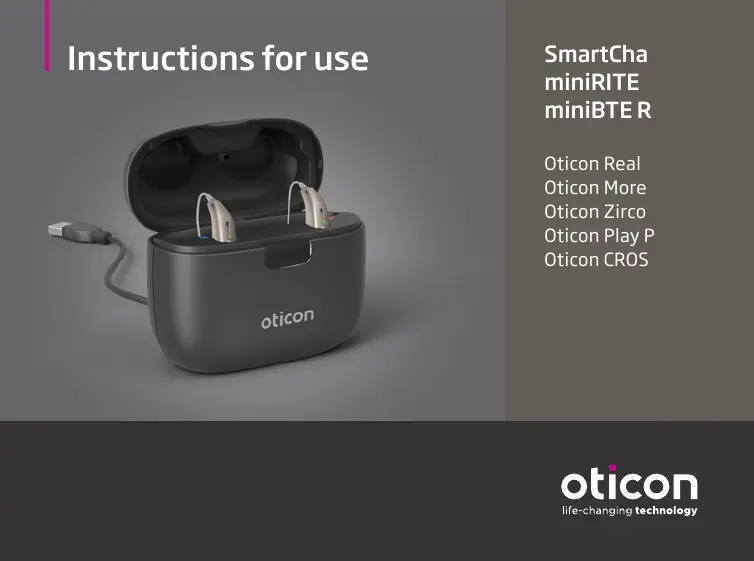
Instructions for use
SmartCharger
miniRITE R
miniBTE R
Oticon Real
Oticon More
Oticon Zircon
Oticon Play PX
Oticon CROS PX

Questions and Answers

  • B
    Becky MitchellAug 10, 2025
    What to do if oticon Battery Charger LED blinks orange/red?
    • B
      bryanmaddoxAug 10, 2025
      If the LED on your Oticon Battery Charger blinks orange or red when the hearing aid is placed in it, several factors could be the cause. First, the hearing aid or charger's temperature might be too warm or too cold; move them to a location between +5°C and +38°C (+41°F and +100°F). Second, charging might be incomplete to protect the battery; in this case, the hearing aid will automatically resume normal charging mode after up to 10 minutes, depending on battery depletion. Third, the hearing aid may not be correctly seated; try reinserting it into the charger, which should complete charging within approximately 15 minutes. If none of these steps work, it may be a system error, and you should contact your hearing care professional.
  • C
    charlesavilaAug 18, 2025
    Why oticon Battery Charger LED is off when hearing aid is placed in charger?
    • J
      Jessica WallsAug 18, 2025
      If the hearing aid LED remains off when the hearing aid is placed in the Oticon Battery Charger, the charger might not be turned on. Verify that the charger power plug is correctly connected.
  • J
    jennifer66Aug 26, 2025
    What to do if oticon Battery Charger LED shows long orange blinks?
    • A
      Adriana GreenAug 26, 2025
      If the LED on your Oticon Battery Charger shows long orange blinks, it means the hearing aid or charger’s temperature is too warm. Move the charger and hearing aid to a location with a temperature between +5°C and +38°C (+41°F and +100°F).
  • T
    tyler13Sep 2, 2025
    What does it mean when oticon Battery Charger LED repeatedly shows three short orange blinks?
    • P
      Patrick SheppardSep 2, 2025
      If the LED on your Oticon Battery Charger repeatedly shows three short orange blinks, it indicates that the charger’s temperature is too cold. Move the charger to a location with a temperature between +5°C and +38°C (+41°F and +100°F).

Summary

Charger Setup and Operation

Preparing the charger

Step-by-step guide on connecting the charger to a power source.

First use charging

Instructions for charging the charger's internal battery for the first time.

Charging hearing aids

How to place hearing aids and check their charging status.

Advanced Charging Features

Safety Warnings

General warnings

Crucial safety precautions for device operation and handling.

Specific hazards and precautions

Covers risks like battery, chemicals, implants, aircraft transport, and accessories.

Troubleshooting and Conditions

Troubleshooting

Solutions for common issues encountered with the charger.

oticon Real Specifications

General IconGeneral
Brandoticon
ModelReal
CategoryBattery Charger
LanguageEnglish

Related product manuals