12
About Getting started Daily use Warnings More info
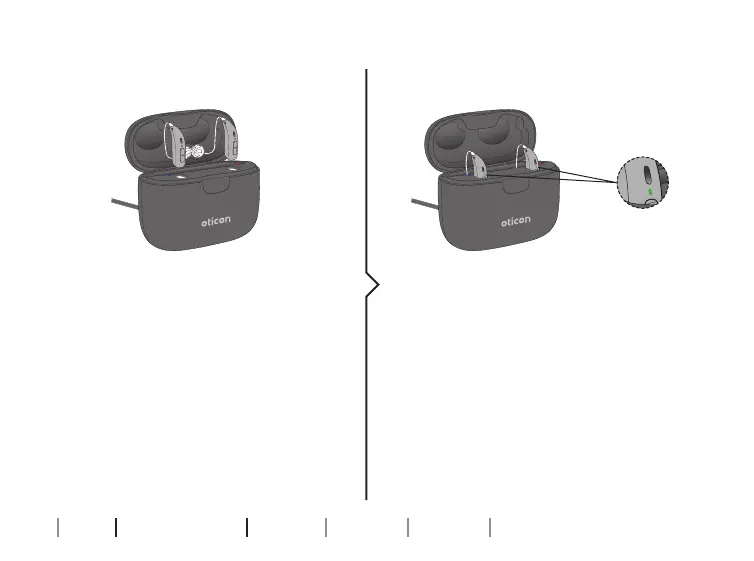
Charge the hearing aids
Place the hearing aids in the
charging ports as shown in the
picture and close the lid. Make
sure that your hearing aids match
the right and left colour indicators
on the charger’s charging ports.
The RED indicator is for the right
side hearing aid. The BLUE indicator
is for the left side hearing aid.
The hearing aid LED lights turn ON
when the hearing aids are correctly
placed in the charger.
Hearing aid LED light charging
status:
ORANGE = Charging
GREEN = Fully charged
Place hearing aids in charger Charging status







 To Next Page