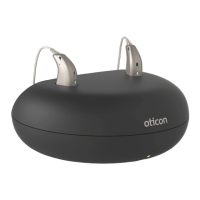
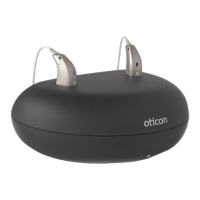
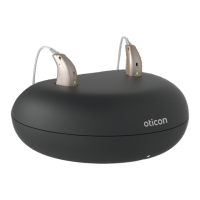
The Oticon Charger 1.0 is a device designed to recharge Oticon miniRITE R and miniBTE R hearing aids and CROS transmitters that contain rechargeable batteries. It is intended for use by individuals with hearing loss who use these hearing aids, their caregivers, and hearing care professionals responsible for adjusting the accessory. The charger is suitable for adults and children older than 36 months and is designed for use in a home setting.
Function Description
The primary function of the Charger 1.0 is to provide a reliable power source for recharging compatible Oticon hearing aids. It features two charging ports, one for the right hearing aid (indicated by a RED indicator) and one for the left hearing aid (indicated by a BLUE indicator). When hearing aids are correctly placed in the charging ports, an LED light on the hearing aid itself will turn ON, indicating the charging process has begun. The charger also has its own LED light that indicates whether the charger is ON or OFF.
The charging process is automatic once the hearing aids are properly seated and the charger is connected to a power source. The hearing aid LED lights will display an ORANGE or RED color during charging and turn GREEN when fully charged. The charging process stops automatically once the battery is fully charged to prevent overcharging.
The charger can be powered using the supplied power plug and USB cable, which connects to a power socket. Alternatively, it can be powered by other USB 2.0 compliant sources with a minimum 500mA output, such as power banks, computers, or car chargers, using the charger's USB cable. It is crucial to use the supplied original power supply (5.0V/1A) when connecting to a power socket.
Usage Features
To prepare the charger for use, first insert the USB plug into the power plug, then insert the power plug into a power socket. The charger will turn ON automatically, and its GREEN LED will illuminate.
When placing hearing aids in the charger, ensure they are correctly matched to the right (RED indicator) and left (BLUE indicator) charging ports. The hearing aid LED lights will turn ON to confirm correct placement and initiation of charging.
For optimal battery life and consistent performance, it is recommended to fully charge the hearing aids before their first use and every night thereafter. This ensures the user starts each day with fully charged hearing aids. Charging time can vary depending on the remaining battery capacity and the specific hearing aid. Normal charging for a completely drained miniRITE R hearing aid takes approximately 3 hours to reach full charge, 1 hour for 50% charge, and 0.5 hours for 25% charge. For a miniBTE R hearing aid, a full charge takes about 3.5 hours, 1 hour for 44% charge, and 0.5 hours for 22% charge.
The charger operates best within a temperature range of +10°C to +35°C (+50°F to +95°F), where charging takes up to 3 hours. Extended charging, taking up to 4 hours, occurs between +5°C to +10°C and +35°C to +38°C (+41°F to 50°F and +95°F to +100°F). No charging occurs below +5°C (+41°F) or above +38°C (+100°F) due to low or high temperature conditions, respectively.
An important notice highlights that the charger should always remain connected to a power source when the hearing aid is in the charging port. Disconnecting the charger will cause the hearing aid to turn ON and begin using its internal battery power. If a hearing aid has not been used for an extended period, it may take up to 30 seconds before charging begins. If the hearing aid LED blinks GREEN when placed in the charger, it indicates that the hearing aid automatically resumes normal charging mode after a timeframe of up to 10 minutes, depending on battery depletion.
Troubleshooting guidance is provided for various scenarios. If the charger LED remains OFF when connected to power, users should verify the power plug connection and ensure the power source provides sufficient output. If the charger LED shows long ORANGE blinks, it indicates the hearing aid or charger's temperature is too warm, requiring relocation to a cooler environment (+5°C to +38°C). If the charger LED repeatedly shows three short ORANGE blinks, it suggests the charger's temperature is too cold, also requiring relocation to the recommended temperature range. System errors in these cases necessitate contacting a hearing care professional.
If the hearing aid LED remains OFF when placed in the charger, users should verify the power plug connection, relocate to the correct temperature range if too warm or cold, reinsert the hearing aid if charging is incomplete (which completes charging within approximately 15 minutes), or check charging ports for foreign objects. If the hearing aid LED blinks ORANGE/RED when placed in the charger, it indicates a system error, and a hearing care professional should be contacted.
Maintenance Features
Maintaining the Charger 1.0 involves keeping it dry and clean. The charging ports should be regularly cleaned from dust using a dry cloth. Water or cleaning fluids should not be used to clean the charging ports.
The charger should be stored in a dry location, such as a bedroom, and within an environment where the temperature is between +5°C and +38°C (+41°F and +100°F).
When using a power bank as an alternative power source, it is important to ensure that the power bank does not have a power-saving or auto-shutdown mode, as this could prevent the hearing aid from being fully charged or charged at all.
The device is designed for durability, but the international limited warranty covers manufacturing and material defects for 12 months from the date of delivery. This warranty does not cover accessories (like batteries, cables, power supplies), problems arising from improper handling, excessive use, accidents, unauthorized repairs, exposure to corrosive conditions, damage from foreign objects, or incorrect adjustments. For service or warranty claims, users should contact their hearing care professional.


 To Next Page
 General