EasyManua.ls Logo

oticon More 1.0 - User Manual

oticon More 1.0
30 pages
Print Icon
To Next Page IconTo Next Page
Loading...
Instructions for use
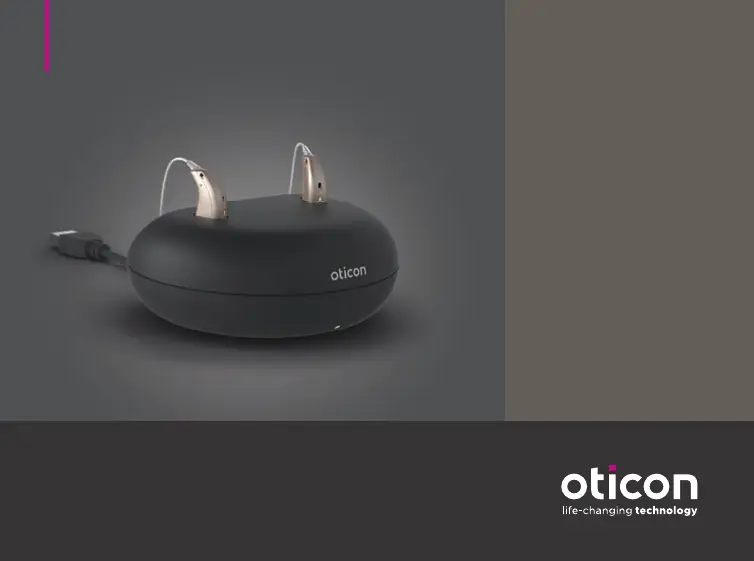
Charger 1.0
miniRITE R
Oticon More™
Oticon Opn S™
Oticon Opn Play™
Oticon Ruby

Questions and Answers

  • R
    Rachel GloverJul 26, 2025
    Why is my oticon More 1.0 hearing aid LED off when charging?
    • R
      Robert EllisJul 26, 2025
      The hearing aid LED might remain off when placed in the charger due to several reasons. First, ensure the charger is turned on and the power plug is correctly connected. Second, the temperature of the hearing aid or charger may be too warm or too cold (outside the range of +41°F to +104°F); in this case, move the charger and hearing aid to a location with a temperature between +5°C and +40°C. Third, charging may be incomplete because the room temperature exceeds +35°C (+95°F), extending the charging time; try reinserting the hearing aid into the charger to complete charging within approximately 15 minutes. Lastly, the hearing aid might not be correctly seated in the charger; check the charging ports for foreign objects.
  • J
    jesse70Jul 31, 2025
    What to do if oticon More 1.0 Battery Charger LED remains off?
    • S
      Shawn SantiagoAug 1, 2025
      If the charger LED remains off when connected to power, verify that the power plug is correctly connected and that the charger is turned on. Also, ensure that charging has started to make sure the power source delivers sufficient output for your charger.
  • D
    dyerjordanAug 6, 2025
    Why is my oticon More 1.0 LED blinking green?
    • J
      Joseph GarrettAug 6, 2025
      If the hearing aid LED blinks green when placed in the charger, it may be because the hearing aid is automatically resuming normal charging mode after a timeframe of up to 10 minutes, depending on how depleted the battery is. Ensure you leave the hearing aid in the charger during this process.
  • A
    Andrea RobinsonAug 12, 2025
    What does it mean when oticon Battery Charger LED shows long orange blinks?
    • J
      Jeffrey RodgersAug 12, 2025
      If the charger LED shows long orange blinks, it indicates that the hearing aid or charger’s temperature is too warm (between +41°F and +104°F). Move the charger and hearing aid to a location with a temperature between +5°C and +40°C.
  • C
    Cynthia HarrisAug 19, 2025
    What does it mean when my oticon Battery Charger LED repeatedly shows three short orange blinks?
    • R
      Rebecca RobinsonAug 19, 2025
      If the charger LED repeatedly shows three short orange blinks, it means the charger’s temperature is too cold. To resolve this, move the charger to a location with a temperature between +5°C and +40°C (+41°F and +104°F).

Summary

Charger Components and Conditions

Getting Started with Charging

Charge Hearing Aids

Guide on placing hearing aids correctly and understanding LED charging status indicators.

Safety Warnings and Hazards

General Safety Precautions

Essential safety warnings for correct usage and consulting hearing care professionals.

Specific Hazards

Covers choking hazards, risks related to heat exposure, and fire hazards.

Troubleshooting Guide

Charger LED Issues

Resolves problems with the charger LED remaining off or blinking orange.

Hearing Aid LED Status

Addresses hearing aid LED blinking green, remaining off, or blinking orange/red during charging.

Warranty and Service Information

oticon More 1.0 Specifications

General IconGeneral
PortableYes
Charging Time3 hours
CompatibilityOticon More hearing aids
Power SourceUSB
Compatible DevicesOticon More hearing aids

Related product manuals