EasyManua.ls Logo

OUKITEL W5 - User Manual

OUKITEL W5
7 pages
Print Icon
To Next Page IconTo Next Page
Loading...
OUKITEL W5
User Manual for Smart Watch
Question and Answer IconNeed help?

Do you have a question about the OUKITEL W5 and is the answer not in the manual?

Overview

This document describes the OUKITEL W5 Smart Watch, covering its functions, usage, and maintenance.

I. Method of Application

Use of Watch

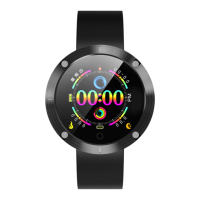
  • Boot: To power on the watch, press and hold the touch key (or side key, if present) for 3 seconds. The watch will display a boot animation, vibrate, and then show the main time interface (Figure 1-1-1). The display duration can be adjusted via the companion APP.
  • Operation: A single touch on the screen area switches between interfaces. If an interface has sub-interfaces, press and hold the touch area for 3 seconds to enter them. If the watch has a side key, pressing and holding it for 3 seconds in any interface will power it off. Pressing the side key once in other interfaces will return to the time display.
  • Shutdown: Navigate to the shutdown interface (Figure 1-1-2), then press and hold the touch key for 3 seconds. The watch will display a shutdown animation, vibrate, and power off. If a side key is present, press and hold it in any interface to power off.

Bluetooth Connection/Disconnection

  • APP Download: Search for "H Band" in the application market (Android) or APP store (Apple), or scan the provided QR code to download and install the "H Band" application.
  • Connection: On your mobile phone, enable Bluetooth and open the "H Band" application. Click "Connect device," search for the watch's Bluetooth, and bond with it. Once connected, the watch can be configured via the mobile APP.
  • Disconnection:
    • Method 1: Open "H Band" → "DISCONNECT." For iOS devices, it's also necessary to ignore the device in the mobile Bluetooth settings.
    • Method 2: Directly turn off mobile Bluetooth on your phone.

Charging

  • When charging in shutdown mode, the watch will automatically power on and display a flashing battery icon on the main interface (Figure 1-3-1). During charging, users can only touch the screen once to display the main interface; no other operations are possible. If the watch is shaken during charging, a charging animation (Figure 1-3-2) will appear, and the screen will go dark after 8 seconds. Once fully charged, the battery icon will remain bright without blinking.

Firmware Update

  • When a new version of the watch's application firmware is available, an update prompt will appear when connecting to the APP.

Restore Factory Settings

  • Users can clear watch data and restore factory settings by navigating to "H-Band" → "Device connection" → "My Device" → "Resetting Device Password" → "Clearing Data." This operation will clear all watch data and reset all function switches to their default settings.

II. Function Introduction and Operation Instructions

Common Functions

Sports Mode

  • Function Introduction:
    • In sports mode, the watch records time, heart rate, calories, and steps during activities. Users can pause and resume the activity midway.
    • Automatic Exit: The watch automatically detects the user's motion state during sports. If the conditions for exiting sports mode are met, it will automatically exit.
    • Data Storage: The watch stores only the latest 3 sports data records.
  • Interfaces:
    • Figure 2-1-1: Long Press Sport
    • Figure 2-1-2: Displays time, calories, heart rate, and steps (e.g., 00:01:24, 2000 Kcal, 128 bpm, 32786 steps).
    • Figure 2-1-3: Pause icon.
    • Figure 2-1-4: Play/Resume icon.
    • Figure 2-1-5: Exit icon.

Step-counting, Calorie and Mileage

  • Function Introduction: The watch displays the total number of steps, calories burned, and mileage for the day, along with the completion of sports goals. This data is reset at 00:00 every day.
  • Interface: Figure 2-1-6 shows an example display (e.g., 32156 Steps, GOAL COMPLETED 90%, 2000 Kcal, 900.0 Km).

Heart Rate

  • Function Introduction:
    • Heart Rate Measurement: In the heart rate measurement interface, the watch measures the user's heart rate and displays the result after completion. It automatically goes dark for standby after 60 seconds of inactivity.
    • Automatic Monitoring: This function can be enabled in the APP. When active, the watch regularly monitors heart rate (every 10 minutes) and records the data. If connected to a mobile phone, the data is uploaded to the APP.
    • Heart Rate Alarming: When automatic heart rate monitoring is on, this function can be enabled in the APP, and an upper heart rate limit can be set. If the user's heart rate exceeds this limit, the watch will vibrate to alarm and display the heart rate alarming interface (Figure 2-1-7).
  • Interfaces:
    • Figure 2-1-7: Heart rate alarm icon.
    • Figure 2-1-8: Heart rate display (e.g., HR 128 BPM, Latest HR 77 BPM).

Sleep

  • Function Introduction: The watch displays the user's total sleep time, deep sleep duration, shallow sleep duration, and sleep quality for the previous night.
  • Interface: Figure 2-1-9 shows an example display (e.g., Deep sleep 06h52m, Light sleep 02h52m, DURATION 08h50m, SLEEP QUALITY rating).

Reminder Function

Clock Reminder

  • Function Introduction: Users can set alarm clocks in the APP, choosing between single or repeated alarms. A label icon can also be set for the alarm (20 groups available). When the set time is reached, the watch vibrates and displays the alarm clock label (Figure 2-2-1). It vibrates ten times and then goes dark for standby. If a single alarm conflicts with multiple alarms, the single alarm will be prioritized.
  • Interface: Figure 2-2-1 shows an alarm display (e.g., 09:00 AM).

Call Function

  • Function Introduction: This function can be enabled in the APP. When "ON," the watch vibrates upon an incoming call to the mobile phone (for iOS, only with mobile Bluetooth connection), displays a call sign, and the caller ID. If the caller's ID is in the mobile phone's address book, the caller's name will be shown.

Reminder of Short Message/Mobile Phone Application

  • Function Introduction: This function can be enabled in the APP. When "ON," the watch displays pushed content from mobile phone short messages or applications (e.g., Facebook, QQ). For iOS, pairing is necessary; for Android, permissions must be granted for the device to normally prompt pushed content.
  • Interface: Figure 2-2-2 shows an example notification (e.g., Facebook notification: Tom: Happy New Year.).

Other Functions

Wearing Detection

  • Function Introduction: This function can be enabled in the APP. When "ON," the watch first performs wearing detection to ensure it is worn correctly before heart rate (or blood pressure) measurement. If worn correctly, measurement begins. If not, the induction lamp blinks briefly and then turns off, and the watch goes dark for standby.

Female Functions

  • Function Introduction: These functions are exclusively for women. If the user is male, the APP will not display related interfaces. Female users can set their current physiological statuses in the APP, including menstrual period, preparation for pregnancy, duration of pregnancy, and "mom time," along with period times. Based on this information, the watch calculates and displays the user's current status. Users can also enable female notifications for status attention and adjustment (menstrual period, safe period, ovulatory period, and ovulation date).

Photograph

  • Function Introduction: Enter the camera interface in the APP to take photos via the watch. The watch displays the camera UI (Figure 2-3-3). Photos can be taken with a single touch on the key or by "shaking it off." Press and hold for three seconds to exit. If no operation occurs for one minute after entering the function, both the watch and mobile phone will automatically exit the camera function.
  • Interface: Figure 2-3-3 shows the camera UI.

III. Notes

  1. Before use, please remove the protective film from the heart rate sensor at the bottom of the device.
  2. Variations in data reading speed during use are normal.
  3. If APPs flash back or Bluetooth disconnects, please reboot the device or reinstall the APP.
  4. If the wristband disconnects from mobile Bluetooth, it will automatically search for a connection within 20 minutes.
  5. Charging Requirements: Charge using a charger with specifications of 5V 0.5-1A. If the watch is not used for a long time, turn it off and ensure it is charged once a month.

IV. Disclaimer

  • Warning: This product is not a medical device. Watches and their applications should not be used for diagnosis, treatment, or prevention of diseases and symptoms. Before changing exercise or sleep habits, consult qualified medical professionals to avoid serious casualties.
  • The company reserves the right to modify and improve any functions described in this manual without prior notice and to continuously update product content. All contents are subject to the physical objects.

V. FCC Warning

  • This device complies with part 15 of the FCC Rules. Operation is subject to two conditions: (1) this device may not cause harmful interference, and (2) this device must accept any interference received, including interference that may cause undesired operation.
  • Any changes or modifications not expressly approved by the party responsible for compliance could void the user's authority to operate the equipment.
  • NOTE: This equipment has been tested and found to comply with the limits for a Class B digital device, pursuant to Part 15 of the FCC Rules. These limits are designed to provide reasonable protection against harmful interference in a residential installation. This equipment generates, uses, and can radiate radio frequency energy and, if not installed and used in accordance with the instructions, may cause harmful interference to radio communications. However, there is no guarantee that interference will not occur in a particular installation.
  • If this equipment causes harmful interference to radio or television reception (which can be determined by turning the equipment off and on), the user is encouraged to try to correct the interference by one or more of the following measures:
    • Reorient or relocate the receiving antenna.
    • Increase the separation between the equipment and receiver.
    • Connect the equipment into an outlet on a circuit different from that to which the receiver is connected.
    • Consult the dealer or an experienced radio/TV technician for help.
  • The device has been evaluated to meet general RF exposure requirements and can be used in portable exposure conditions without restriction.
  • FCC ID: 2ANMU-W5

OUKITEL W5 Specifications

General IconGeneral
BrandOUKITEL
ModelW5
CategoryWatch
LanguageEnglish