every day.
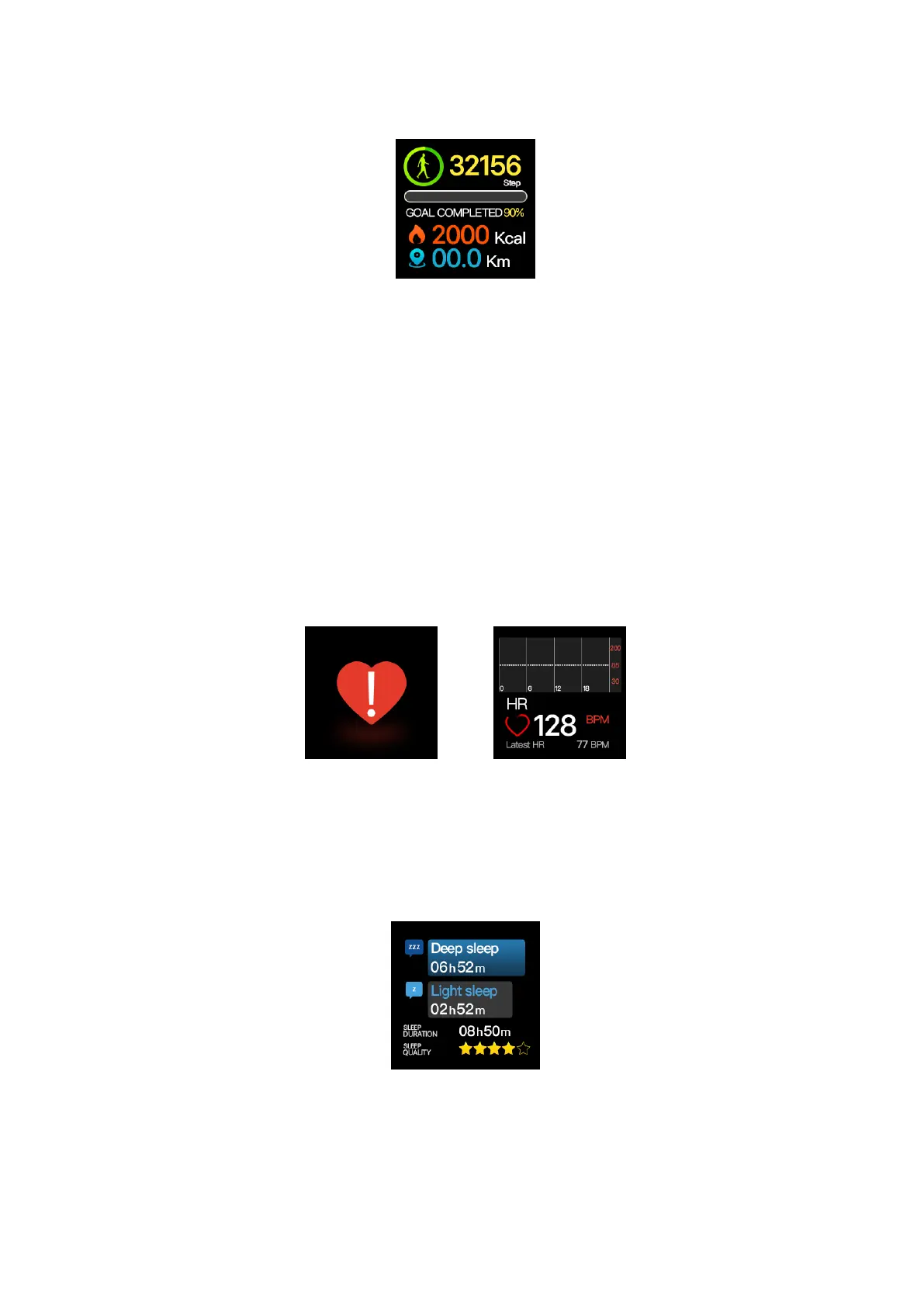
(Fig. 2-1-6)
1.3 Heart Rate
(1) Function Introduction:
a. Heart rate measurement: The watch will measure the users' heart rates in the heart rate
measurement interface, show the results after test completion and automatically go dark for standby
without operation for 60 seconds.
b. Automatic monitoring of heart rate: The function switch can be set in APP. When the function
is on, the watch will conduct automatic monitoring regularly (once every 10 minutes) and record the
heart rate data. If bonded with the mobile phone, the watch will upload the data to the APP.
c. Heart rate alarming: When the automatic monitoring of heart rate is on, the function switch
can be set in the APP and the upper limit of the heart rate can also be set. When the users' heart
rates reach the upper limit, the watch will vibrate to alarm and shown the interface of heart rate
alarming as shown in Figure 2-1-7.
(Fig. 2-1-7) (Fig. 2-1-8)
1.4 Sleep
(1) Function Introduction: The watch will display the users' sleep time, deep sleep duration,
shallow sleep duration and sleep quality of the previous night in the interface as shown in Figure
2-1-9.
(Fig. 2-1-9)
2. Reminder Function
2.1 Clock Reminder
(1) Function Introduction: The user can set an alarm clock in the APP. Single or repeated alarm
clock can be set. In addition, the label icon of the alarm clock can be set and there are 20 groups of


 To Next Page