I. Method of Application
1. Use of Watch
(1) Boot: When the watch is powered off, press and hold on the touch key for 3 seconds to boot
(If there is a side key, press and hold on the side key for 3 seconds to boot), showing the boot
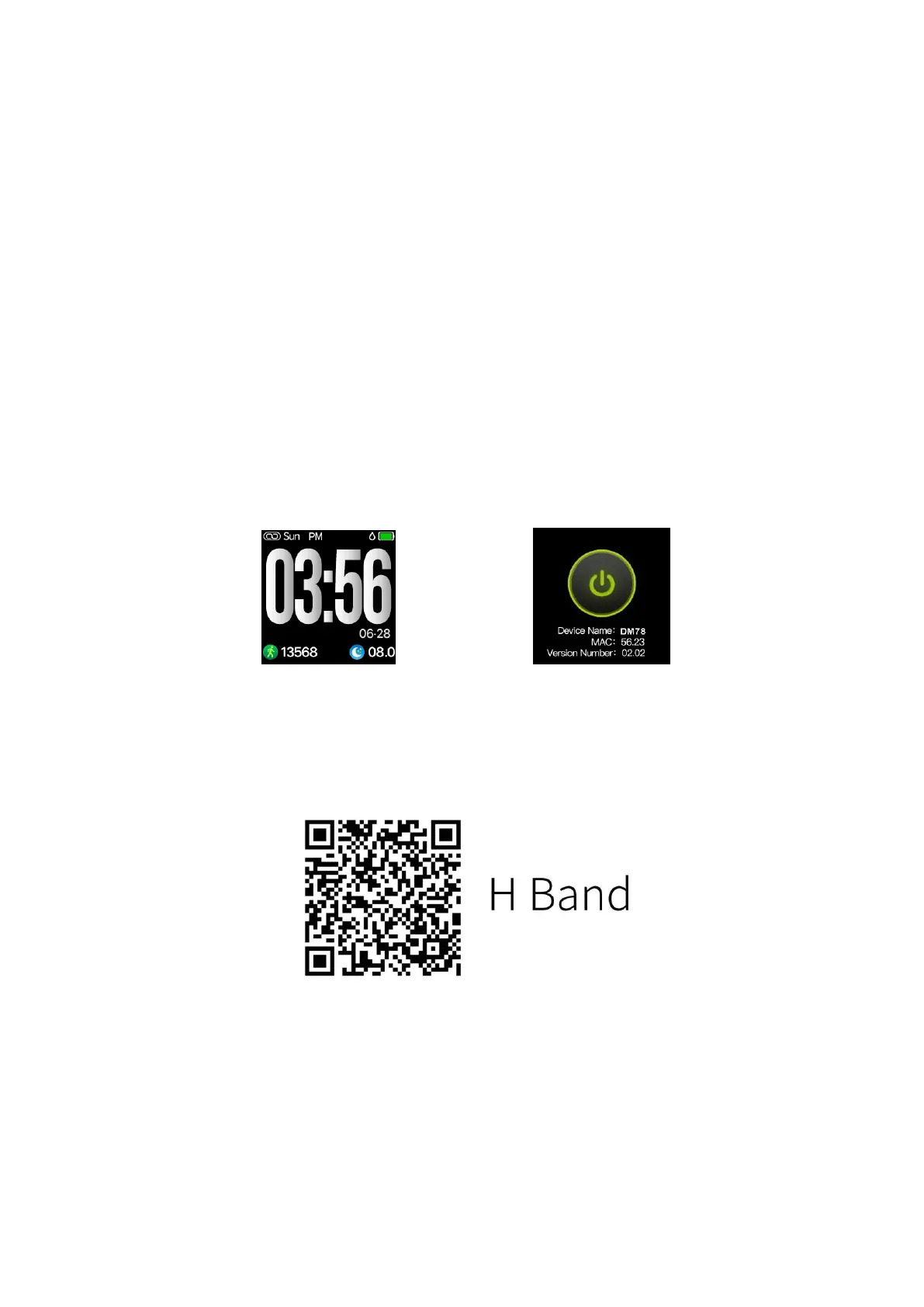
animation and vibrating, then displaying the main interface of time of the watch as shown in Figure
1-1-1. The display duration can be adjusted in the APP.
(2) Operation: With a single point of touch on the area, the screen interface can be switched. If
the current interface has its sub-interface, then press and hold on the touch area for three seconds
to enter the corresponding sub-interface, (If the watch has the side key, press and hold on the side
key for three seconds to power off in random interface and press the side key for once to return to
the time display interface in terms of other interfaces.)
(3) Shutdown: Switch to the shutdown interface of the watch as shown in Figure 1-1-2, press
and hold on the touch key for three seconds, showing the shutdown animation and vibrating, then
powering off (if there is the side key, press and hold on it to power off in random interface).
(Fig. 1-1-1) (Fig. 1-1-2)
2. Bluetooth connection/ disconnection
(1) APP download: Search for "H Band" in the application market (for Android) or APP store (for
Apple) to download and install, or scan the QR code below to download the "H band" application.
(2) Switch on the mobile Bluetooth→ open the "H band" application→ " Click to connect
device", search for the watch Bluetooth necessary for connection and bond with the device. With
operating steps above, the watch can be connected with the mobile APP and can be set in the APP
after connection.
(3) Disconnection:
Method 1: Open the "H Band"→ "DISCONNECT"→disconnection (for IOS, it's necessary to ignore
the device in the mobile Bluetooth setting for the disconnection)
Method 2: Direct turnoff of mobile Bluetooth
3. Charging
(1) Charging: When charged in shutdown mode, the watch will power on automatically, show


 To Next Page