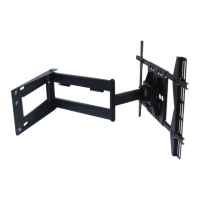
WARNING
•
THE WARRANTY WILL ONLY BE VALID IF YOU FOLLOW THE INSTRUCTIONS CAREFULLY.
•
If you do not understand the instructions, or are not sure you can follow them safely, contact a qualified
contractor.
•
Improper installation may cause serious injury and/or damage. It is recommended that a qualified
contractor install the EM-PLA / EM-PLAB.
• Make sure that the wall you plan to use will safely support four times the combined weight of the
mounted equipment, including its accessories.
• Under no circumstances should this product be mounted to metal studs.
• Never exceed the maximum load capacity of 150 lbs.
• A second person will be required to assist with several steps.
• Before beginning check that you have all the parts listed. Call 1-866-604-6966 to acquire any
missing parts.
TABLE OF CONTENTS
Installation tools..................................................................
Parts list..............................................................................
Mounting location.................................................................
Installation template.............................................................
Wall preparation..................................................................
Mounting to the wall............................................................
Assemble the adaptor plate.................................................
Configuring adaptor plate....................................................
Selecting the mounting hardware........................................
Attaching the display............................................................
Using cable management....................................................
Adjusting the display..........................................................
Maintaining the unit............................................................
3
3
3
4
4
6
7
7
7
8
9
9
10
2


 To Next Page
 Loading...