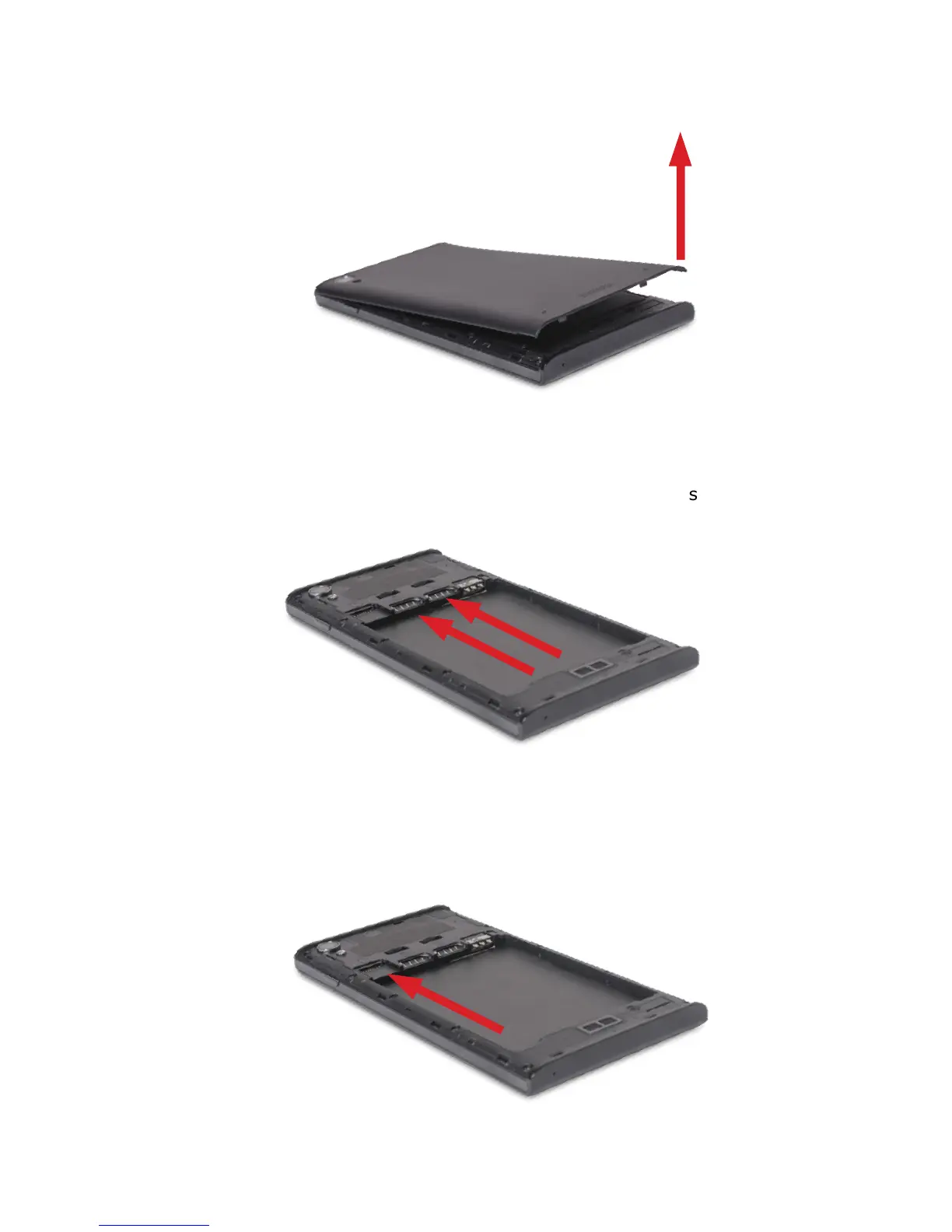
HOW TO OPEN THE BATTERY COVER.
Push the battery cover upwards.
HOW TO INSTALL SIM CARD
The phone supports dual SIM/USIM cards. Before you power on the
phone make sure that at least one SIM/USIM card is inserted in either
USIM/SIM card slot.
HOW TO INSTALL MEMORY CARD
Find the TF card slot and push the T-Flash card gently into it.
Quick Start Guide - GB



 To Next Page