User Manual - FUNSTRIP LED V1.0 05/2021 10/24
Channel Parameter details
Parameters Functions
Dimmer DMX value 0---100% equal to intensity 0---100%
Program DMX 0 --7 for local DMX Dimmer Mode
DMX 8 --15 Full
DMX 16 --23 Program1
DMX 24 --31 Program2
DMX 32 -- 39 Program3
…
DMX 136 --143 Program16
DMX 144 --255 Auto
Speed The bigger DMX value is, the faster the Programe runs
FadeTime DMX v alue 0---100% equals to FadeTime 0---100%
LampMode DMX 0 -- 127 for choosing the work mode of the LED
DMX 128--255 for choosing Tungsten
Play Mode DMX 0--80 to stop the Program
DMX 81 --160 to pause the Program
DMX 161--255 to play the Program
Master DMX value 0--- 100% equals to Program intensity 0--- 100 %
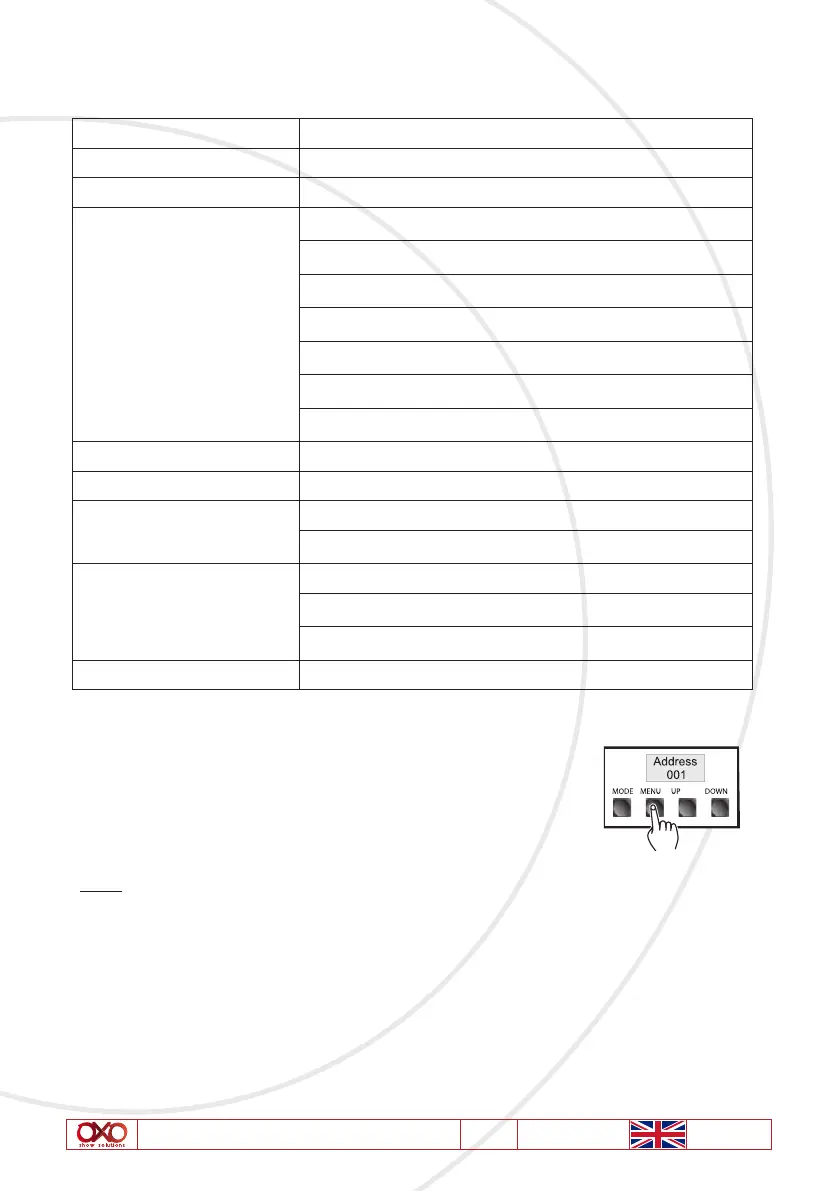
1. Selecting DMX Address: Press “MENU” button and select DMX
channel address menu after having activated the Receive Mode.
The DMX Address Mode is indicated by «Address” followed by
three digits 001~ 512. You can tap the “UP” and
“DOWN” buttons to change the DMX Address Value.
Note: There is no DMX input in the master unit of the connection



 To Next Page