User Manual - FUNSTRIP LED V1.0 05/2021 11/24
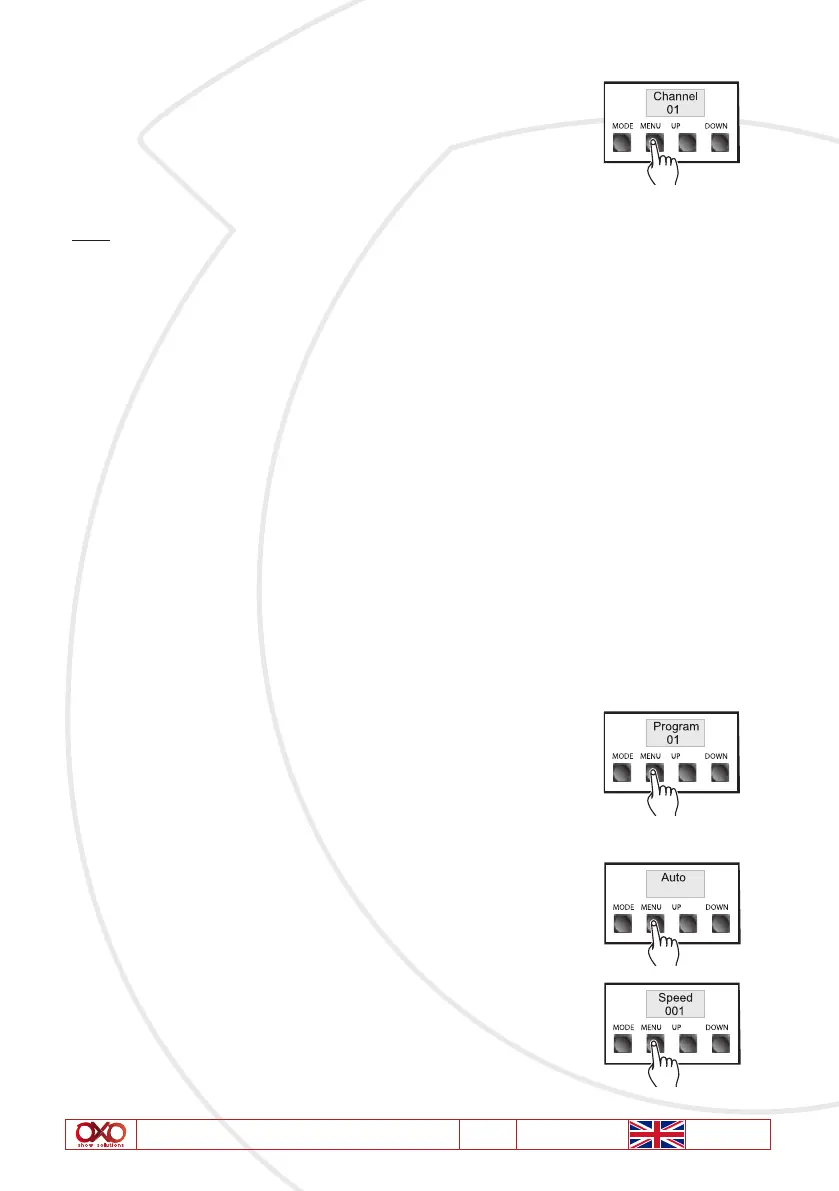
2. Selecting the DMX Channel: Press “MENU” button and select
Channel Mode. The Channel Mode is indicated by «Channel» followed
by two digits 07,08, 10, 11,16. You can tap the «UP” and «DOWN»
buttons to change the setting from 07, 08, 10,11 or 16 which you
wish to run.
Note:
1. When CH:07 is displayed, overall channels will be controlled by one DMX channel.
2. When CH:08 is displayed, channel 1 and 2 will be controlled by one DMX channel, channel3
and 4 will be controlled by one DMX channel, and so forth, channel 9 and 10 will be controlled
by another .
3. When CH:10 is displayed, channel1~10 will control an individual LED fixture.
4. When CH:11 is displayed, each channel will be controlled by one DMX channel. This is the
factory default setting.
5. When CH:16 is displayed, 1-10 will control the LED, and the 11-16 will control to run a
special program.
9. Program Mode
Use the operation mode only when you are about to use your unit as a channel chaser among
of the 07, 08, 10, 11,16 channel chasers. The unit has 16 built-in programs except for Auto
and Full. Of course, you can select any of these programs to chase for a more dramatic
lighting show, and you can also control the speed at which the set programs will be chased.
1. Setting your desired Chase Program: Once you have activated
the Chase Mode, you can tap the “MENU” button to select and acti-
vate “Chase Program” menu. The chase pattern is displayed in the
LCD by «Program « followed by two digits 01~16 or only «AUTO»&
«FULL» appears. You can tap “UP” and “DOWN” button to select
any of them to run at a single time.
Selecting any program of Program01-16 will activate the selected
program; while selecting “Auto” will automatically play the built-
in 16 chase programs. When select “Full” menu, all the LEDs will
keep lighting.
2. Chase Speed Menu: Press “MENU’ button to select and activate
“Chase Speed” menu. In this menu, you can adjust the program
chase speed.



 To Next Page