16
O2
O2
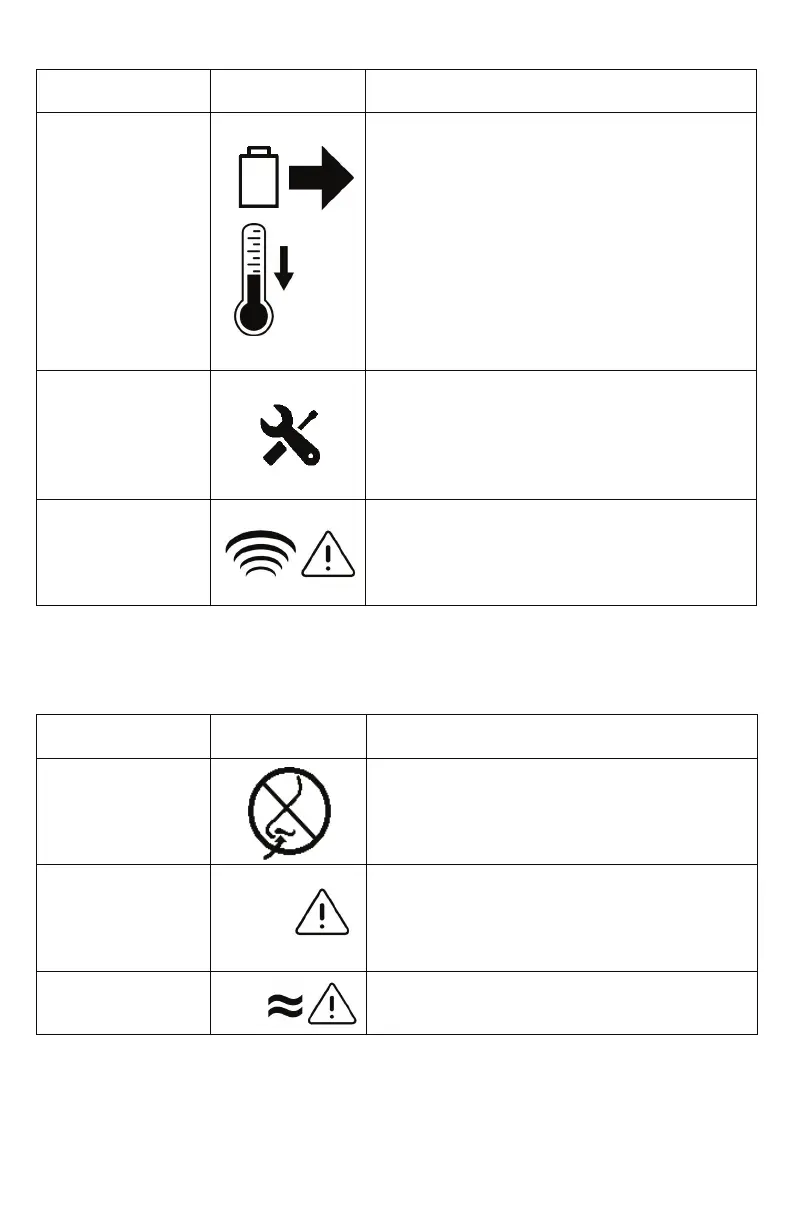
Description Display Icons Condition/Action/Explanation
Remove Battery
to Cool
Battery has exceeded its charging temperature
and charging has stopped. The battery will not
charge while this alert is present but will begin
to charge when the battery temperature
returns to the normal operating range. If
battery charging is desired sooner, remove the
battery from the concentrator and allow it to
cool in an open area for approximately 10-15
minutes. Then, re-insert the battery into the
OxyGo NEXT. If the problem still persists, contact
your equipment provider.
Service Soon The concentrator requires servicing at the
earliest convenience. The concentrator is
operating to specication and may continue to
be used. Contact your equipment provider to
arrange for service.
Sensor Fail The concentrator’s oxygen sensor has
malfunctioned. You may continue to use the
concentrator. If the condition persists, contact
your equipment provider.
Medium Priority Alerts
The following medium priority alerts are accompanied by a triple beep, repeated every
25 seconds, and a ashing yellow light.
Description Display Icons Condition/Action/Explanation
No Breath Detect
Check Cannula
Concentrator has not detected a breath for 60
seconds. Check that cannula is connected to
concentrator, there are no kinks in tubing and
cannula is positioned properly in your nose.
Oxygen Error Oxygen output concentration has been below
50% for 10 minutes. If condition persists, switch
to your backup oxygen source and contact your
equipment provider to arrange for service.
O2 Delivery
Error
A breath has been recognized, but proper
oxygen delivery has not been detected.
Low Priority Alerts (Continued)


 To Next Page