AUTO
SCANNER
1/4
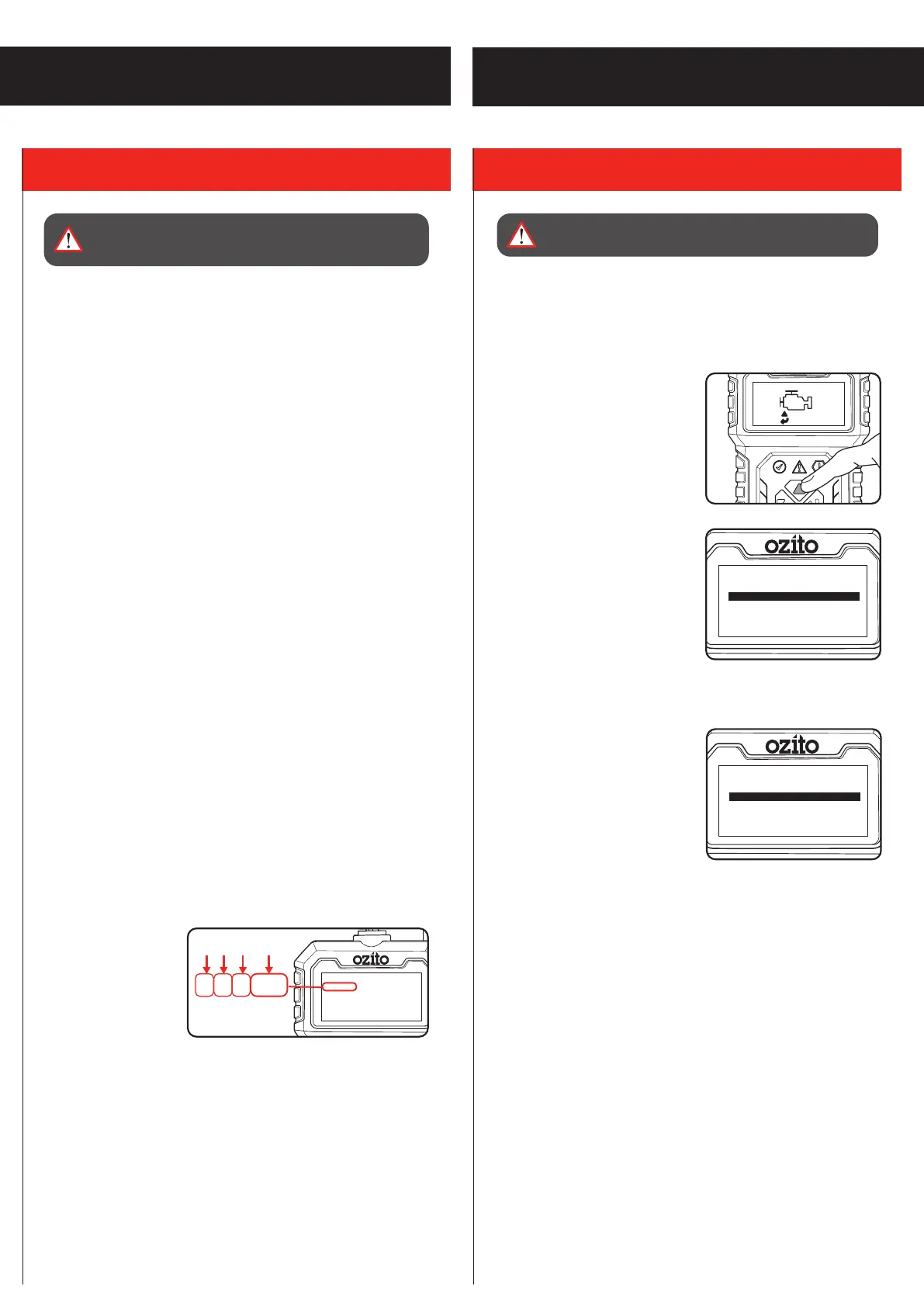
Current DTC
P0115
Engine Coolant
Temperature Sensor 1
Circuit
P0115
1 2 3 4
AUTO
SCANNER
OBD2/EOBD Code Reader
[ ] = SetuP
[ ] = Scan
OBDII
AUTO
SCANNER
1/3
Tool Setup
Language
Unit of Measure
Contrast
AUTO
SCANNER
1/2
Select ECU
$7E8: Engine
$7E9: A/T
3. MENU 4 VEHICLE CONNECTION
OPERATION
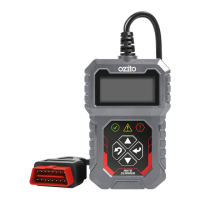
The automotive scan tool is used to check engine of most OBD2
compliant vehicles from 1996 onwards with standard sized 16-Pin
Data Link Connector (DLC).
Function Description
• Dual-system diagnostic, optional engine and transmission.
• Quickly indicate engine faults, with green / yellow / red LED
indicators as fault lights.
• Read and clear the engine fault code and view Diagnostic
Trouble Codes (DTC) definitions.
• Display of sensor data stream information such as vehicle
revolutions per minute (rpm), engine coolant temperature in real
time.
• View freeze frame data and I/M (readiness monitor status
information.
• Read vehicle information:
vehicle identification number (VIN)
calibration identification numbers (ID’s)
calibration verification number (CVN’s)
• Multi- language
WARNING! READ AND UNDERSTAND THE WARNINGS
BEFORE SETUP.
Diagnostic Trouble Codes (DTC)
OBD2 Diagnostic Trouble Codes are codes that are stored by the
on-board computer diagnostic system in response to a problem
found in the vehicle. These codes identify a particular problem
area and are intended to provide you with a guide as to where
a fault might be occurring within a vehicle. OBD2 Diagnostic
Trouble Codes consist of a five-digit alphanumeric code. The
first character, a letter, identifies which control system sets the
code. The other four characters, all numbers, provide additional
information on where the DTC originated and the operating
conditions that caused it to set. See below example to illustrate
the structure of digits:
1. System
B = Body
C = Chassis
P = Powertrain
U = Network
2. Code Type
Generic = 0
Manufacturer Specific = 1
3. Sub-Systems
1 = Fuel and Air Metering
2 = Fuel and Air Metering
3 = Ignition System or Engine Misfire
4 = Auxiliary Emission Controls
5 = Vehicle Speed Control and Idle
Controls
6 = Computer Output Circuits
7 = Transmission Controls
8 = Transmission Controls
4. Identifying specific
malfunctioning section of
the systems
WARNING! DO NOT CONNECT OR DISCONNECT SCAN
TOOL WITH IGNITION ON OR ENGINE RUNNING.
Setup
1. Connect OBD2 16-pin connector into the DLC.
2. Turn the ignition on. Setup can be done with engine off or
engine running.
3. From the home screen, press
the “UP” button to enter the
Setup interface.
• Language: The default
language from the factory is
English, many other languages can
be manually selected.
• Unit of Measure: The default
units from the factory is metric,
imperial can me manually selected.
• Contrast: Backlight contrast is adjustable, factory default 25%
• System Section Module: If
more than one module is detected,
you will be prompted to select a
module before testing. Select the
desired module and press the “OK”
button to confirm.
4. Press the Back button when
setup is complete to return to the home screen.


 To Next Page
 Loading...