10
in
250
mm
3/8” LP
40
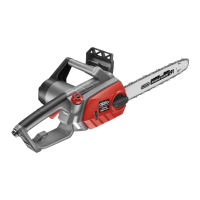
KNOW YOUR PRODUCT
SETUP & PREPARATION
1. INSERTING & REMOVING BATTERY
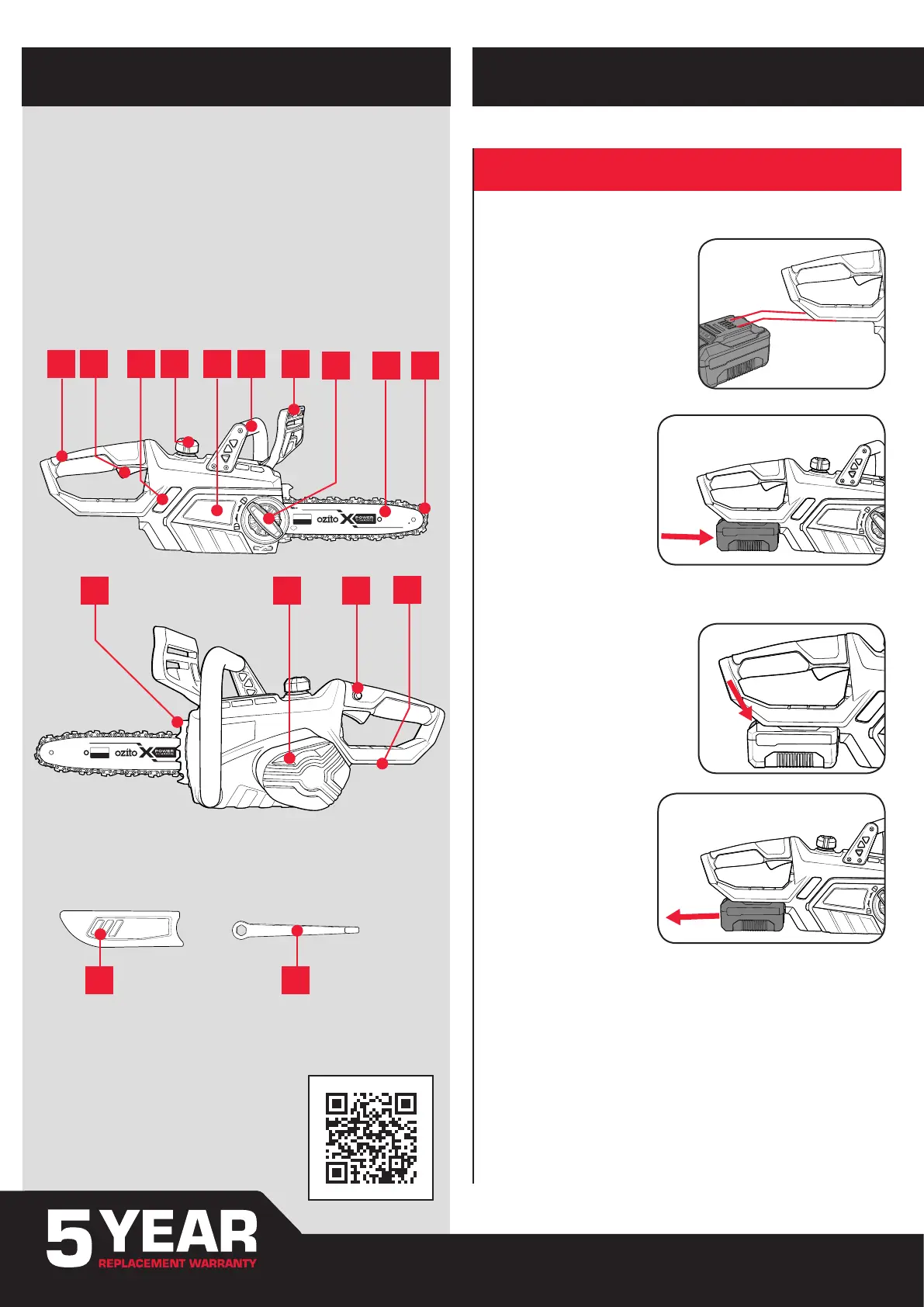
1. Rear Handle
2. Trigger Switch
3. Oil Level Window
4. Chain Oil Tank Cap
5. Side Cover
6. Front Handle
7. Chain Brake
8. Guide Bar Locking Knob
9. Guide Bar
10. Chain
11. Bucking Spikes
12. Motor Cover
13. Lock-Off Button
14. Battery Seating
CORDLESS CHAINSAW
1 2 3 4 5 6 7
8
BATTERY & CHARGER
This tool is compatible with all battery and chargers from the Ozito
Power X Change Range.
ONLINE MANUAL
Scan this QR Code with your
mobile device to take you to the
online manual.
ACCESSORIES
15 Guide Bar Cover 16 Screwdriver
15 16
10
11 12 13
14
9
10
in
250
mm
Installing a Battery into the Chainsaw
1. Align the ribs of the battery with
the recess below the handle
Removing a Battery from the Chainsaw
2. Slide the battery in so
that it clicks into place.
1. Press and hold the battery
release tab to release the
battery.
2. Slide the battery out.






 To Next Page