24 25
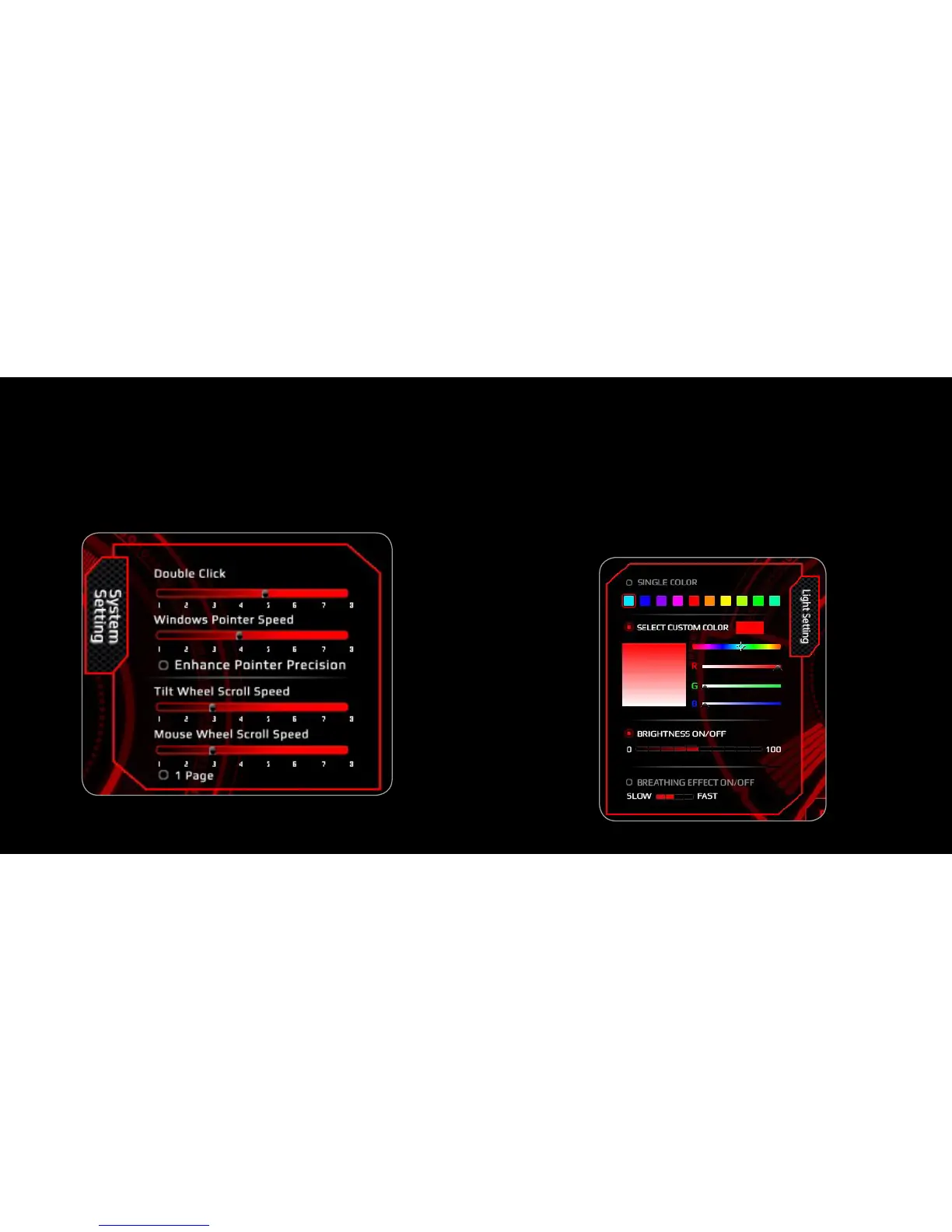
1. Double Click Speed Settings
2. Windows Pointer Speed & Precision Settings
3. Tilt Wheel Scroll Speed Settings
4. Mouse Wheel Scroll Speed Settings & Scroll by single page
5. Click “APPLY” to confirm the settings
1. Choose Single Color to select from one of the default colors or
Select Custom Color to select a specific color of your choice. You
can chose from 16.8 million RGB colors.
2. Choose Brightness ON/OFF and select the brightness amount
from 0 to 100. Or Choose Breathing Effects ON/OFF and select
the speed of the breathing effect.
2. Click “APPLY” to confirm the settings
5. System Settings 6. Light Settings



 To Next Page