22 23
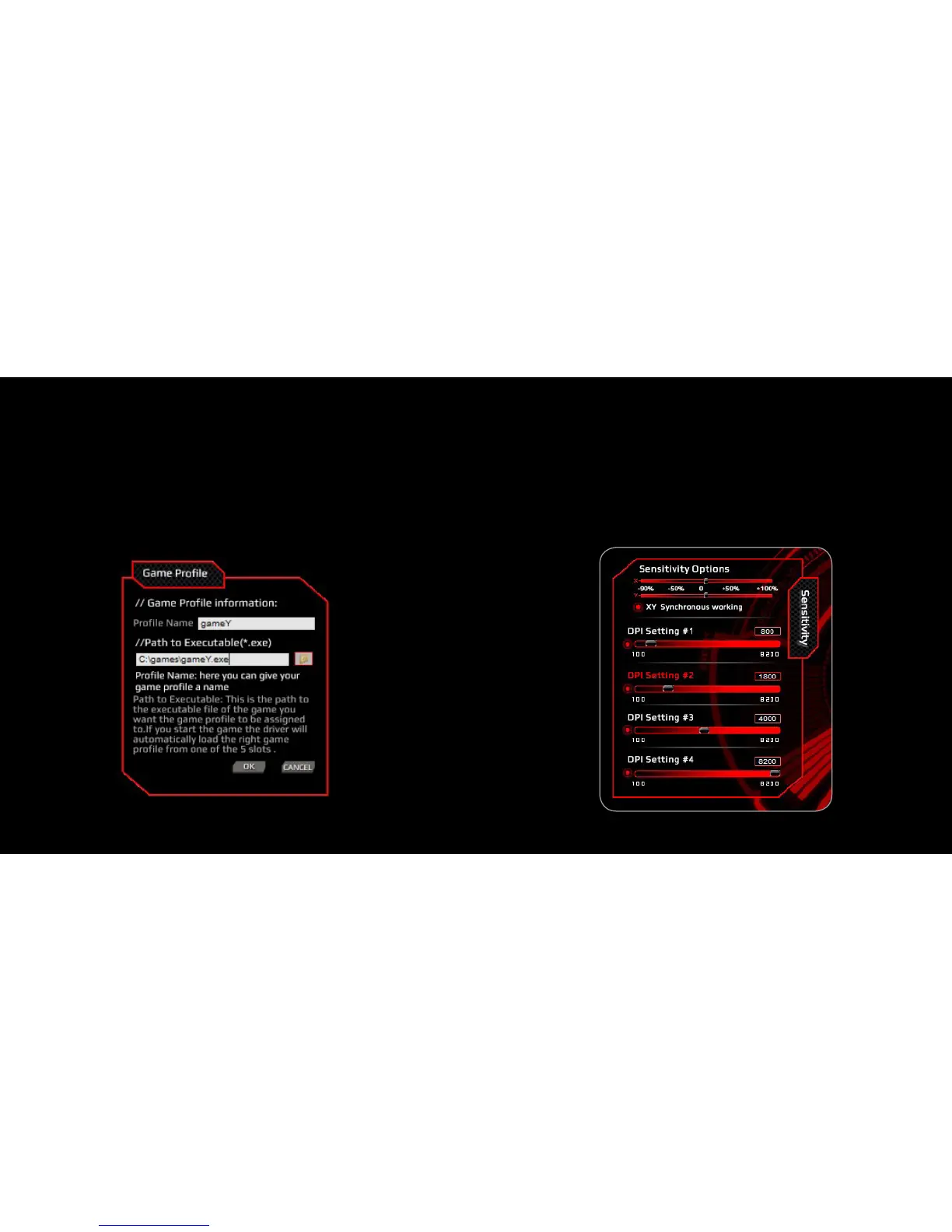
4. Edit PrOfile
1. Click “Edit Profile” to modify your personalized PROFILE NAME
and EXECUTABLE GAME PATH
2. Click “OK” to confirm the changes
3. Click “APPLY” to apply the changes
1. Horizontal X and vertical Y - direction moving speed settings
2. Click on “XY synchronous working” for a synchronous direction
moving option
3. DPI Settings: Click on “Orange Circle” for DPI lock /
Set your personalized DPI using the sliding Bar
4. Click “APPLY” to confirm the settings
4. Sensitivity Setting



 To Next Page