8 9
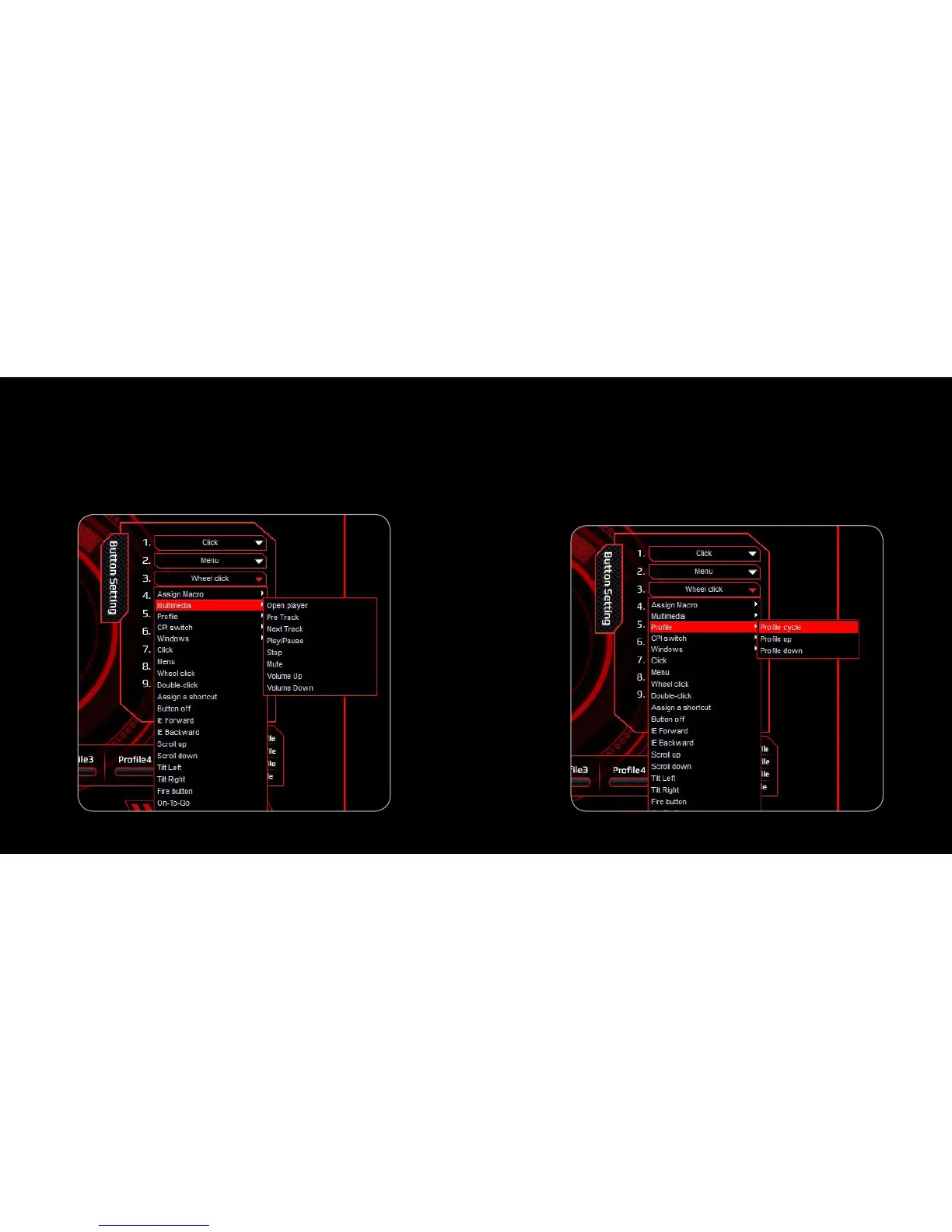
2. Multimedia
1. Select a button and click ”Multimedia” from the menu
2. Select the desired function in the sub-menu and click “APPLY” to
confirm the setting
3. PrOfile Switching
1. Select a button and click ”Profile” from the menu
2. Select the desired function in the sub-menu and click “APPLY” to
confirm the setting. Profile Cycle: Cycle Switching /
Profile Up: Profile + / Profile Down: Profile -



 To Next Page