6 7
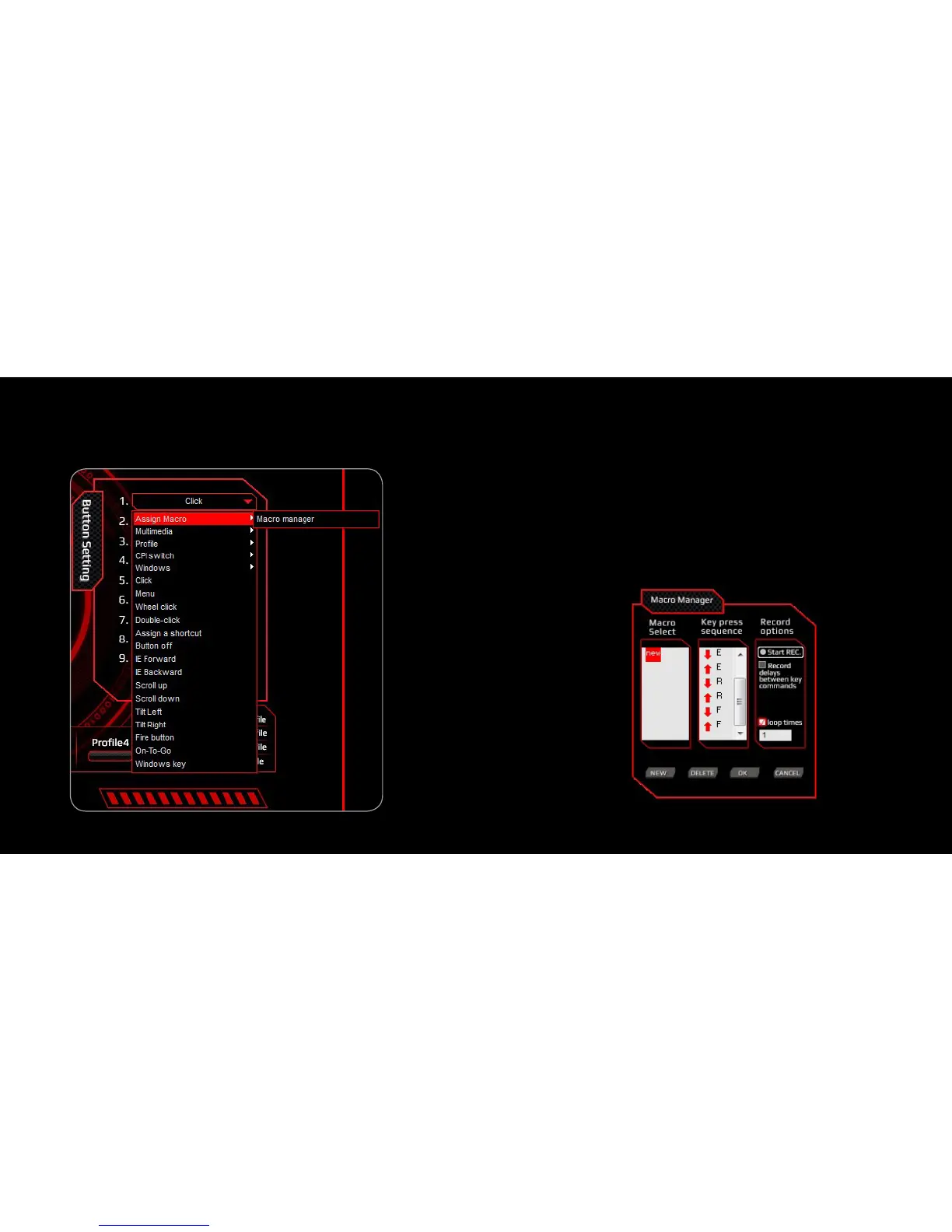
Create and Assign a Macro
1. Select a button and click ”Macro Manager” from the menu
2. In the pop-up window, click “NEW” and enter a name for the
macro, then start to create the macro
3. Select the options of “Record Delays” and set the “Loop Times”
from the right column if needed
4. Click ”Start Record” type the desired key combination and click
“Stop Record” when you are finished. If needed “Right Click” on one
of the keys in the sequence to edit it. Click “OK” to continue
5. Assign a created “Macro” to a “Button” and click “APPLY” to
complete the setting



 To Next Page