14 15
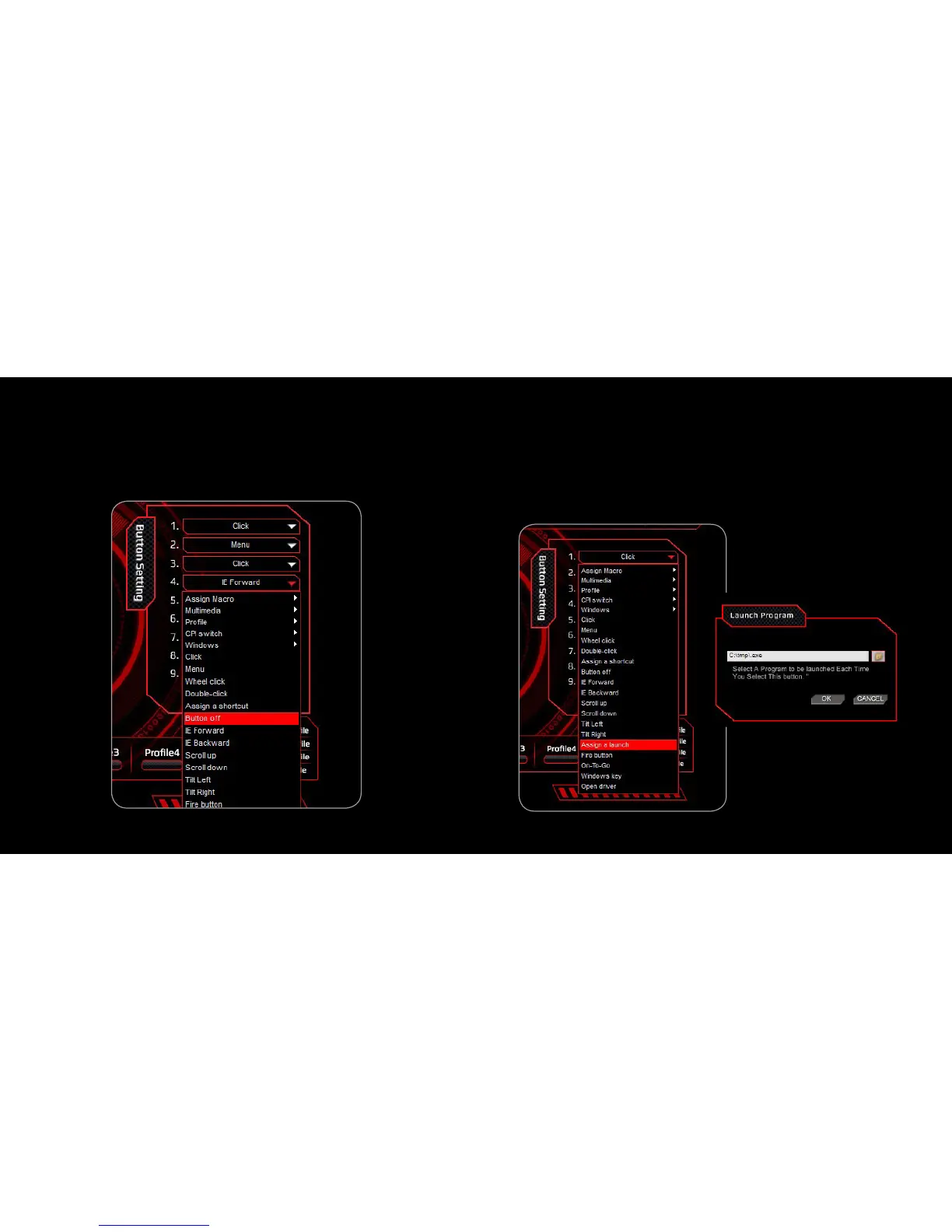
8. ButtOn Off:
Disable the buttOn functiOn
1. Select a button and click ”Button Off” from the menu
2. Then, click “APPLY” to confirm the setting
9. Assign a Launch
Single mouse click to launch your chosen PC software
1. Select a button and click “Assign a Launch” from the menu
2. In the pop-up window, select the desired software from the folder
and click “OK” to continue
3. Click “APPLY” to complete the setting



 To Next Page