Chap
Chap
Chap
Chap 3
3
3
3 System
System
System
System programming
programming
programming
programming
3.1
3.1
3.1
3.1 Before
Before
Before
Before programming
programming
programming
programming
● All the programming must be carried out on the extensi o n 601, 602, 603, 604; all the
pro g rammi n g must be into system programming s t atus.
● All the extensions must be of dual tone multi-fre q uency p h on e .
● Y ou are al l owed to o p e rate one by one, and e n d the proce s s by simply pressing #. Y ou
don ’ t have to hang up if something
w
r ong occurs, you could p r ess
*
to res t art.
●
If
progr a mming-exte ns ion (601, 60 2,603,60 4 ) i s in Direct-Dialing-Out
m
ode, y o u n e ed to
press
*
to e n ter the internal system, t h en s t art programming.
● When the setting is fin i shed, a long beep indicates that t he setting is d o ne correctly and
saved in the system.
If
instead an ar r ay of short chir p s is heard, that would indicate an error
occurred in the setting.
Y
ou need to check it out and reset the system.
It
is only a f ter the end
of the long bee p s you can con t inue another system operation.
● Y ou must use “ enable C.O. l i nes ” command according the ac t ual trunk lines before using
this product, if you don ’ t enable any C.O. line, the system will con s ider there is no C.O. line
and d o esn ’ t auto detect C.O. line.
How to pro gr amming
At first you must according 3 . 2.1 instruction enter into sys t em programmi n g s t atus, and then
you can beg i n to program as the follo
w
ing instructi o n.
3.2
3.2
3.2
3.2 Basic
Basic
Basic
Basic Command
Command
Command
Command
3.2.1
3.2.1
3.2.1
3.2.1 Enter
Enter
Enter
Enter into
into
into
into S
S
S
S y
y
y
y stem
stem
stem
stem Programming
Programming
Programming
Programming S
S
S
S
t
t
t
t
atus
atus
atus
atus
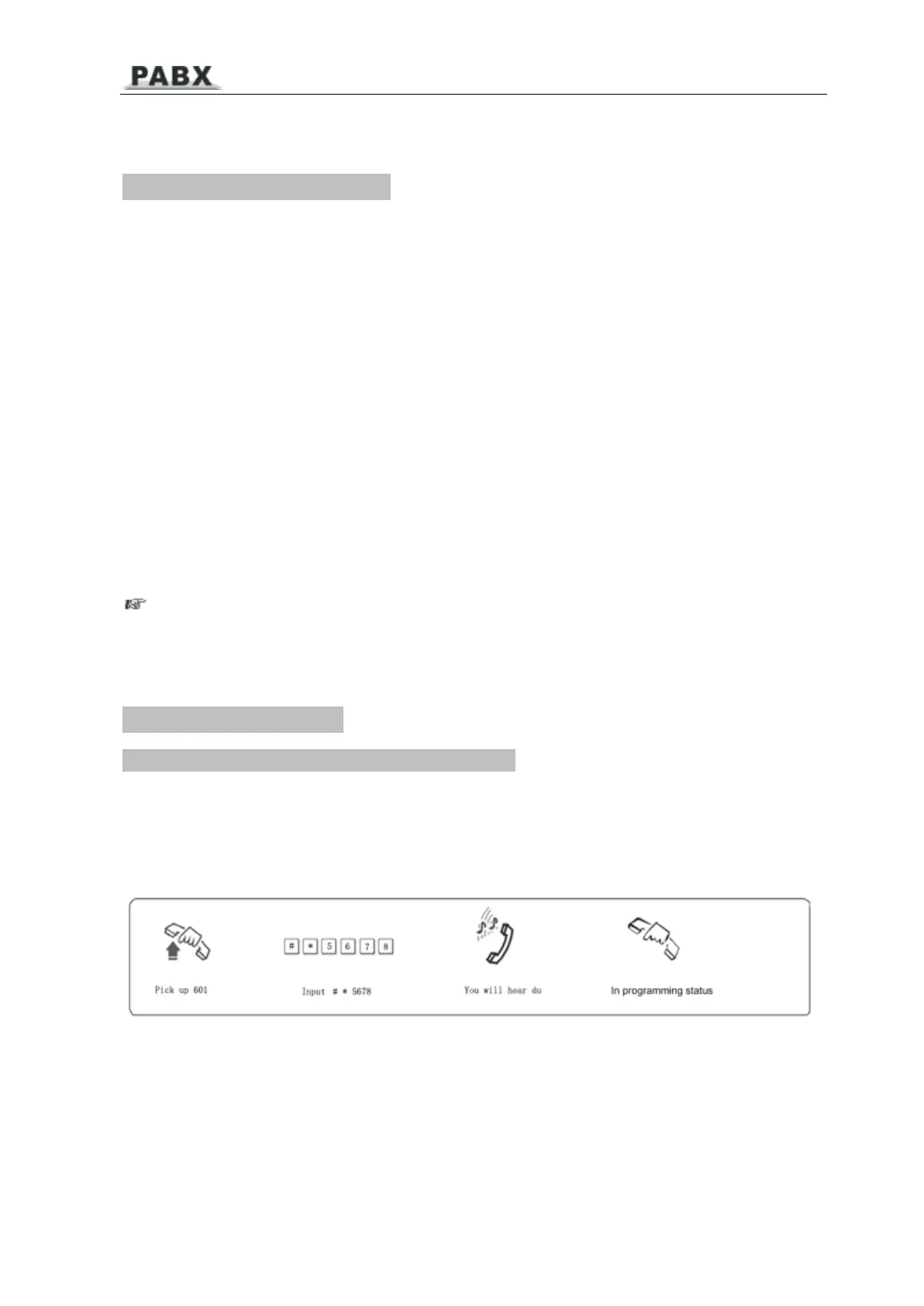
Format: #
*
EFGH
Explanati o n: EFGH is the system p a ssword n o
w
.
Example: For prog r a
m
ming the s y stem, you s hould enter the p assw o rd first, now the
p assword is 5678
P9



 To Next Page