1.
Y
ou are required to dia l :
*
#
*
EFGH in the Direct-Dialing- O ut mode.
2. The default p assw o rd is 0000, so you must enter 0000 in t he first use
3. Programming telephone is EXT601, or EX
T
.602, or EX
T
.603, or EX
T
. 604
3.2.2
3.2.2
3.2.2
3.2.2 Change
Change
Change
Change the
the
the
the Pass
Pass
Pass
Pass w
w
w
w ord
ord
ord
ord
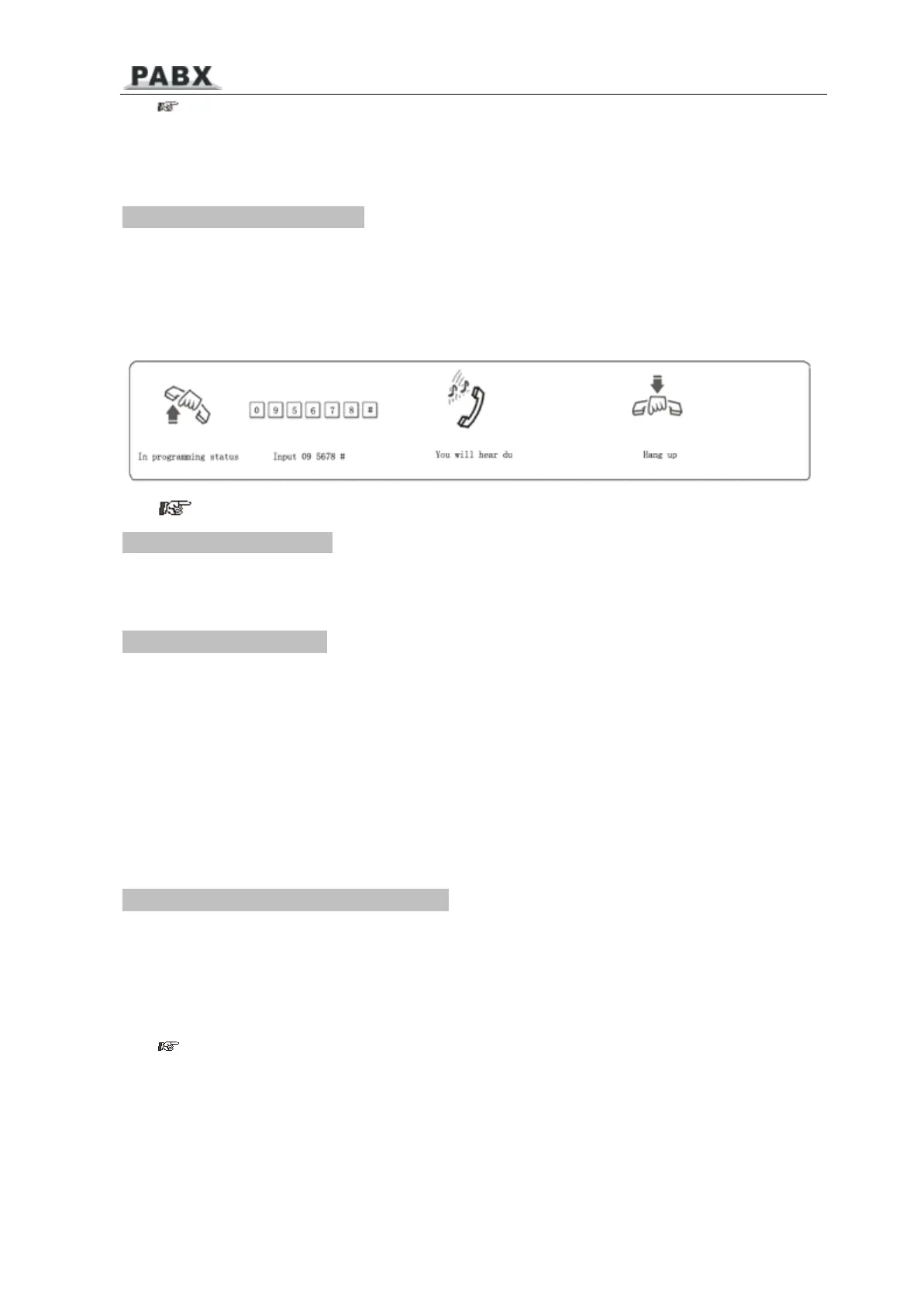
Format: 09EFGH#
Explanati o n: EFGH is the new system p assword.
Description: to change the p assword of system pro g ramming.
Example: C h anging the system p as s word from “ 0 0 00 ” to “ 56 7 8 ”
1. W e suggest changing the p assword before usin g .
3.2.3
3.2.3
3.2.3
3.2.3 S
S
S
S y
y
y
y s
s
s
s
t
t
t
t
em
em
em
em So
So
So
So
f
f
f
f
t-Reset
t-Reset
t-Reset
t-Reset
Format: 0 9 9 9 9 9 9 9 #
Description: to reset the system when the system p ower o n.
3.2.4
3.2.4
3.2.4
3.2.4 Flash
Flash
Flash
Flash time
time
time
time setting
setting
setting
setting
Format: 0 0 L #
L=1 -- - --- - --0 . 8s L=2 -- - --- - --1 . 0 s L=3 -- - --- - --1 . 2 s L=4 -- - --- - --1 . 5 s L=5 -- - --- - --1 . 8s
Explanati o n: L means the flash time grade.
Description: For active the hold and d i vert op e rati n g use.
In
default setting: L=2 (1.0s)
Example: Set the fl a s h time to 1.2S
3.2.5
3.2.5
3.2.5
3.2.5 S
S
S
S y
y
y
y s
s
s
s
t
t
t
t
em
em
em
em return
return
return
return to
to
to
to default
default
default
default setting
setting
setting
setting
Format: 0 0 0 0 #
Description: when ret u rn i ng to default setting, ple a se wait and hear the c onfirm sound that means
ok. Default setting please see the Chapter 8. This a c tion will not e f fect the da t a of the charging.
1. this format can not return the flex i ble code
ex
t ension num be
r
, also can not e f fect t h e
P10



 To Next Page