C.O. lines opening a n d shuting, also can not e f fect the charging da t a.
2.
If
want to return the
ex
t ension num b er default setting, input 9000#
3.2.6
3.2.6
3.2.6
3.2.6 Set
Set
Set
Set to
to
to
to Dela
Dela
Dela
Dela y
y
y
y
i
i
i
i
ng
ng
ng
ng mode
mode
mode
mode
Format: 0 3 T T #
Description: Select all C.O.line to charge mode of Delay billing, TT – de l ay time (01-99 sec.),
which is from finish dialing to the syst e
m
s t art to c h arge
Default setti n g: Duration o f time-delay being 5 seconds.
Example: Setting delay time: 20s, in p ut: 0320#
3.3
3.3
3.3
3.3 Enable/Dis
Enable/Dis
Enable/Dis
Enable/Dis a
a
a
a ble
ble
ble
ble C.O.
C.O.
C.O.
C.O. Lines
Lines
Lines
Lines
Y
ou must u s e these c o mmands according t he actual trunk lines before using this
product!!!
If
y ou don ’ t enable any C . O. line, the s y stem will consider there is no C.O. line and
doesn ’ t auto detect C.O. li ne!!!
3.3.1
3.3.1
3.3.1
3.3.1 Enable
Enable
Enable
Enable C.O.
C.O.
C.O.
C.O. Lines
Lines
Lines
Lines
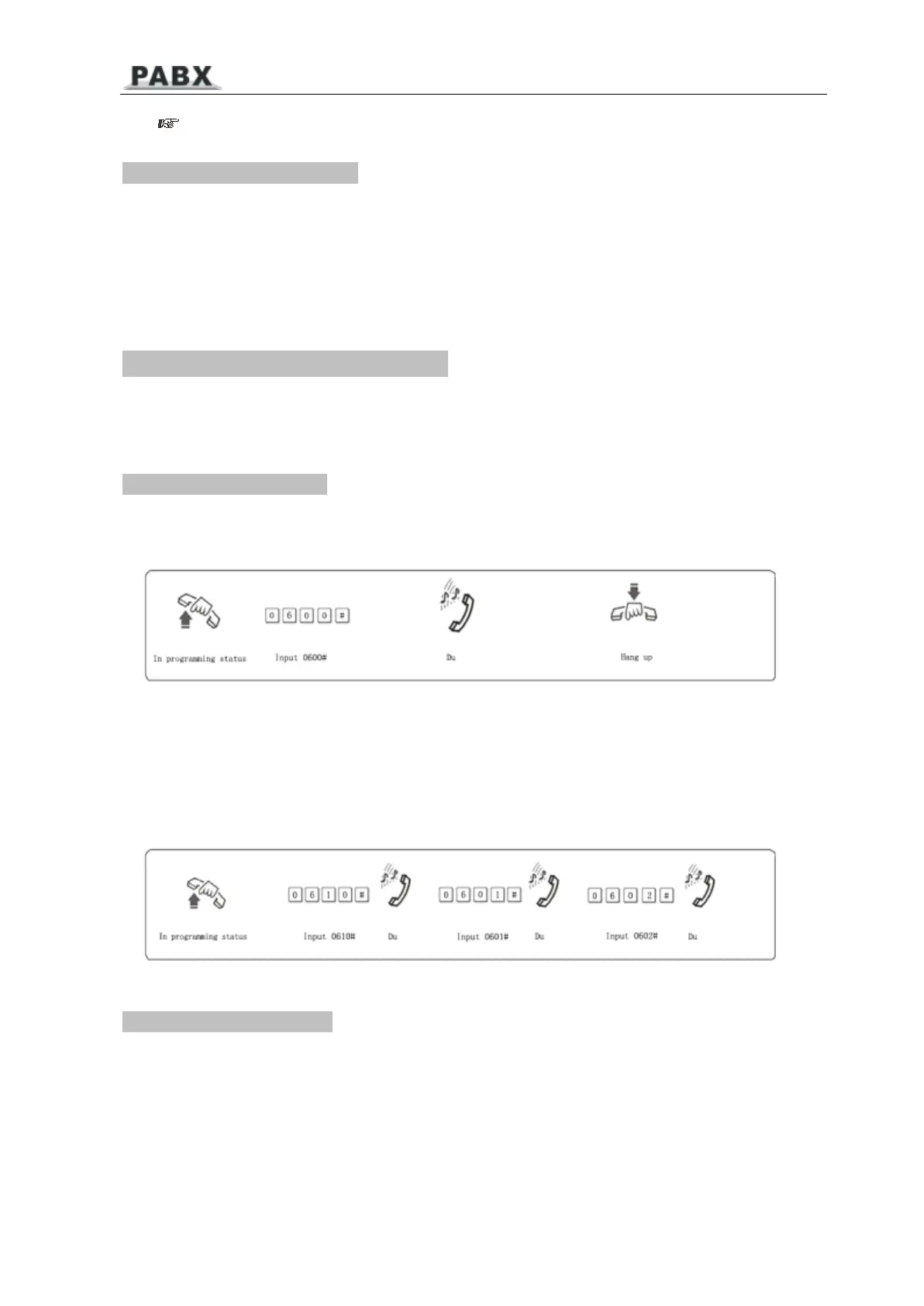
Format: 0600#
Description: Enable all C.O. lines
Format: 060M#
Explanati o n: M: C.O. li n e No.
M
= 1 - 4
Description: Enable the
M
C.O. line
Example: Y ou have 308 model pr o d uc t, you want use C.O. line 1 and C . O. line 2, and the line
3 is not in u s e.
3.3.2
3.3.2
3.3.2
3.3.2 Disable
Disable
Disable
Disable C.O.
C.O.
C.O.
C.O. Lines
Lines
Lines
Lines
Format: 0610#
P 1 1



 To Next Page