Digital Display
The digital display is visible during all
driving situations and in some parked
situations. When the parking brake is set,
the following actions will wake the display,
making it visible:
• Opening (or keeping open) the cab
doors
• Using steering wheel switches
• Tapping the brake
• Turning the ignition switch to ON,
ACC, or START
• Starting the engine
If after 20 seconds, none of these actions
are taken, the display will darken to
conserve power, but will awaken when any
wake action is performed. If the Anti-Theft
option is active and you attempt to start the
engine, a passcode prompt will appear.
The engine cannot be started until the
correct passcode is entered.
Transmission Air Supply
WARNING
Maintain specified transmission air
system pressure range
between 90 psi
(5.9 bar) and 130 psi (9.0 bar). Failure
to maintain proper air system pressure
could result in degraded or complete
loss of transmission engagement and
shift capabilities resulting in property
damage, serious injury, or death.
Vehicle secondary air controls the shifting
range and optional transmission PTO for
this transmission.
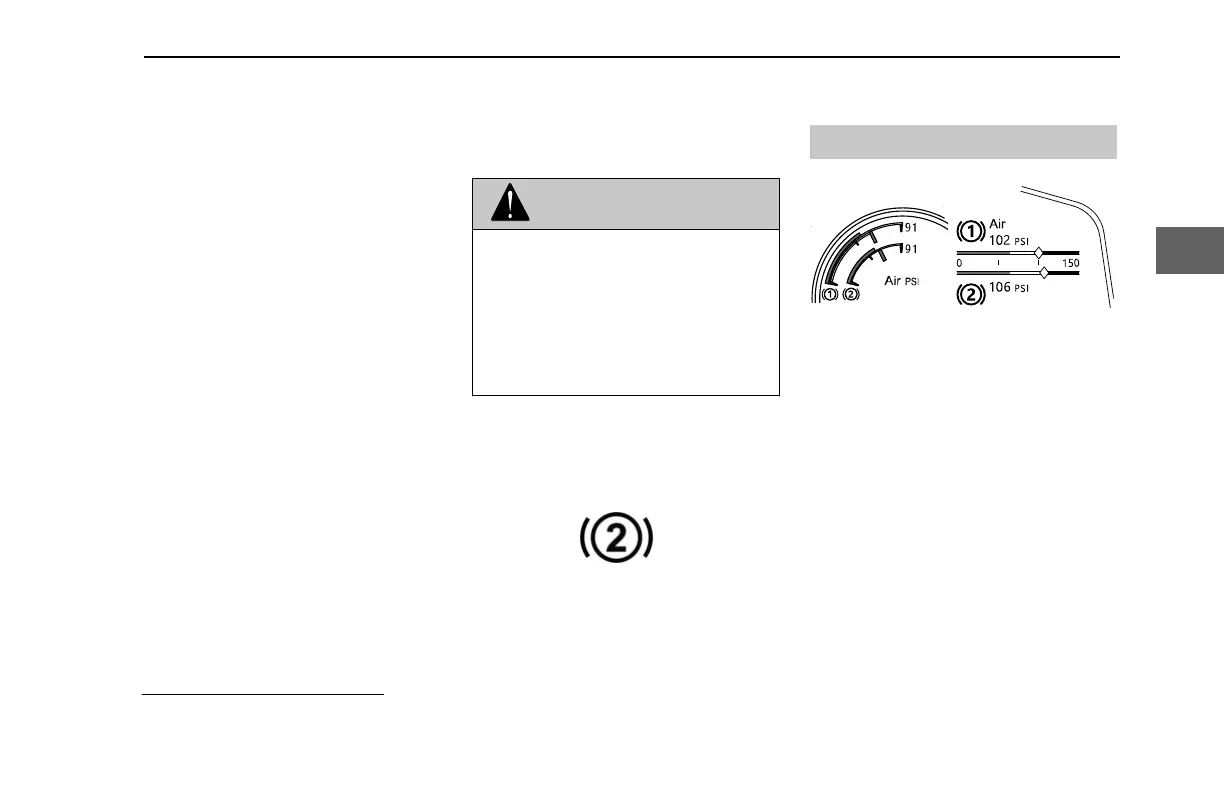
Secondary Air Pressure Indicator
Maintaining vehicle air in the proper
operating range is essential for optimal
shift operation and can be monitored using
the secondary air gauge on the digital
display
.
Primary and Secondary Air Gauge
1
Secondary air pressure can drop as a
result of heavy air usage, which can be
caused by
• Vigorous brake use
•
Fillng or dumping an air
suspension
• Loading or unloading an air
suspension with the engine off
• Raising or lowering lift axles
If a Low Transmission Air condition occurs
during operation and the operator performs
a shift (between Drive, Neutral, or
Reverse), the transmission will shift into
Neutral, where it will stay until pressure
rises above the minimum threshold for
1
Configuration depends on model.
INDICATIONS - Digital Display
Y53-1349-1A1 (02/2022) 21
3



 To Next Page