EasyManua.ls Logo

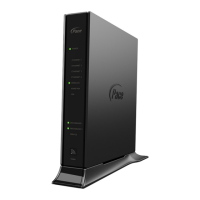
Pace 5168N - Cabling Overview

Pace 5168N
23 pages
Print Icon
To Next Page IconTo Next Page
To Previous Page IconTo Previous Page
Loading...
Chapter 2 Installing the Gateway 9
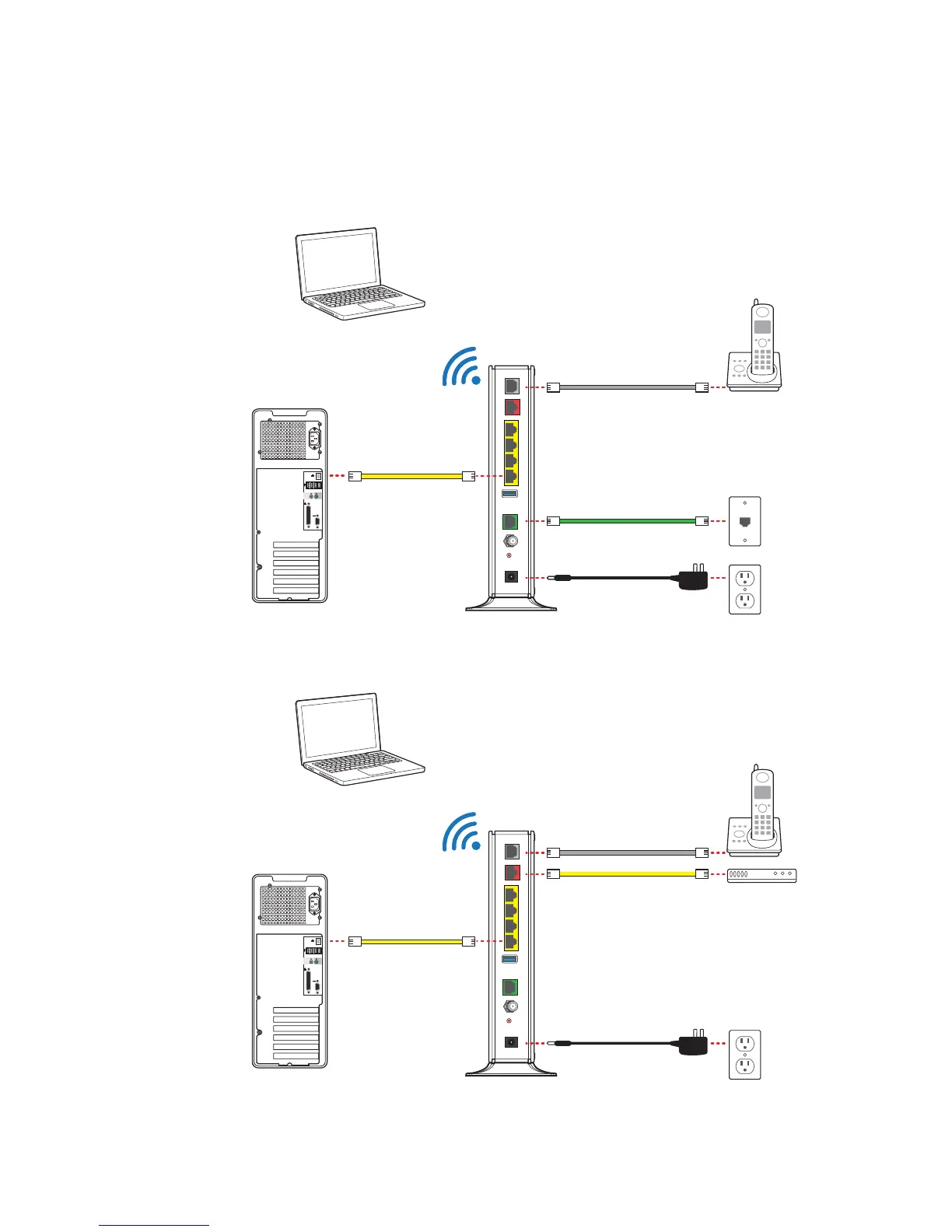
Cabling overview
You can connect the gateway to the Internet using DSL Broadband or Ethernet
Broadband. The following diagrams show the connections for both options. For more
information, see “Connecting the gateway to the Internet” on page 12.
DSL Broadband connection
Ethernet Broadband connection
LOCAL ETHERNET
USB
VOICE 1 & 2
POWER
RESET
CABLE
432
1
DSL
ETHERNET
BROADBAND
Phone
Wireless
connection
Wired
connection
Phone outlet
DSL or phone cable
Phone cable
Ethernet cable
Power outlet
Power adapter
LOCAL ETHERNET
USB
VOICE 1 & 2
POWER
RESET
CABLE
432
1
DSL
ETHERNET
BROADBAND
Phone
Wireless
connection
Wired
connection
Ethernet cable
Broadband device
Phone cable
Ethernet cable
Power outlet
Power adapter

Other manuals for Pace 5168N

Related product manuals