12
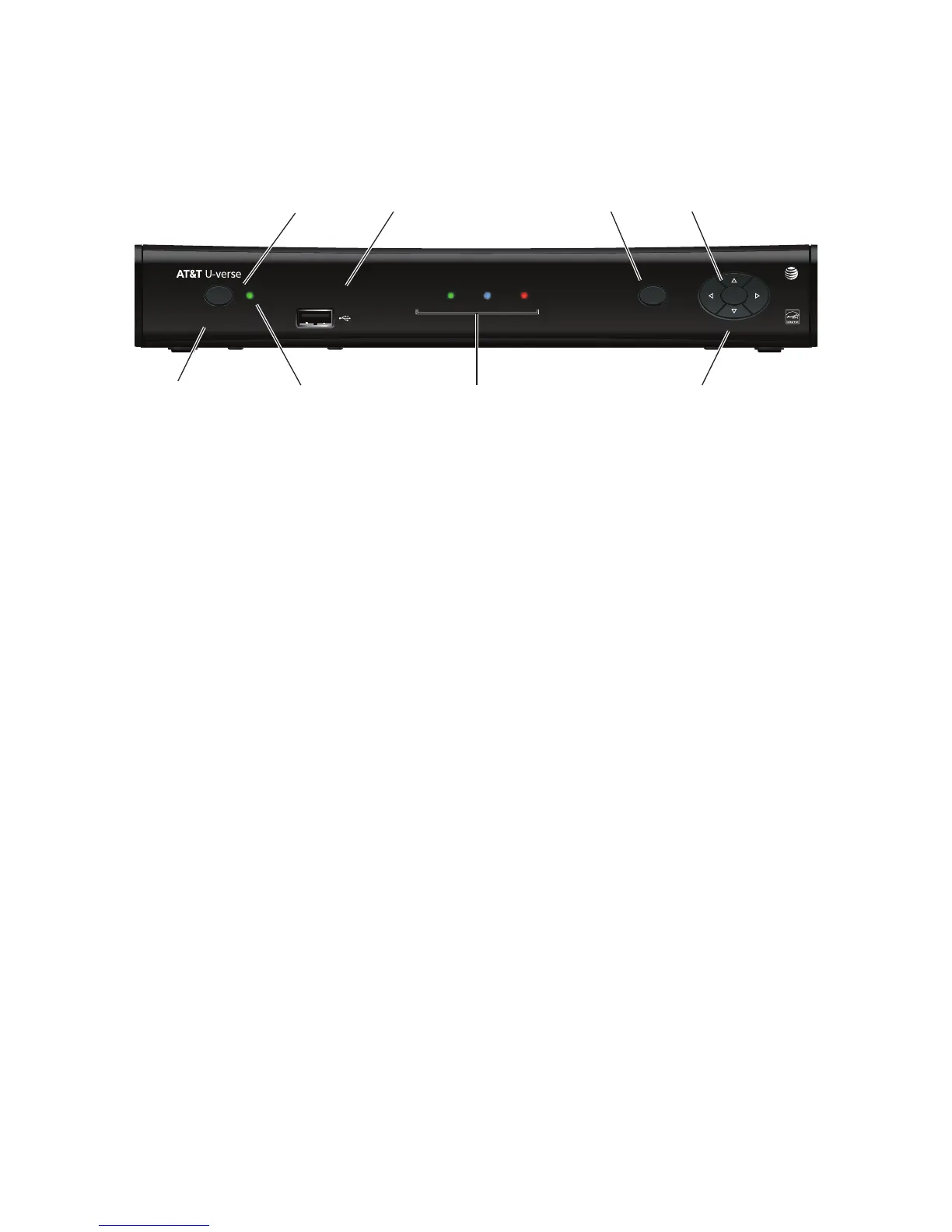
Front panel
The following illustration shows the buttons, lights, and connectors on the front of the
receiver.
Power button
Turns the set-top box on or off.
Power light
Lights green when the set-top box is powered on. Blinks when receiving input from the
remote control or when the front-panel buttons are pressed.
Model number
Identifies the model number of the receiver.
USB port
Reserved for future use.
Link light
Lights green when the box has a good connection to the AT&T network.
HD light
Lights blue to indicate the receiver is configured to display high-definition programming
when available.
Record light
Lights red when the DVR is recording content.
Menu button
Launches the on-screen menu.
Navigation buttons
Navigates to on-screen menu options.
OK button
Confirms the on-screen menu choice.



 To Next Page