22
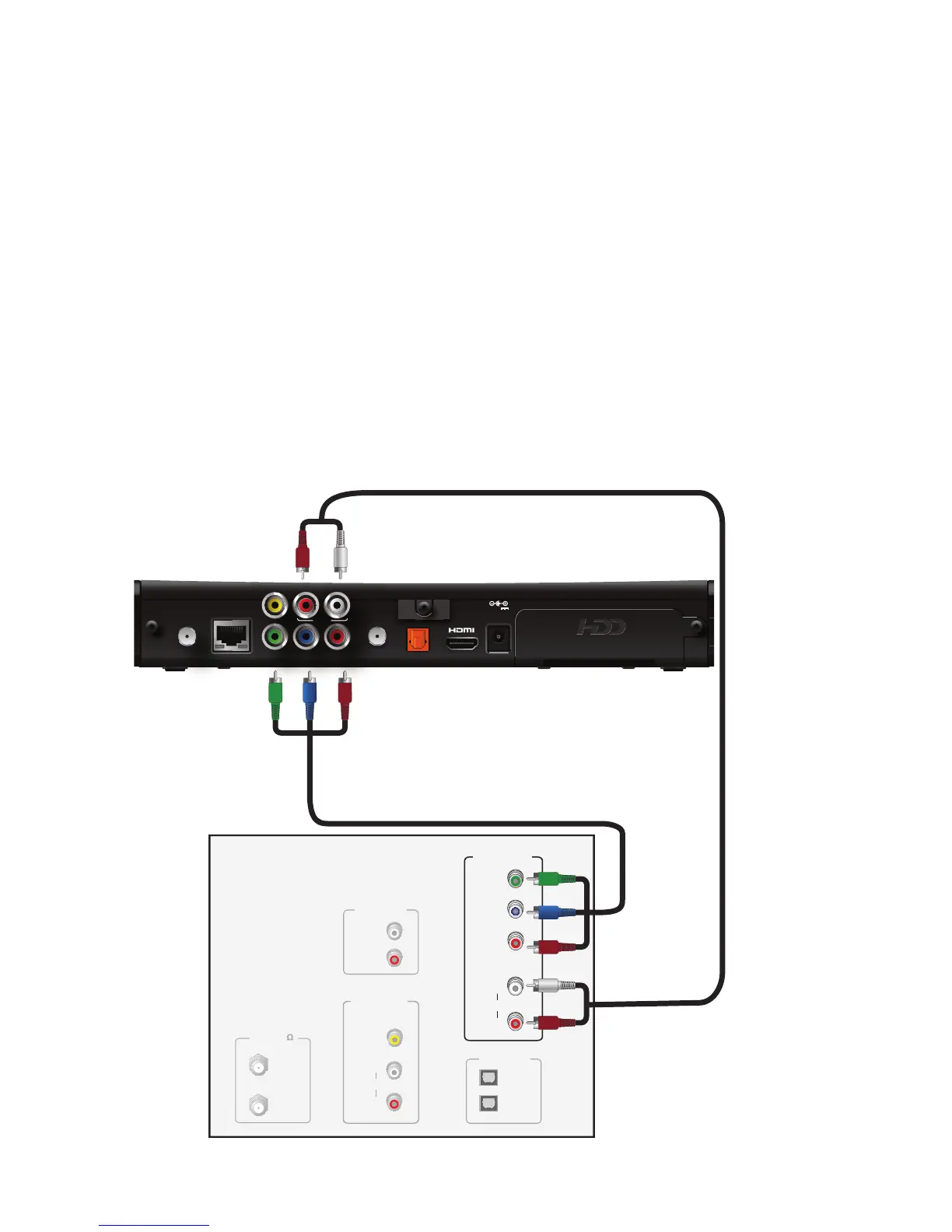
Using a component video connection with analog audio
Component video uses the Y Pb Pr (green, blue, and red) connectors to provide
component video signals to an HDTV or SDTV. You must connect the audio signal
separately using an analog audio cable.
To connect the receiver to the TV using a component video cable and analog audio
cable:
1. Insert the connectors on the color-coded component video cable into the Y Pb Pr
(green, blue, and red) connectors on the receiver.
2. Insert the other end of the component video cable into the COMPONENT VIDEO Y
Pb Pr (green, blue, and red) connectors on the TV.
3. Connect the color-coded analog audio cable to the AUDIO L (white) and R (red)
connectors on the receiver.
4. Connect the other end of the color-coded analog audio cable to the AUDIO L (white)
and R (red) connectors on the TV.



 To Next Page