24
Using an RF coaxial connection
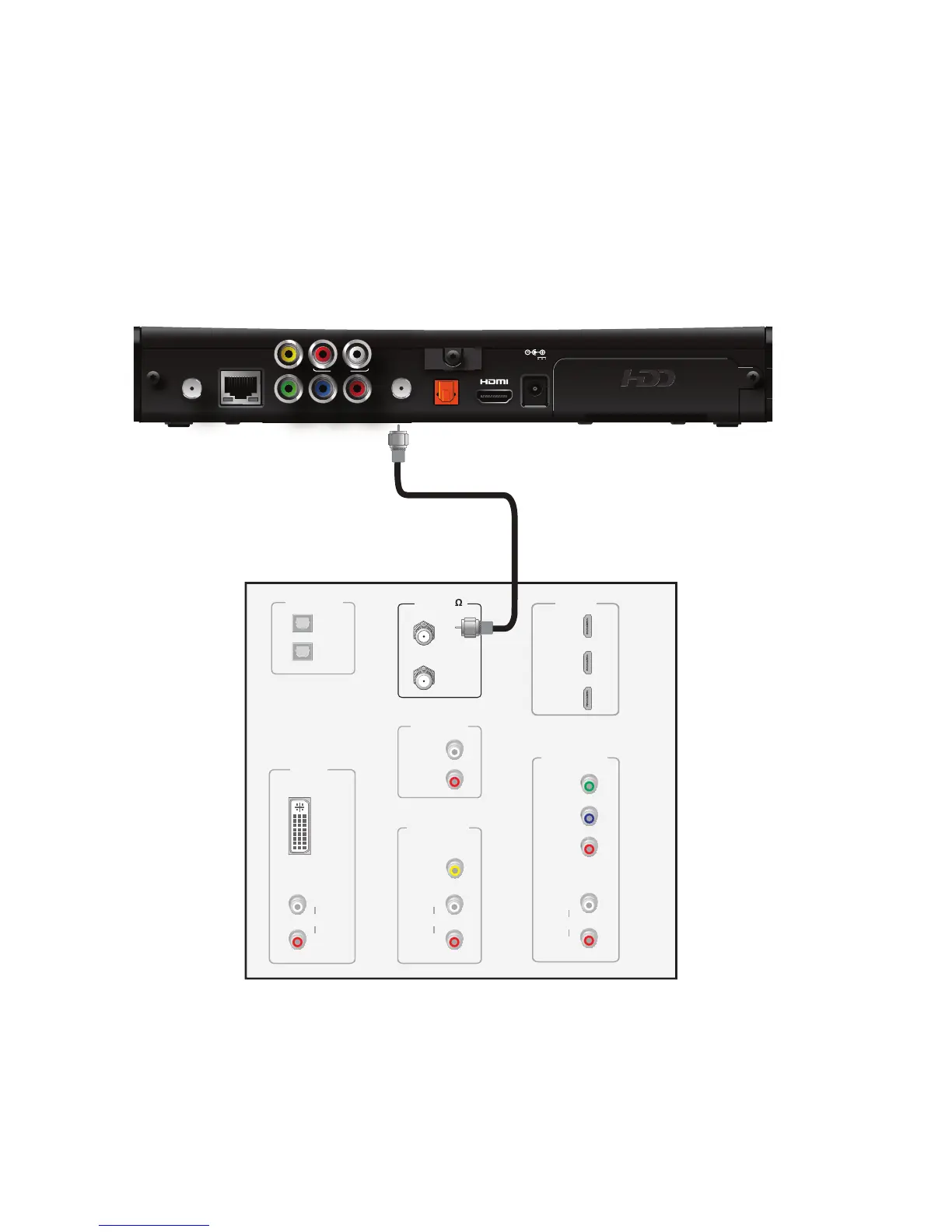
The RF coaxial connector provides the connection to an SDTV. The RF coaxial cable
carries signals for standard video and audio.
To connect the receiver to the TV using an RF coaxial cable:
1. Insert one end of the RF coaxial cable into the TO TV connector on the receiver.
2. Insert the other end of the RF coaxial cable into an available RF coaxial connector
on the TV.
Note: If you use an RF coaxial cable to connect the receiver to your TV, you must tune
your TV to a supported VHF output channel, which is either channel 3 or 4. Contact
AT&T U-verse to find out which channel is used in your location. Consult the manuals
supplied with your TV (or VCR) for additional tuning information.



 To Next Page