23
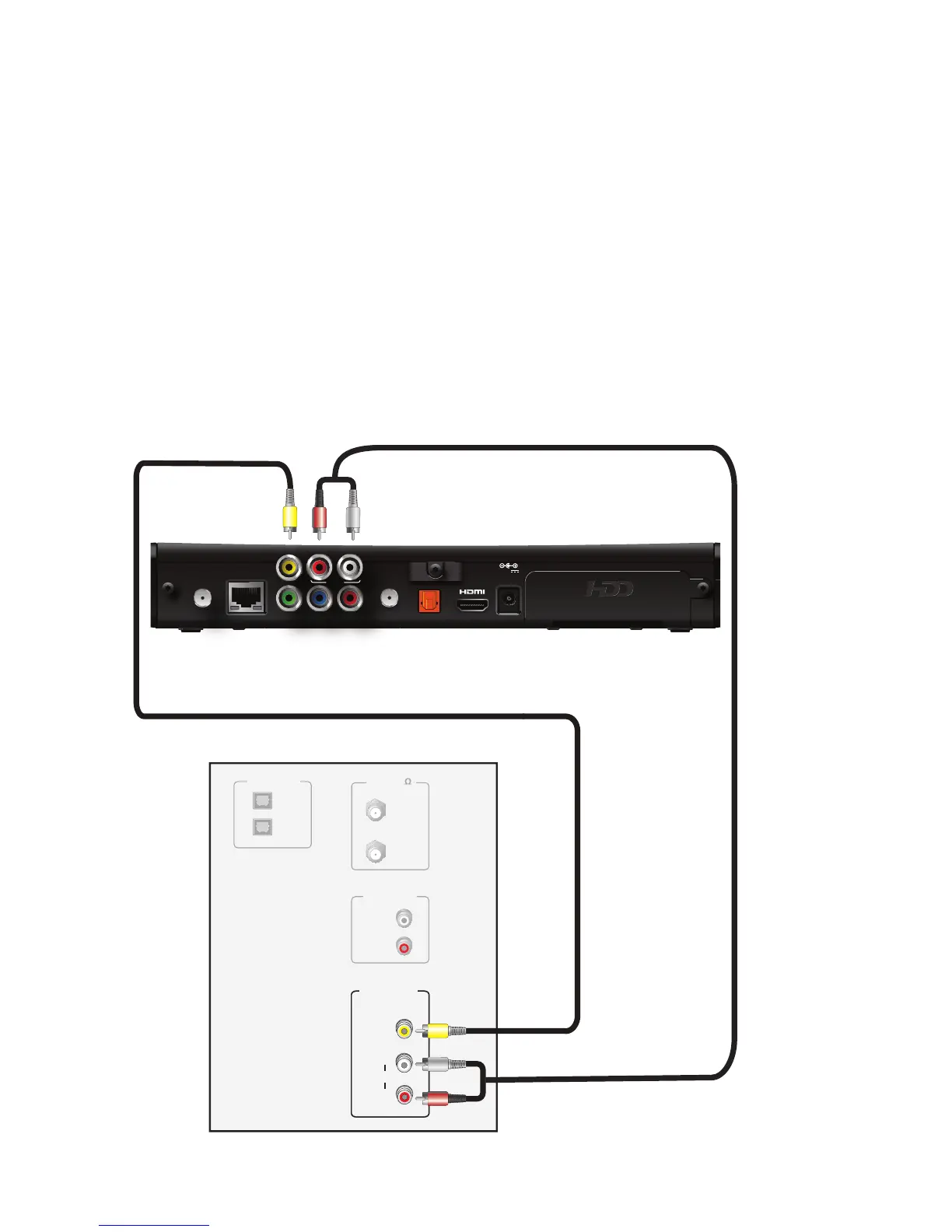
Using a composite video connection
Composite video provides the video connection to a SDTV. You must connect the
audio signal separately.
To connect the receiver to the TV using a composite video cable:
1. Insert the yellow video connector on the color-coded composite video cable into the
VIDEO OUT (yellow) connector on the receiver.
2. Insert the other end of the composite video cable into the VIDEO IN (yellow)
connector on the TV.
3. Connect the color-coded audio cable to the AUDIO L (white) and R (red) connectors
on the receiver.
4. Connect the other end of the color-coded audio cable to the AUDIO L (white) and R
(red) connectors on the TV.



 To Next Page