8
PX022ANx USER GUIDE Draft 15/01/13 (501-341930X)
CONNECTING THE EQUIPMENT (cont.)
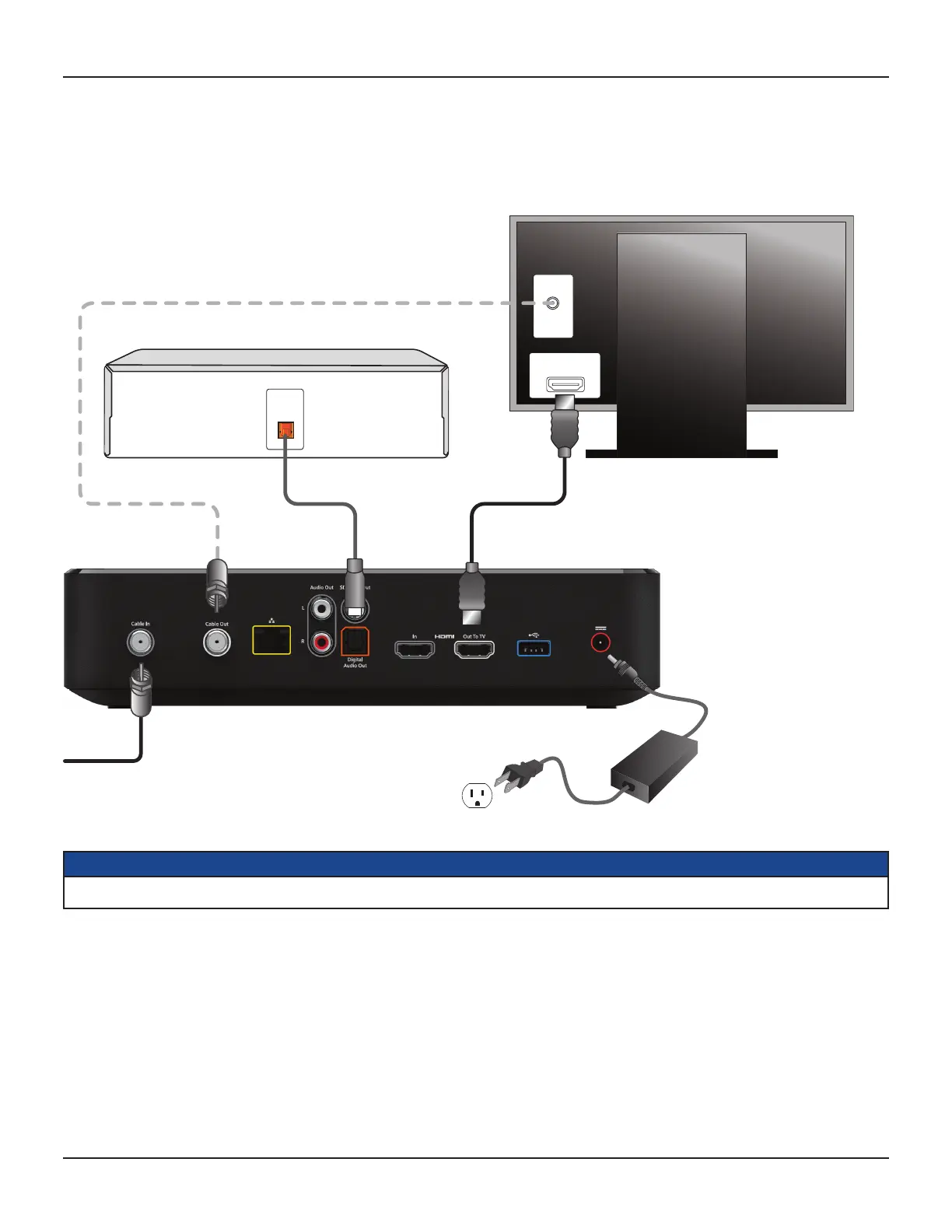
Setup A - Home theater system with HDTV
(HDMI connection)
Setup A uses an HDMI connector to connect to the HDTV. This displays the highest quality picture on your HDTV and also means there will be no picture
degradation on any copy-protected programs (provided the link remains secure – see page 7).
NOTE
This diagram shows power cords that have 2-blade polarized plugs. You may need to use a different type of plug in the region where you live.
OPTICAL
AUDIO IN
DIGITAL AUDIO IN
HOME
THEATER
RECEIVER
ANTENNA/
RF IN
HDMI
HDTV
CABLE INPUT



 To Next Page