Copyright© 2003 Pacific Digital Corporation Page 24
7.4 Digital Drum Operation Menu
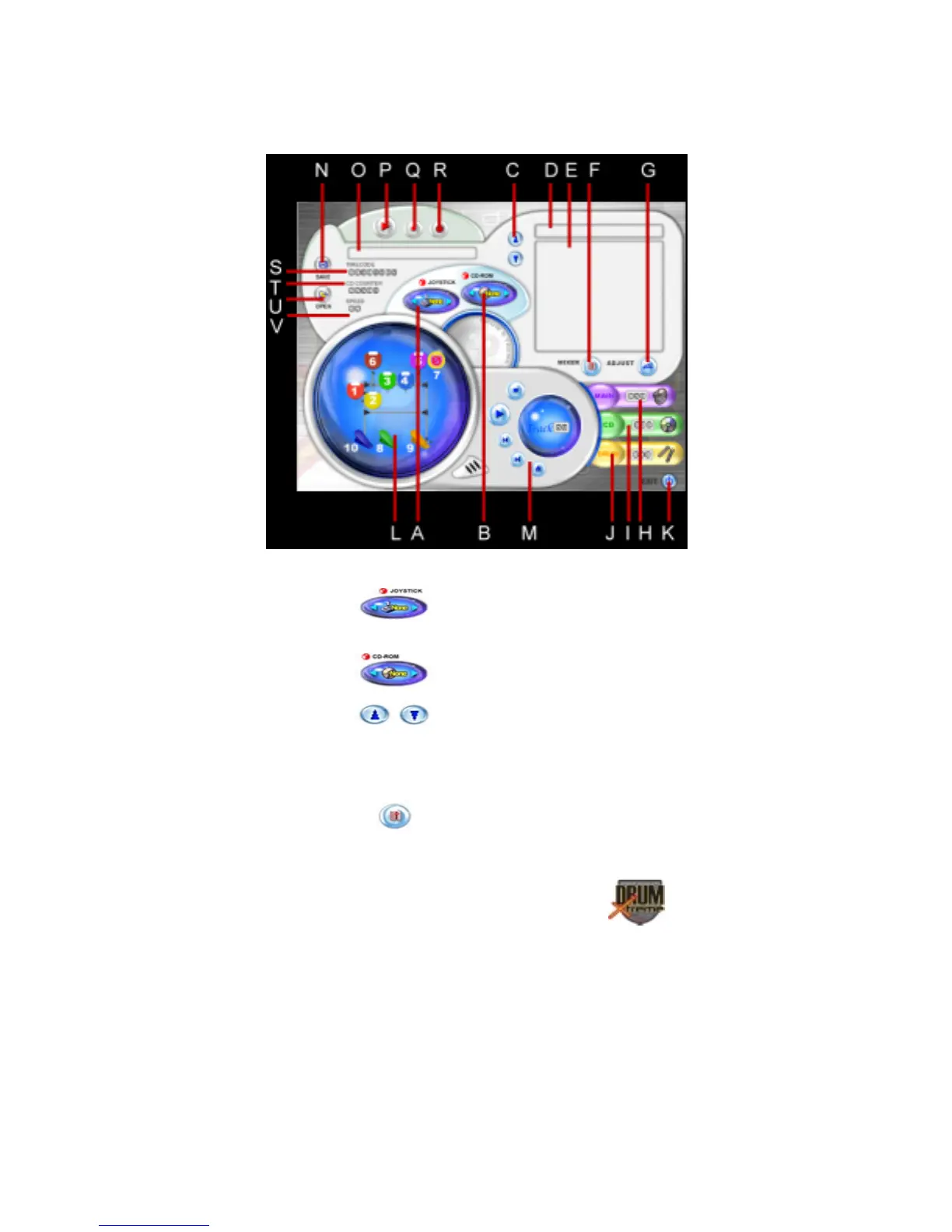
If you selected “Digital Drum,” from the main menu, the Digital drum
operation screen will appear as shown in Figure 14.
Figure 14 – Digital Drum Operation Menu
A. JOYSTICK: selects the controller to
use for the software programs
B. CD-ROM: position of CD-ROM
C. Timbre composing switch
D. BANK NAME: name of timbre composition
E. BANK: timbre list
F.
MIXER: volume control


 To Next Page