Copyright© 2003 Pacific Digital Corporation Page 30
3. Playback Your Recording
1. Insert the DrumXtreme Music CD
2. Press the Open button.
3. Windows will present a screen with the contents of your
DrumXtreme recordings. Select the desired recording
file and click OK.
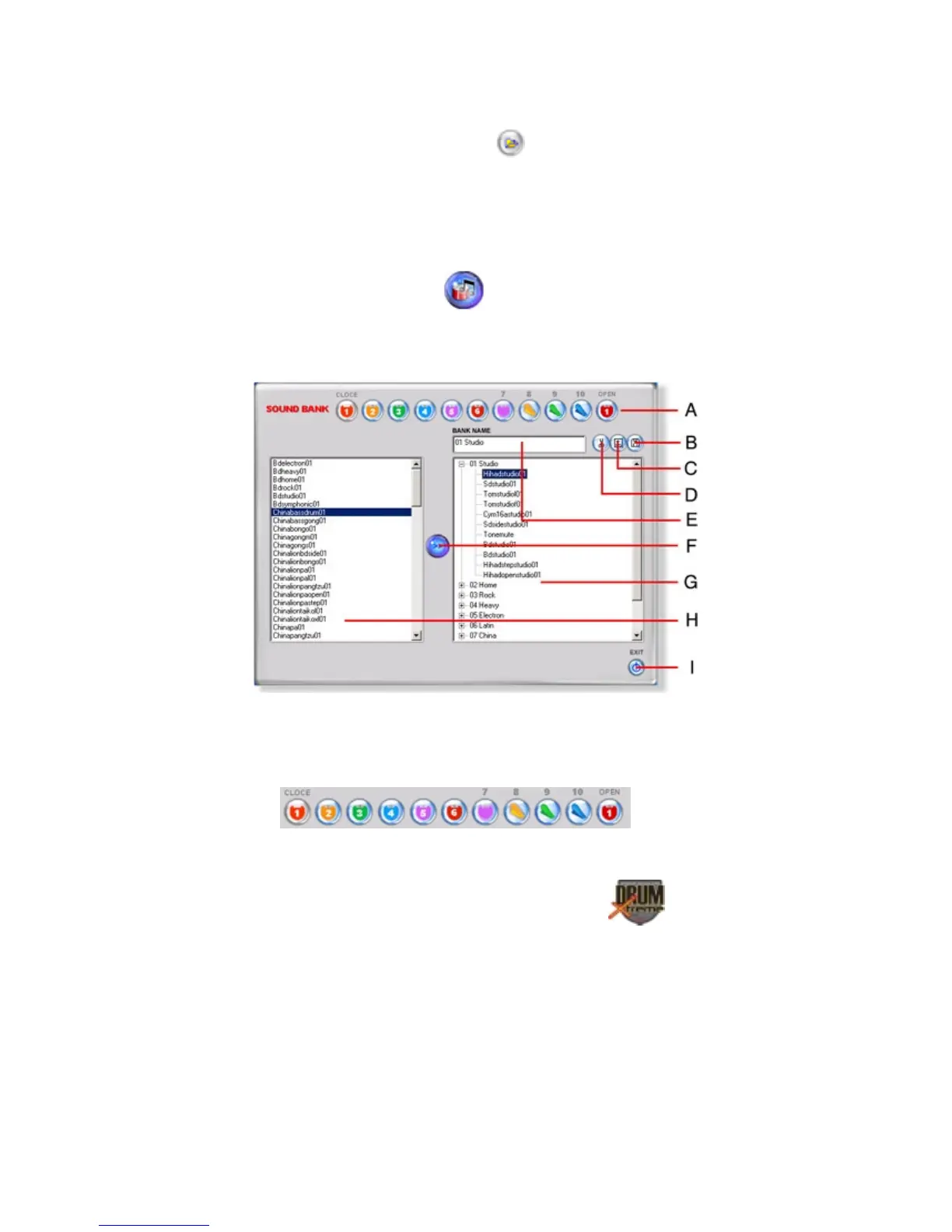
7.5 Sound Bank Timbre Editing Panel
If you selected “Sound Bank”
, from the main menu, the Sound-
Bank (Timbre) editing panel screen will appear as depicted below. This
menu allows you to see and change the sound (timbre) associated with
each drum pad in each composition.
Figure 17 – Sound Bank Timbre Editing Panel
A. Editing display:


 To Next Page