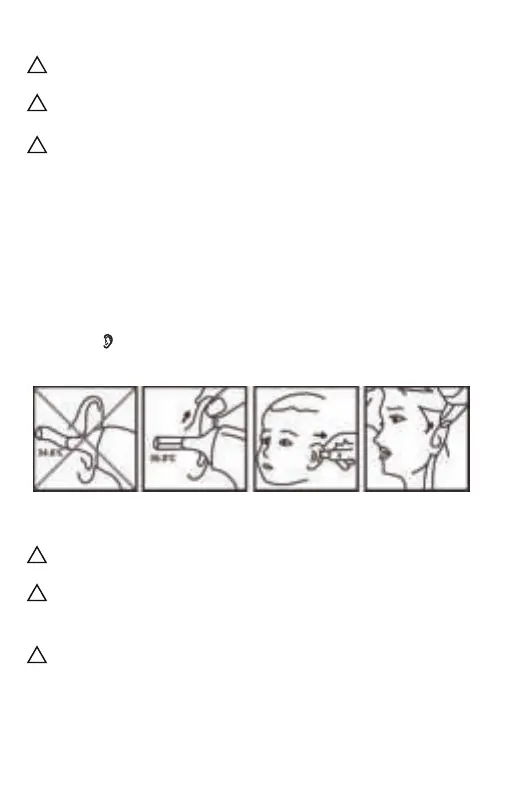
Fig. 8
Please make sure that your ear is clean and free from without
earwax or obstructions.
There is a slight difference in temperature between the left and
right ear. As such, please do not to compare the readings of the left
ear and right ear directly, but use the same ear each time.
Do not force the thermometer probe into the ear canal, or else
the ear canal may be injured.
!
!
!
In order to improve accuracy, please make sure that your
forehead is free from hair, sweat or dirt.
Make sure the probe sensor is clean before using the thermome-
ter.
Ensure that both the user and thermometer remain in the same
room with a stable airflow and a room temperature between
10.0‒40.0℃ (50.0‒104.0℉) for at least 30 minutes before using the
thermometer.
!
!
!
5.2 Take your ear temperature
Press the Power button to power on.
Take off the probe cover and fit the probe snuggly into the ear
canal, then press and release the button. About 1 second later, a
beep will be heard and the reading will be obtained. In Ear Mode,
the symbol will be displayed on the screen.
- 9 -


 To Next Page