Install the Megabit Modem CRA-C
Megabit Modem CRA-C User Manual 11
Rear Panel
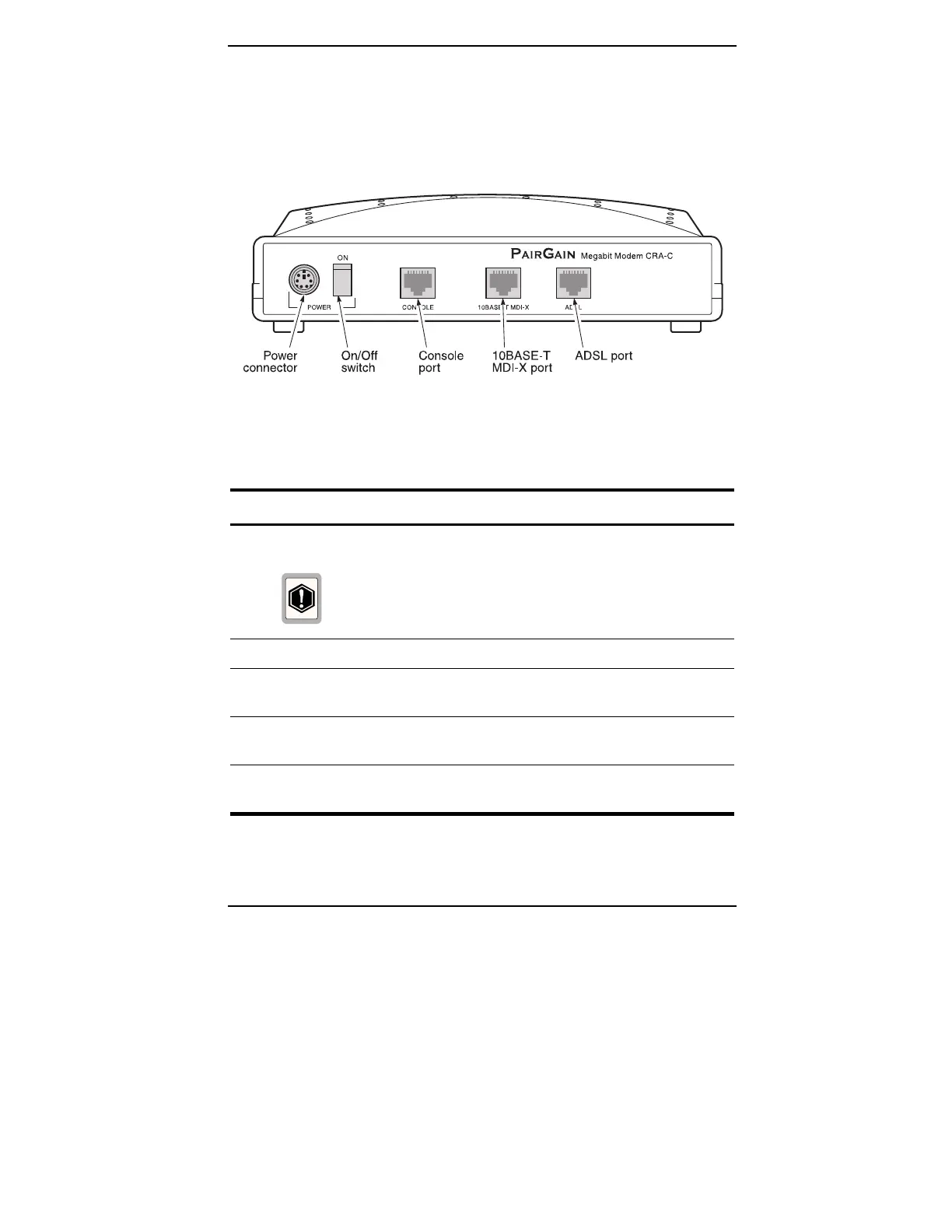
Figure 3 and Table 3 describe the Megabit Modem CRA-C rear panel features.
Figure 3.
Megabit Modem CRA-C Rear Panel
Table 3.
Rear Panel Components
Name Function
POWER connector 6-pin mini-DIN type port that supplies power to Megabit
Modem CRA-C.
Do not connect any other wall-plug supply to the
Megabit Modem CRA-C unit, otherwise, you can
permanently damage the unit.
ON/OFF switch Toggle switch used to turn modem ON and OFF.
CONSOLE port RJ-45 connector (RS-232 compatible) used to connect an
ASCII terminal for configuring the Megabit Modem(s).
10BASE-T
MDI-X port
RJ-45 MDI-X (cross-over) port used to connect the Megabit
Modem CRA-C to a 10BASE-T port of a data network device.
ADSL port RJ-48 port used to connect the Megabit Modem CRA-C to the
ADSL transmission line.



 To Next Page