Install the Megabit Modem CRA-C
12 Megabit Modem CRA-C User Manual
Install the Megabit Modem CRA-C
Complete the steps in the order listed to install the Megabit Modem CRA-C:
•
connect to the ADSL line
•
connect to the data network
Connect to the ADSL Line
The Megabit Modem CRA-C requires a single pair of telephone wires to
connect the subscriber to the service provider. One wire is the Tip
and the other is the Ring. See Table 4 for pinouts. Connect the Tip and Ring
wires to your Megabit Modem CRA-C:
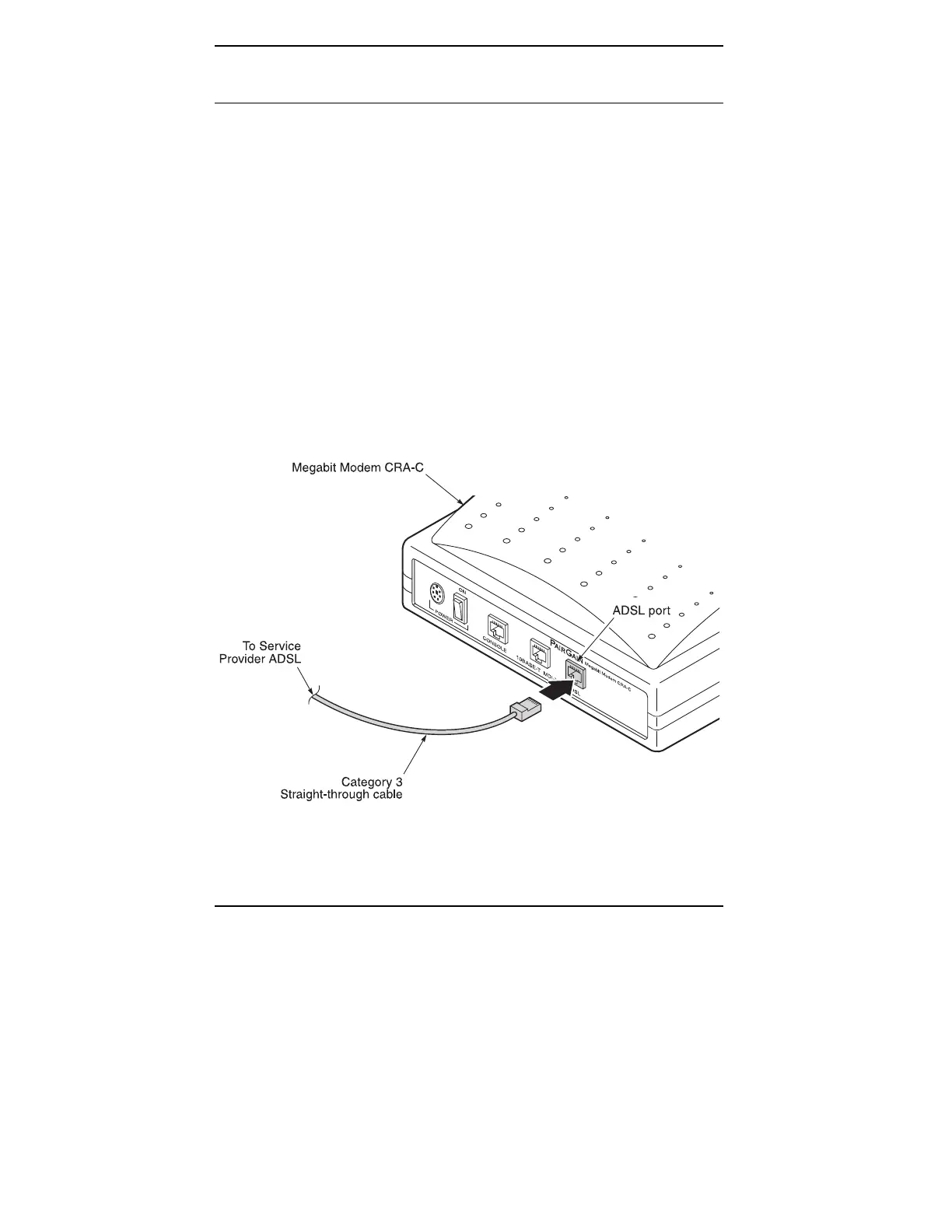
1 Plug the RJ-45 connector of the ADSL cable (gray) into the
ADSL port on the Megabit Modem CRA-C rear panel (Figure 4).
2 Connect the RJ-11 connector to the ADSL line.
Figure 4.
Connecting to the ADSL Line



 To Next Page