6
Handling and Operation
22
ubject to change without notice
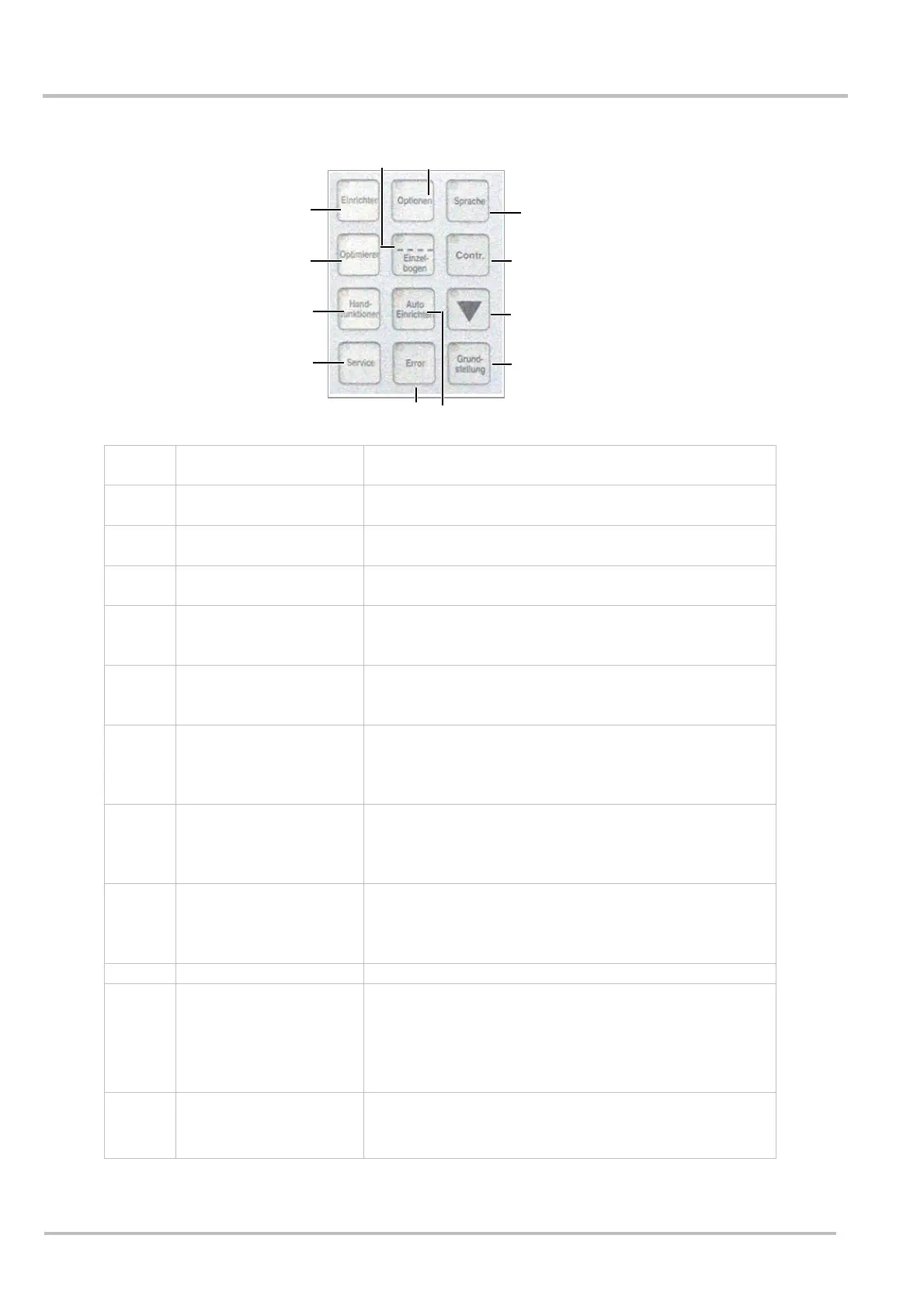
Group 2 description
Abb.491
(1) Set up All adjustments which are necessary for operation
are carried out in this menu
(2) Optimisation All adjustments which differ from the default values
are carried out in this menu.
(3) Manual mode The selected drives are operated manually in this
menu
(4) Service Service functions are accessed in this menu. Partly
password protected.
(5) Error The latest errors are shown on the display when this
button is pressed. Errors are described during
operation.
(6) Auto set up First calibrate! The shingling axle will run to the
calibrated sheet length by pressing the “auto set up”
key
(7) Home position /
remainder packing
1. When the machine has stopped, it is brought to
the home position by pressing this key
2. When the machine has started, the function of this
key is remainder packing.
(8) Calibration The small control light on the key flashes when this
key is pressed. The next sheet that comes along will
be measured and taken as a reference. The light
goes out.
(9) Inspection sheet 1. The waste sheet deflector ejects the next sheet.
2. The key flashes if it is pressed approx. 3 sec. All
further sheets will be ejected until the key is pressed
again.
(10) Language Choice of language
(11) Single sheet
Activates the single sheet
Alternates between “shingled stream” mode and
“single sheet” mode.
In single sheet mode the transport belt runs
continuously. In shingled stream mode the transport
belt only runs when products are fed in.
(12) Options All options offered by this machine are displayed
when this key is pressed. Optimisation of the options
can be carried out here.
(1)
(2)
(10)
(3)
(4)
(9)
(8)
(7)
(11)
5
6
(12)


 To Next Page