24/7 PHONE SUPPORT 252-316-0108
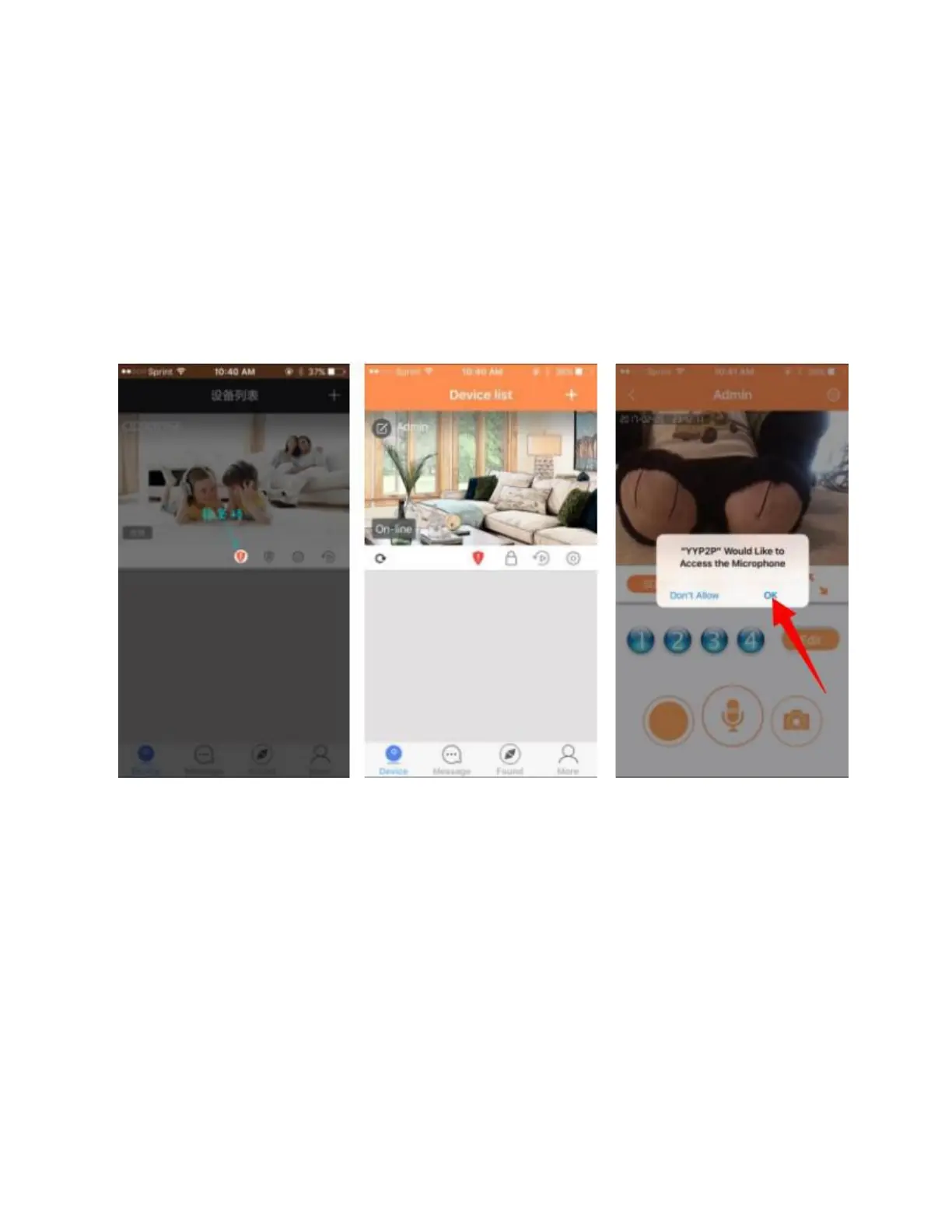
Tap on the Chinese writing in the grey box on the left side
of your screen, you will see, “On-line”. Tap; online to see
live video. Click OK to access the microphone and enjoy
your camera.
You should be all set and enjoying your camera. If you
were setting this camera up the Ethernet cable, please
continue with instructions below.


 To Next Page