24/7 PHONE SUPPORT 252-316-0108
FYI:
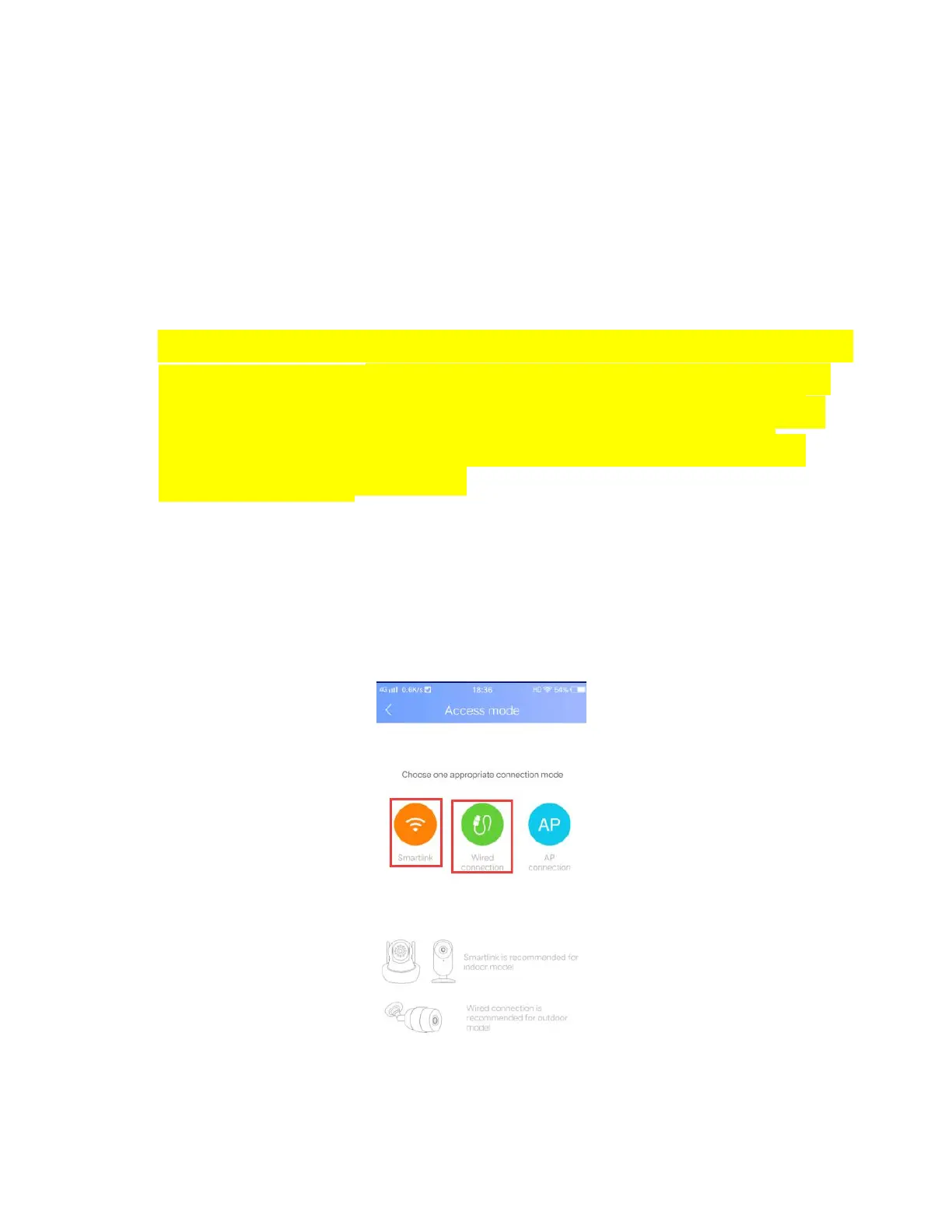
Add Online Device Option for YYP2P Only. Cannot
use with YOOSEE app due to the New Sharing
Feature.
Note: You will need to have your camera plugged in
at this point. (If you had already plugged in your
camera from the start and it stopped beeping,
unplug the camera from the electrical outlet and
plug it back in.
The camera goes through a bootup process once it is
plugged into the electrical outlet. That process takes about
30-50 seconds before it starts beeping.


 To Next Page