24/7 PHONE SUPPORT 252-316-0108
FACTORY SETTING RESET:
Resetting your camera will clear all the settings, including
the WIFI connection, saved passwords, Alarm settings,
Defense area settings, etc.
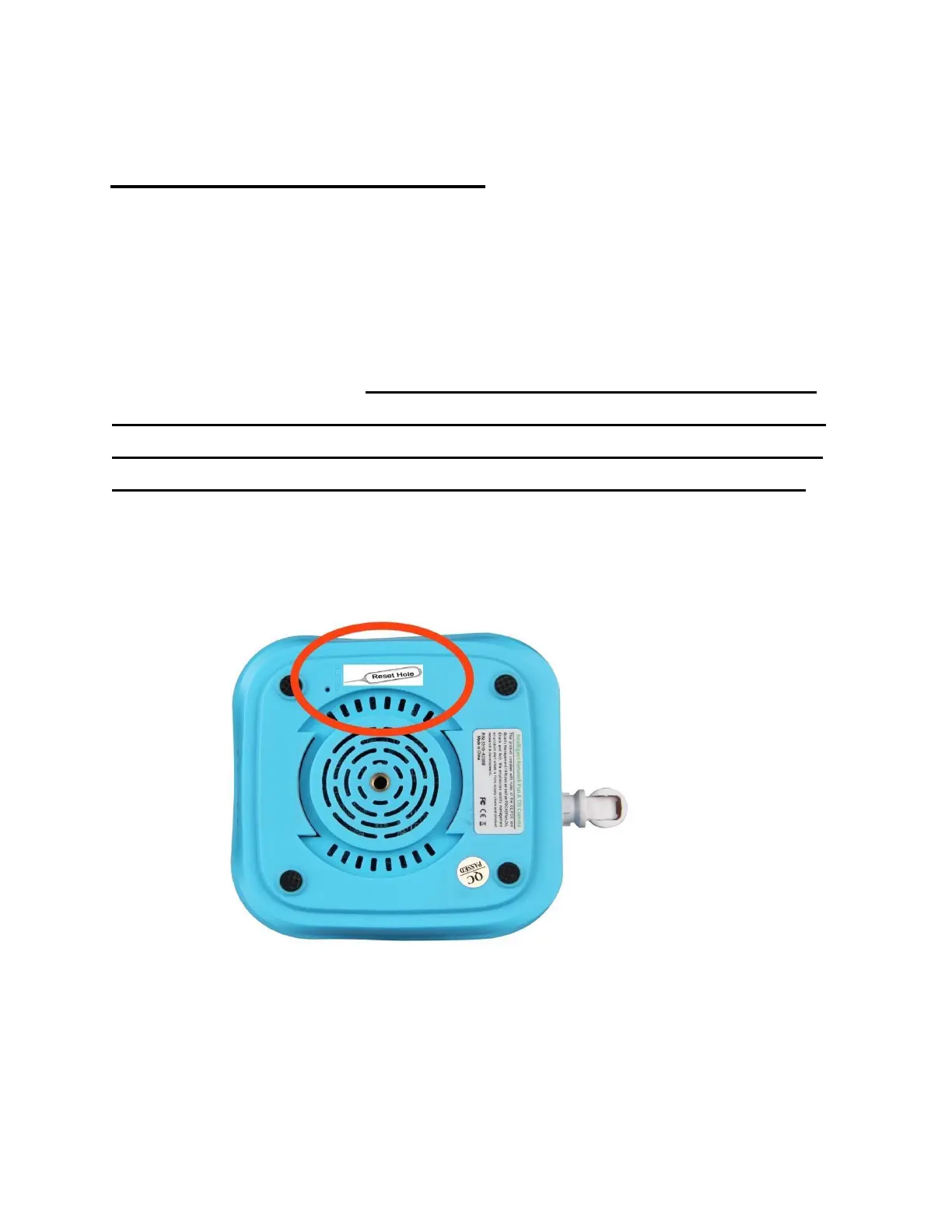
To reset the device: there is one RESET button (hole) on
the bottom of the camera. Use the pin provided and insert
it into the RESET hole. Press and hold the RESET button
for at least 10 seconds until you hear a “chi-ching” noise.
After you hear the “di, di, di” sound, press for another 3
seconds until you hear one “PIU...” sound. All the
indicators will turn on to signal a successful RESET.


 To Next Page