Home
Palermo
IP Camera
Smart Camera
Page 4 (Account Registration and Login)
Palermo Smart Camera - Account Registration and Login
32 pages
Manual
Save Page as PDF
To Next Page
To Next Page
To Previous Page
To Previous Page
Loading...
24/7
PHONE
SUPPORT
252-316-0108
-
3
-
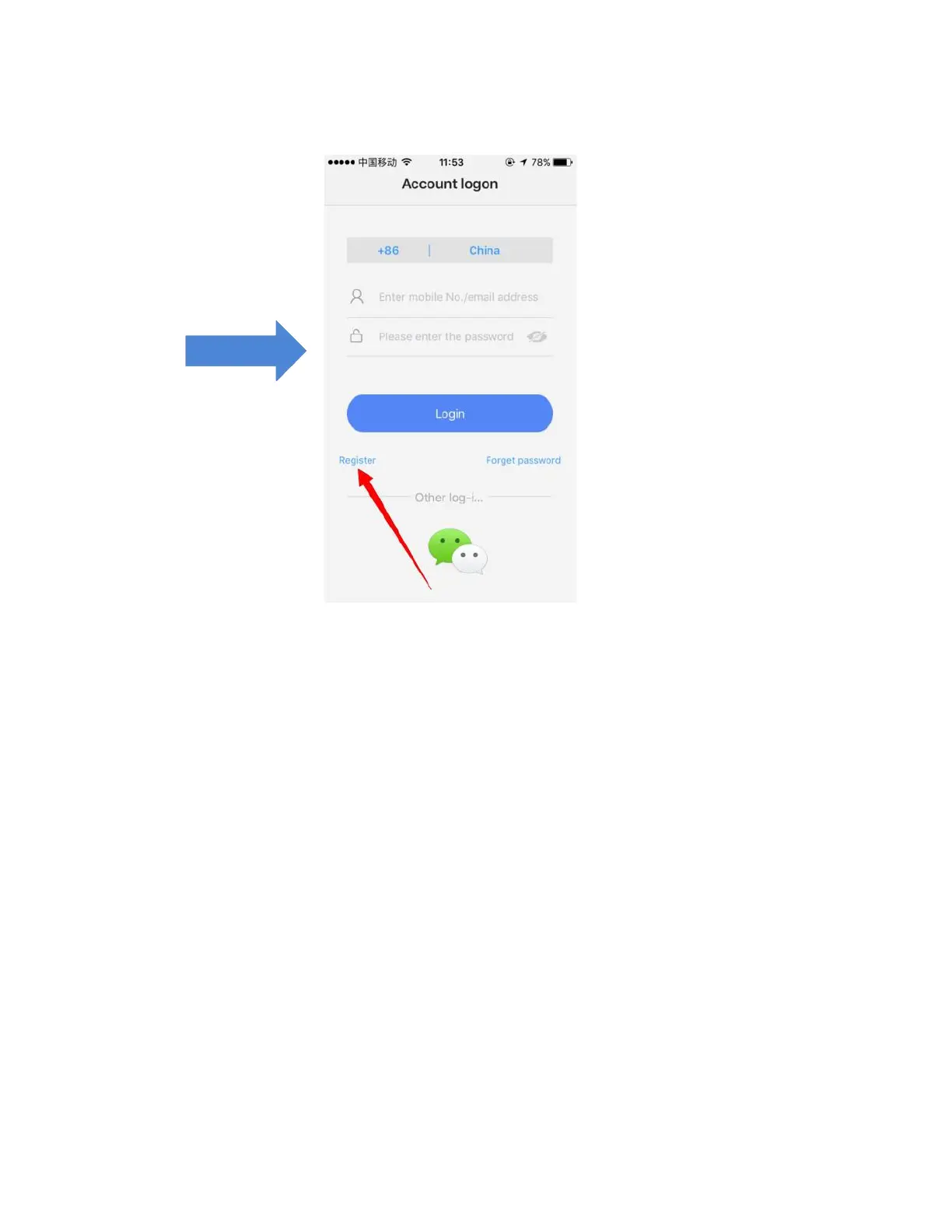
Do
not
use
a
phon
e
number
to
register
,
only
email
addresses
are
used
in
the
United
St
ates.
Once
you
have
successfully
registered,
you
will
be
redirected
to
Account
lo
gin
to
enter
your
password.
3
5
Table of Contents
Main Page
Reset the Camera
2
IOS Phone Users
3
Android Phone Users
3
Fyi
7
Smartlink
8
Ethernet Connection
11
Transfer from Ethernet to WIFI
13
Yoosee Device Sharing Instructions
14
Sharing Management
14
Manually Adding Devices
15
Usage Tips When Using with a Smart Phone
17
Computer Setup
18
Yoosee Web Page
18
Defense Area Setting
25
Clear Coding
26
Alarm Setting
26
Motion Detection
27
Pir
27
Buzz
27
Device Update
27
Factory Setting Reset
28
Troubleshooting - Q&A
29
In the Device List, the Device Is “Offline”
29
WIFI Camera Cannot Connect to Wi-Fi
30
Cannot Set WIFI
30
I Forgot My Password
30
Packing List
32


 To Next Page