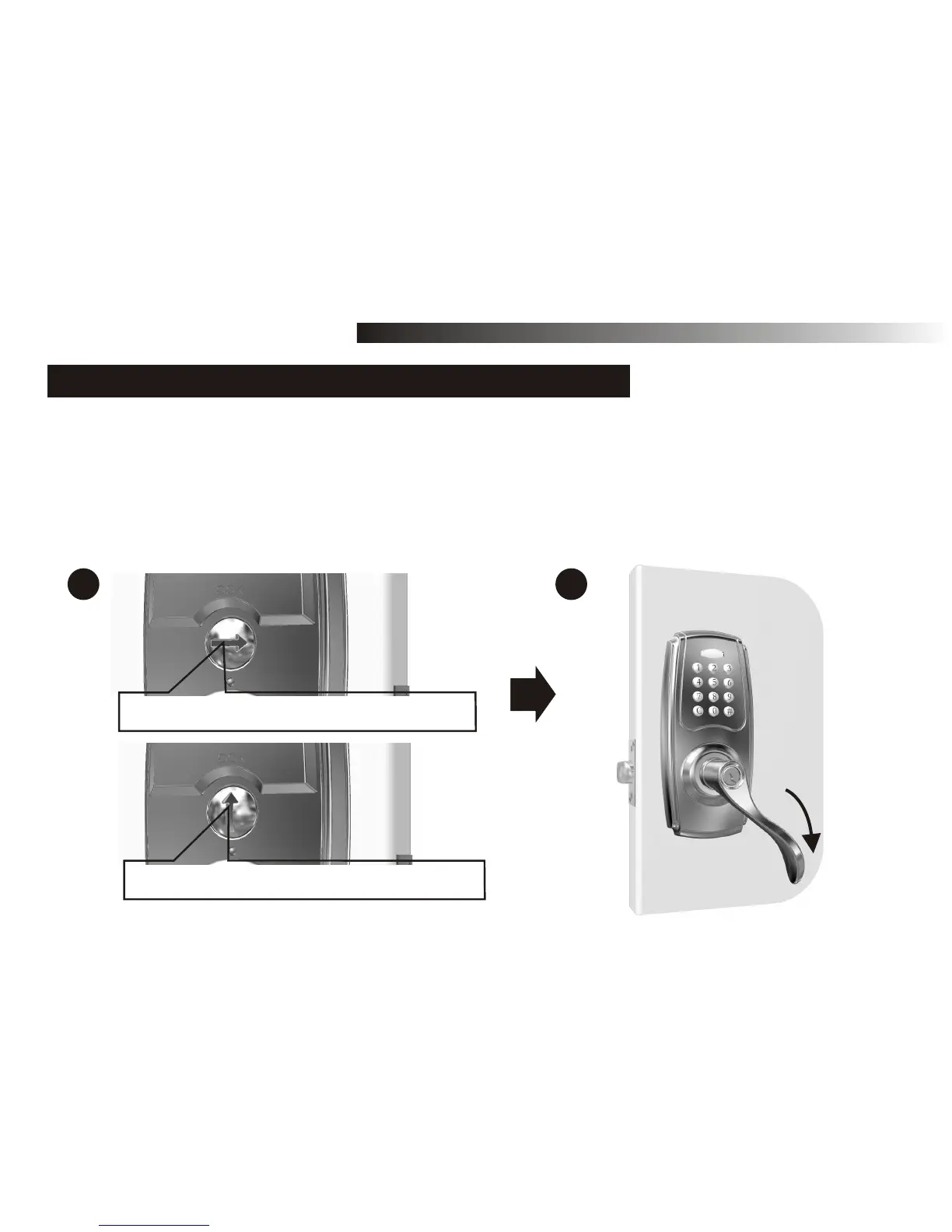
10-3. TO LOCK
OPERATION MODE
Vertical (arrow) position is auto-locked
Horizontal (arrow) position is unlocked
A
B
32
1. TO ACTIVATE AUTO-LOCKING (AUTOMATIC RE-LOCKING)
NOTE: Must turn the thumbturn to vertical (auto-locked) position while completing setup mode.
A. Use a flat tool to turn the thumbturn on the inside to vertical position as shown to activate
auto-locking mode, i.e., this device will be relocked automatically in 5 seconds (default value)
after unlocking. Then outside lever is free turning without retracting latch to open the door.
B. Turn the thumbturn on the inside to horizontal position as shown to deactivate auto-locking
mode.



 To Next Page