ADVANCED FEATURES
84
4
5
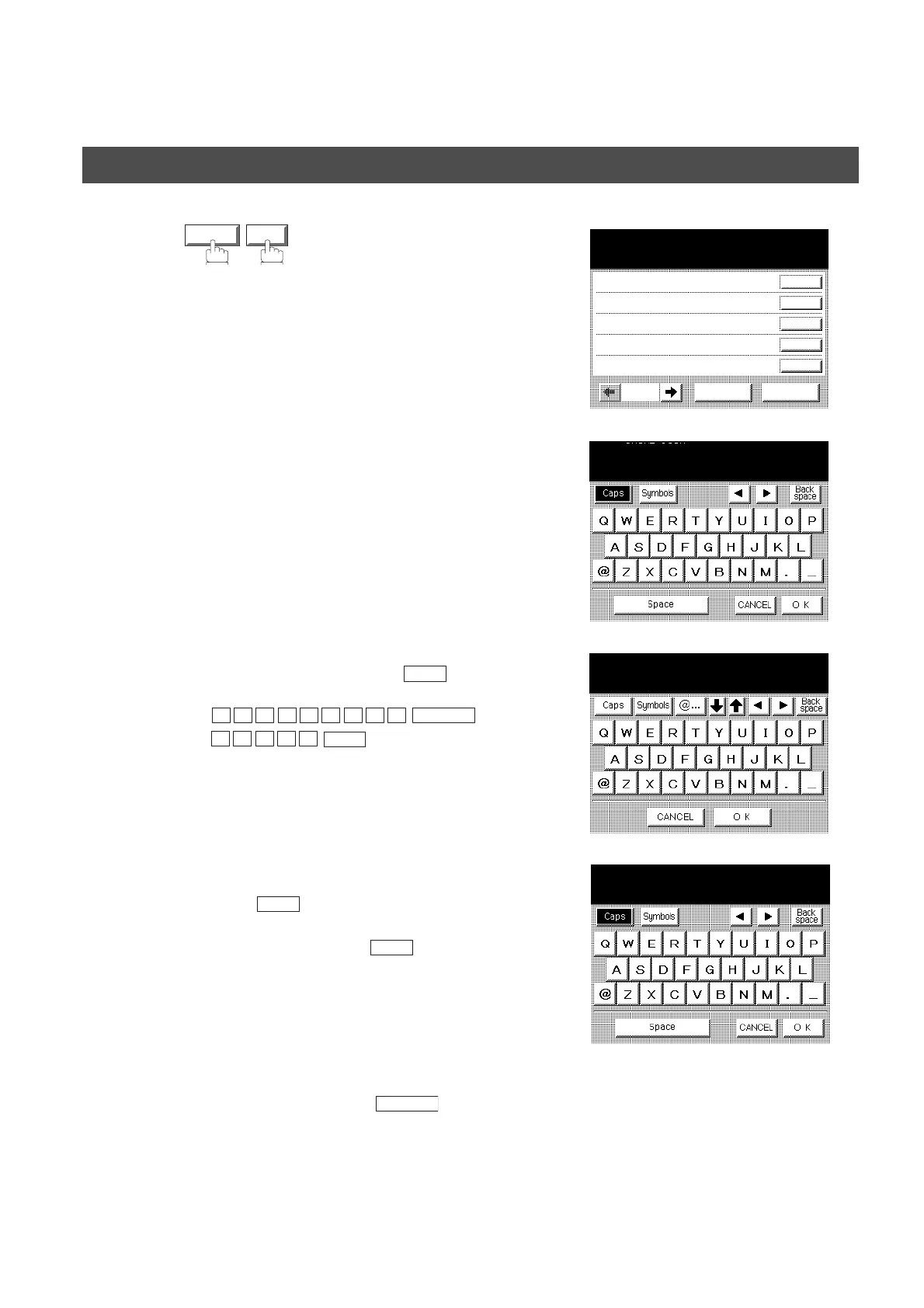
Select the Sender Selection Key (No. 01~24).
Ex: 01
6
Enter your User Name (max 25 characters) by
using character keys and press .
Ex:
7
Enter an email address to be printed on the "From"
field of the email message (max. 60 characters)
and press .
Ex:abc@panasonic.com
8
To record another User Name, repeat Steps 5 to 7.
To return to standby, press .
VALID OK
145 SENDER SELECTION
00 PANASONIC
01
02
03
04
CANCEL O K
01/05
NO.01
ENTER NAME
_
OK
P
A N A S O N I C
SPACE
S
A L E S
OK
NO.01
ENTER EMAIL ADDRESS
_
OK
OK
NO.02
ENTER NAME
_
STOP
Sender Selection



 To Next Page