EasyManua.ls Logo

Panasonic AG-4700E - Display Symbols

Panasonic AG-4700E
52 pages
Print Icon
To Next Page IconTo Next Page
To Previous Page IconTo Previous Page
Loading...
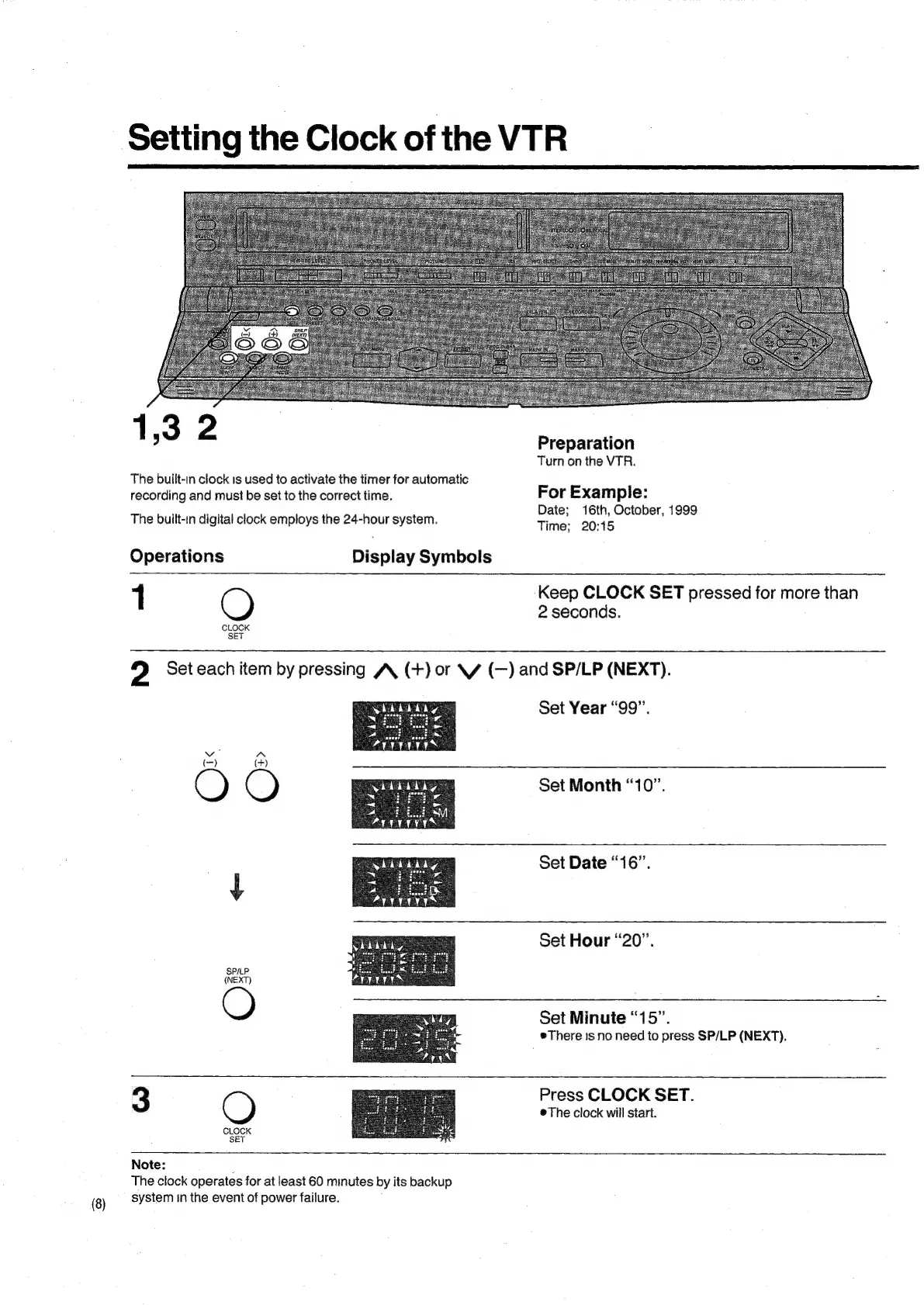
Setting
the
Clock
of
the
VTR
1,32
The
built-in
clock
1s
used
to
activate
the
timer
for
automatic
recording
and
must
be
set
to
the
correct
time.
The
built-in
digital
clock
employs
the
24-hour
system.
Operations
Display
Symbols
?
Preparation
Turn
on
the
VTR.
For
Example:
Date;
16th,
October,
1999
Time;
20:15
Keep
CLOCK
SET
pressed
for
more
than
2
seconds.
2
Set
each
item
by
pressing
A
(+)
or
\W
(—)
and
SP/LP
(NEXT).
Set
Year
“99”.
Set
Month
“10”.
Set
Date
“16”.
SP/LP
(NEXT)
Set
Hour
“20”.
Set
Minute
“15”.
There
is
no
need
to
press
SP/LP
(NEXT).
3
CLOCK
SET
Note:
The
clock
operates
for
at
least
60
minutes
by
its
backup
system
in
the
event
of
power
failure.
Press
CLOCK
SET.
e
The
clock
will
start.

Related product manuals