– 25 –
Setup (default settings)
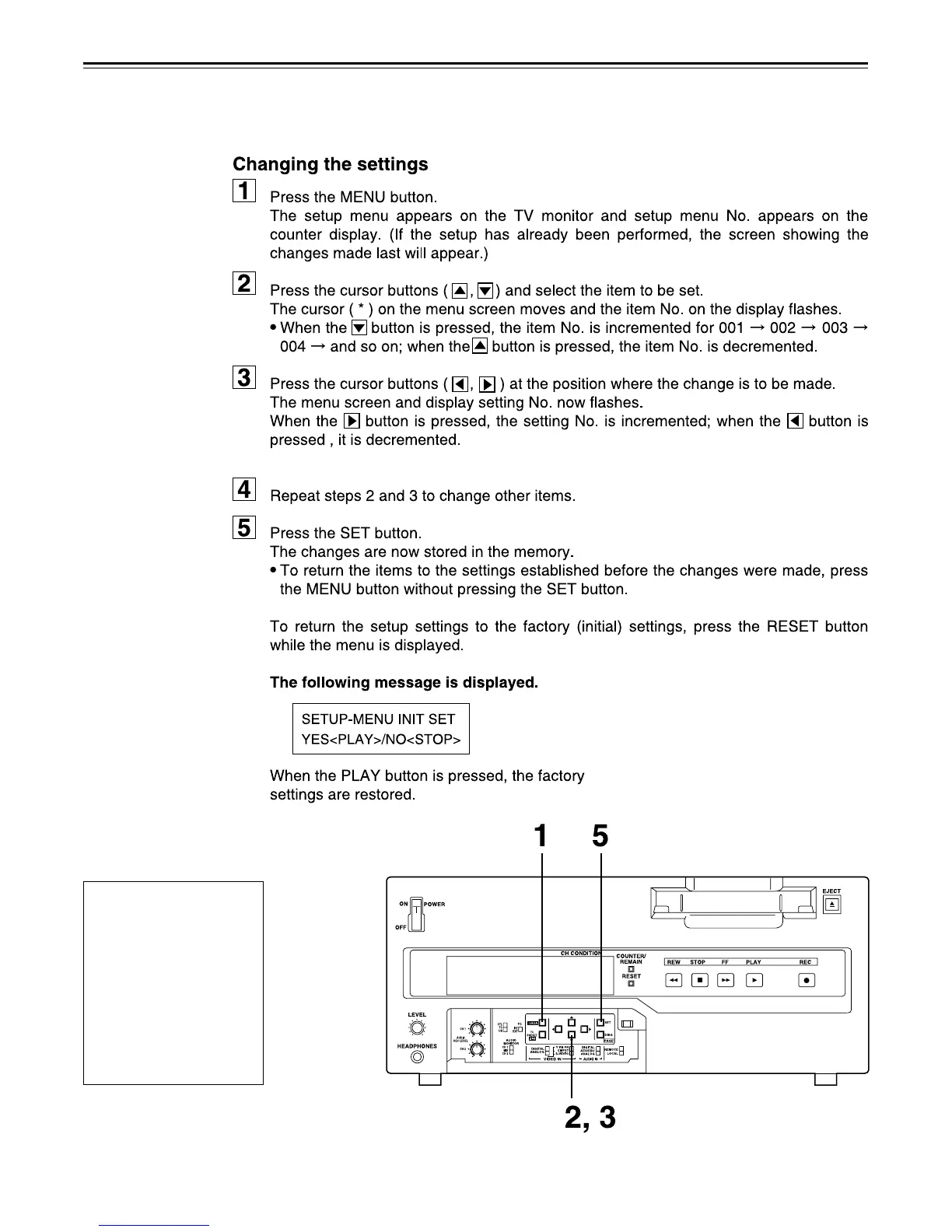
The unit’s major settings are performed by making selections on menus.
The setting menus appear on the TV monitor when the TV monitor and VIDEO OUT 3
connector in the unit's connector area are hooked up.
When the RESET button is
pressed to return to the
factory settings, the factory
settings are restored only for
the user file currently being
used and other user files are
not affected.
The changed SYSTEM menu
contents are stored in the
memory even if the MENU
button is pressed.
<Notes>
•
•





 To Next Page