★
All the description below is about the settings on AW-RP50.
Setting for Switching the Sources
① Enable the function to switch the sources.
Menu: (9) SETUP > [2] SW LINK => 2. BUSCONT => [On] * Default: [Off]
② Select the source you want to switch to.
Menu: (9) SETUP > [2] SW LINK => 3. BUS => [AUX, PVW, PinP, KEY (Key Fill)] * Default: [AUX]
Setting for Focus Assist Function
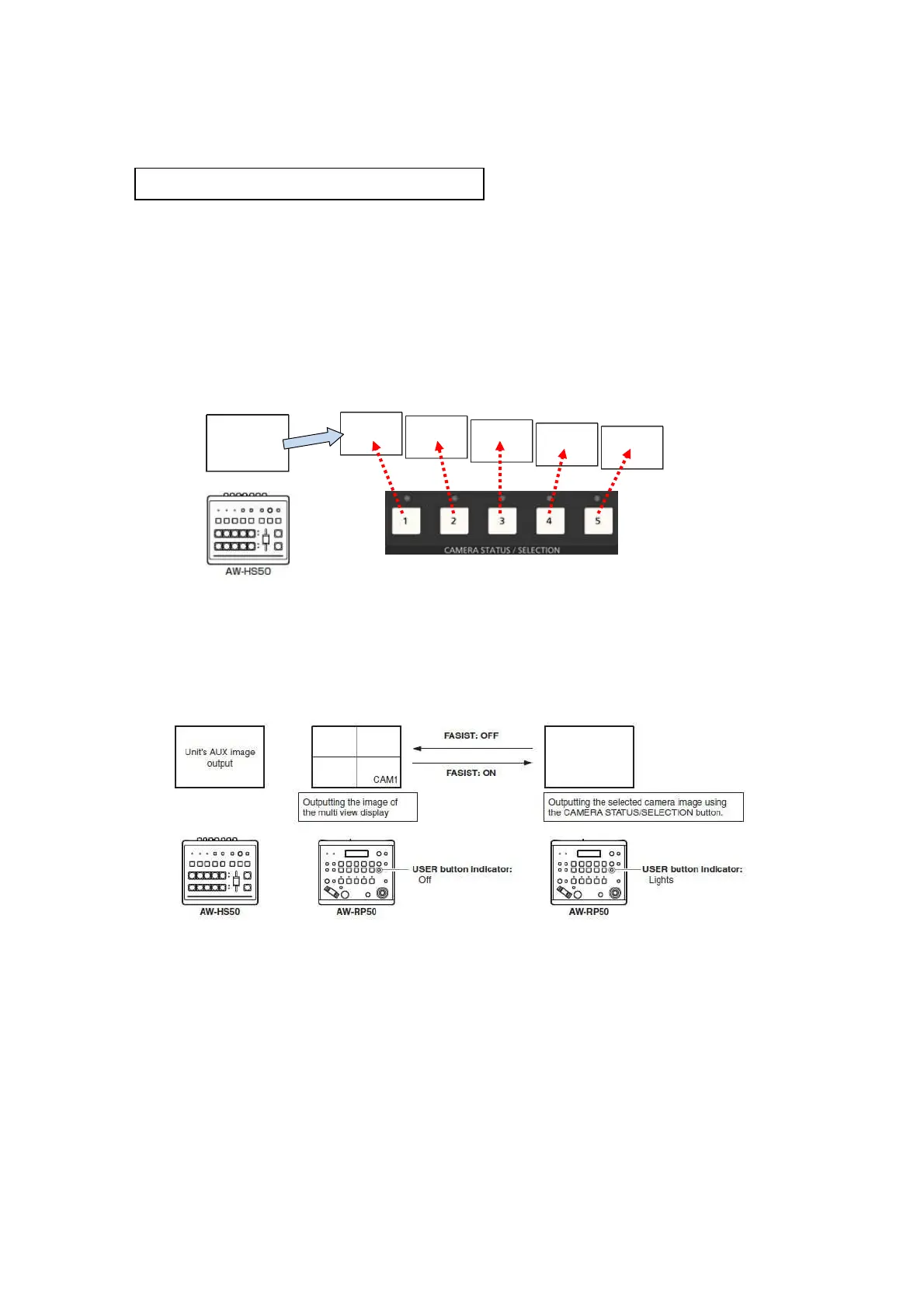
① AUX source image output from AW-HS50 is switched to an image from a remote camera selected by AW-RP50.
If this setting is set to “Off”, AW-HS50 AUX output image is switched to MV screen.
Menu: (9) SETUP > [2] SW LINK => 4. FASISIT => [On] * Default: [Off]
)
(Schematic: If the source to switch to is set to [AUX])
AW-HS50
AUX
(Schematic: Focus Assist Function)
【
Step 2
】
Settings for enabling each function














 To Next Page