Operating Instructions (Additional Features)
17
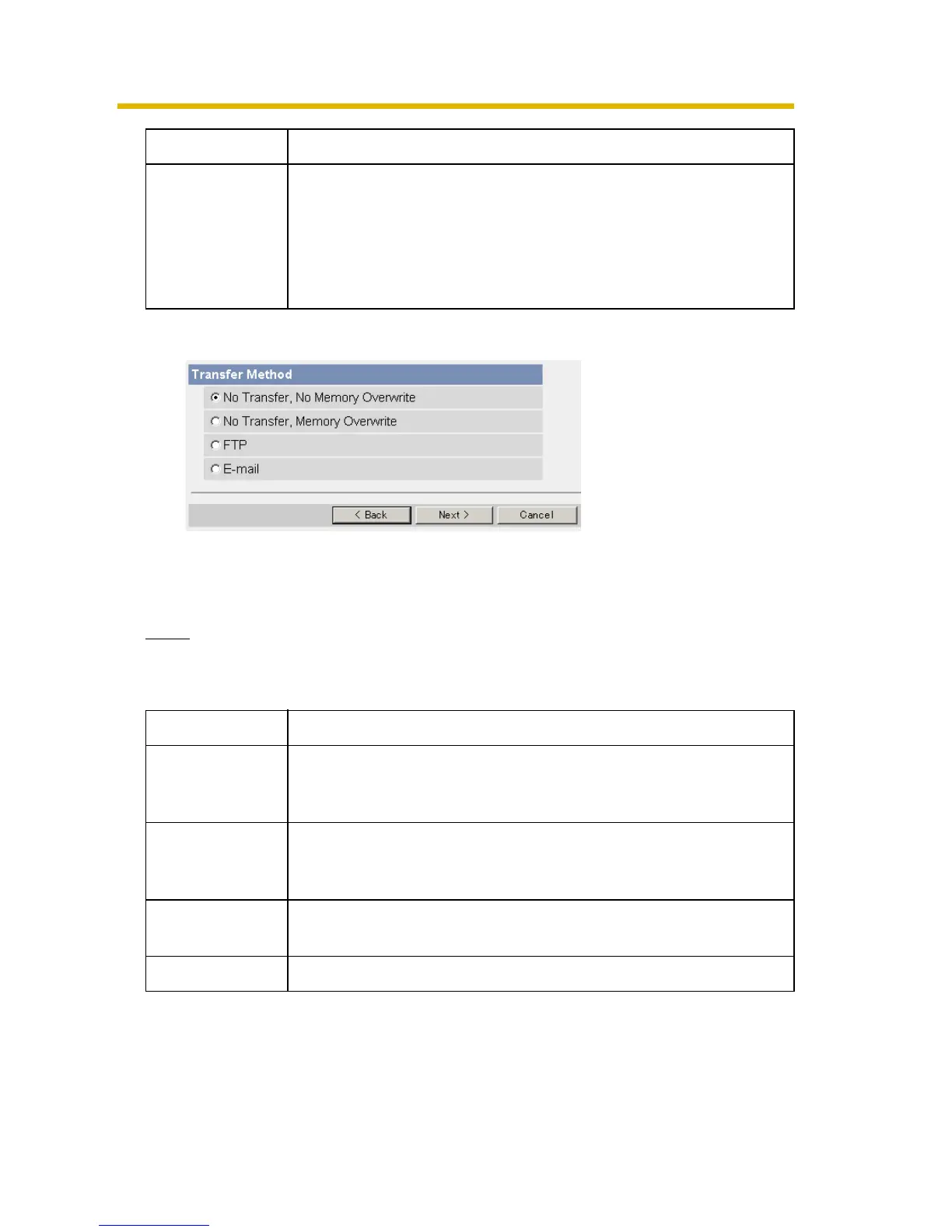
8. Select the transfer method, and click [Next>].
• Clicking [<Back] takes you back to the previous page.
• Clicking [Cancel] takes you back to the Trigger page without saving
changes.
Note
If you transfer image by E-mail or FTP, confirm that the default gateway and
DNS server addresses are assigned correctly.
Enable Post-
trigger Image
Buffer
• Check the box to enable the setting. The camera buffers or
transfers the image right after the alarm signal is detected.
• Set an interval, number of images to buffer and total
number. The buffered images may not match the total
number due to memory capacity, image resolution, image
quality or what object you view.
Setting Description
No Transfer, No
Memory
Overwrite
• If the internal memory is full, the camera stops the buffer.
No Transfer,
Memory
Overwrite
• If the internal memory is full, the camera deletes the old
images, and continues to buffer the image.
FTP • The camera transfers the image to an FTP server (see
page
18).
E-mail • The camera transfers the image by E-mail (see page 20).
Setting Description










 To Next Page