Operating Instructions (Additional Features)
33
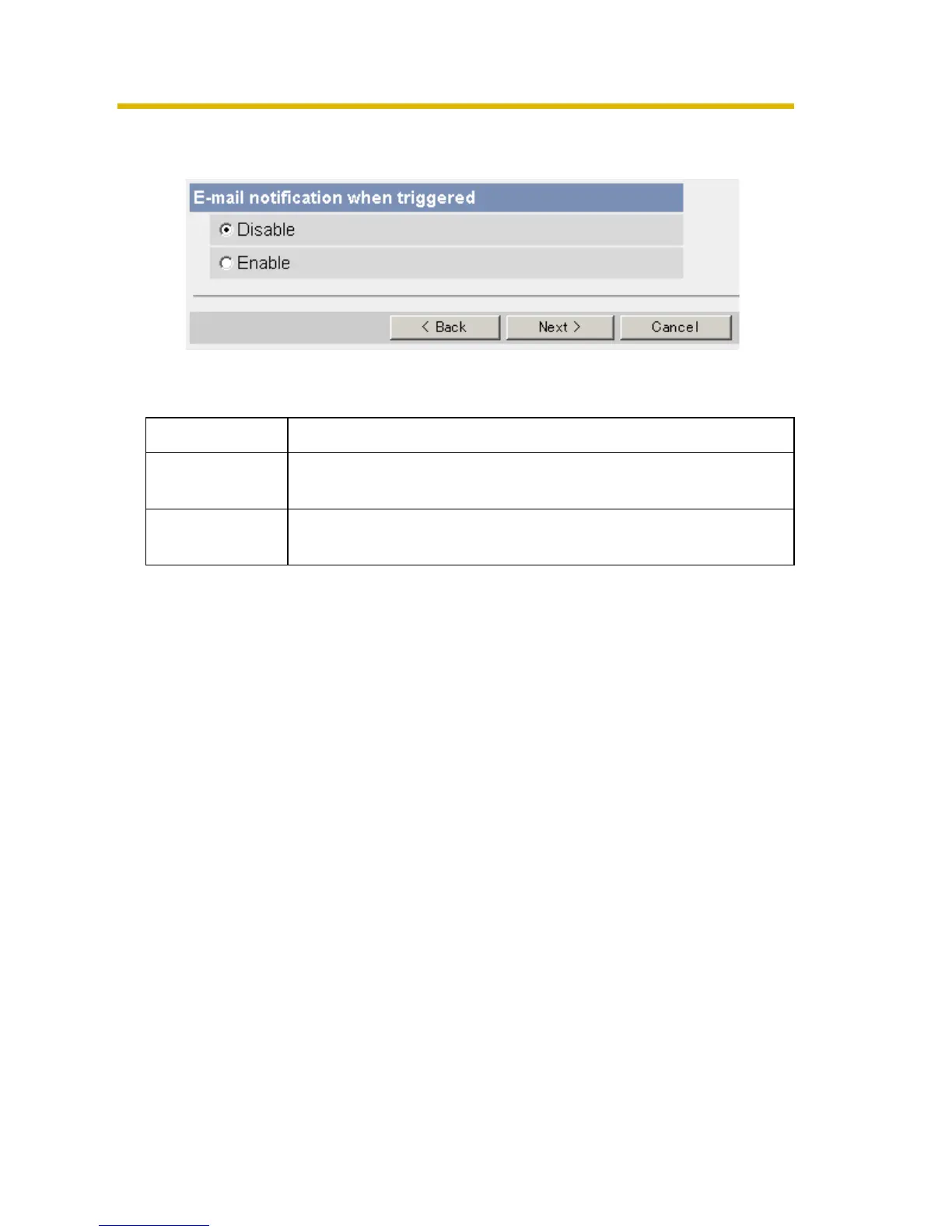
9. After you confirm the settings and click [Next>], set E-mail notification and click
[Next>].
• If you select [Enable], the E-mail Notification When Triggered page is
displayed. Enter the settings seeing page
31 and page 32.
10. Click [Save] after confirming the settings.
• New settings are saved.
• When finished, "Success!" is displayed.
Setting Description
Disable • The camera does not send an E-mail notification when
buffering or transferring image.
Enable • The camera sends an E-mail notification (up to 3
destinations) when buffering or transferring image.






 To Next Page