Operating Instructions (Additional Features)
38
Notifying Setup of an Alarm Log
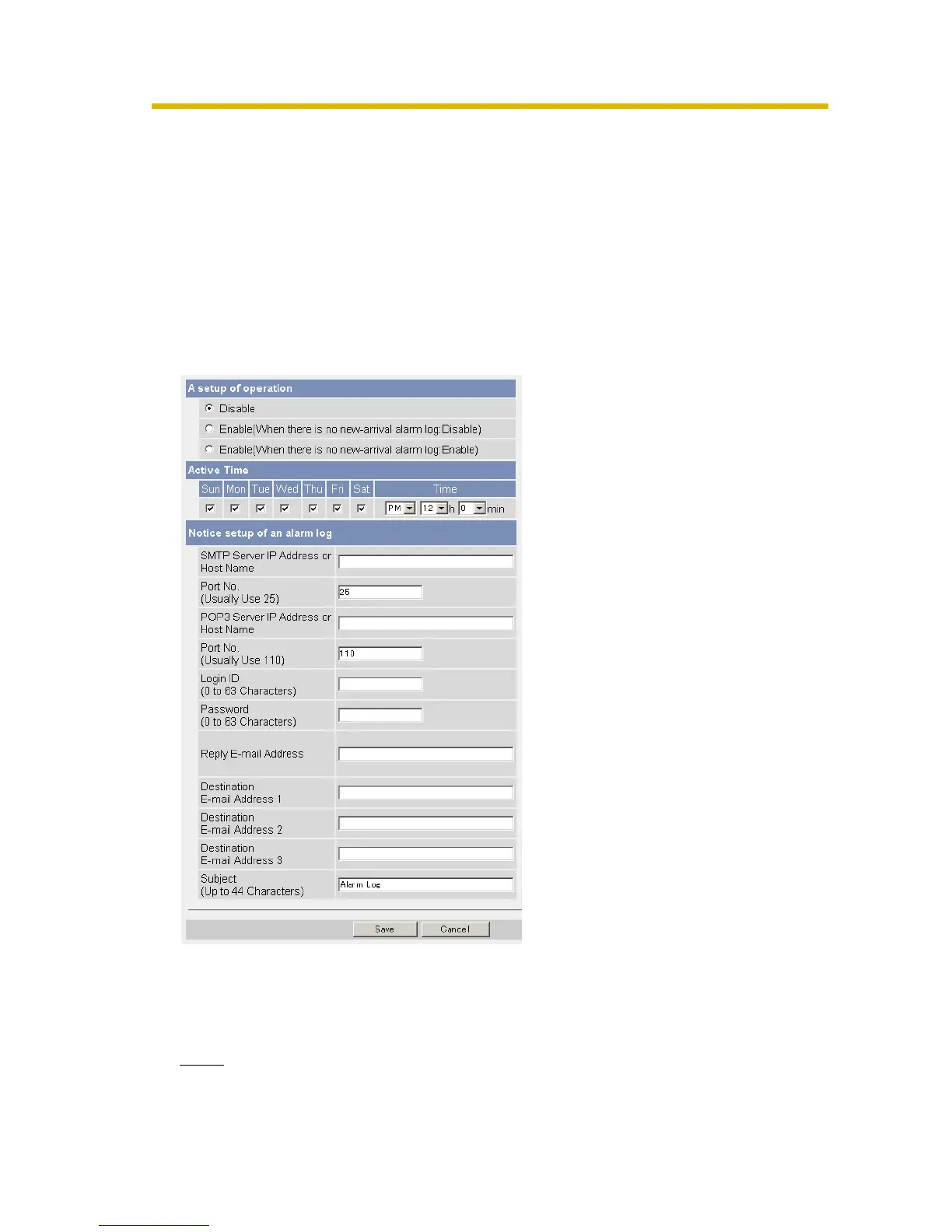
Once a day, an alarm log sent at a specified time can be checked. To enable Alarm Log,
set Alarm 1, Alarm 2 or Motion Detection for Trigger Setting and check [Enable].
When Alarm Log is used, the DNS server address setting is required. (See "2.2
Connecting the Camera to Your IPv4 Network" or "2.3 Connecting the Camera to Your
IPv6 Network" on the Operating Instructions.)
1. Click [Alarm Log] on the Setup page.
When selecting Alarm1, Alarm2 or Motion Detection in Trigger page, the Alarm
log window is displayed.
2. Set each parameter.
3. Click [Save].
Clicking [Cancel] cancels your settings without saving changes.
4. Click [Go to Alarm Log page].
Note
• When the camera restarts, alarm logs will be deleted.










 To Next Page